
About
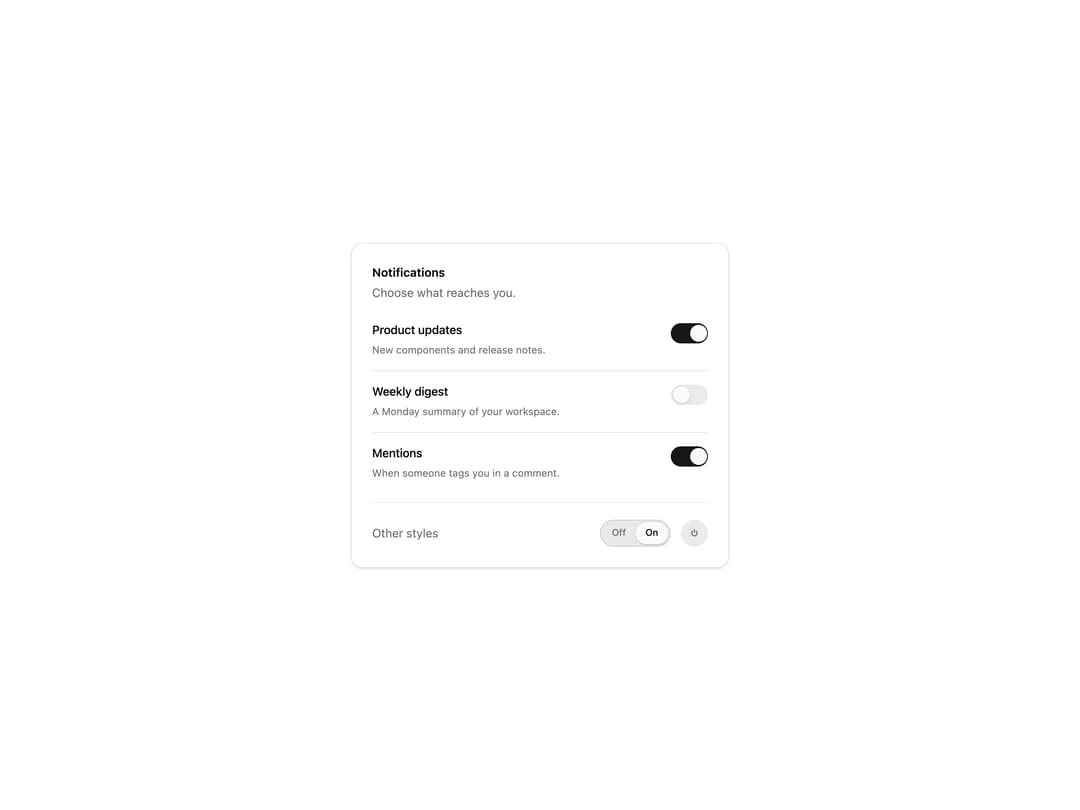
An animated toggle switch with a smoothly sliding knob, plus segmented and power styles and a settings group layout. Themed with shadcn tokens, light and dark ready.
Built with React and Tailwind. Copy the prompt and paste it into Claude Code, Cursor or Lovable: your agent adds Switch to your project and fits it to your theme.
Code
How Switch is used: the demo's code. The component's own source comes with a free account.
Usage.tsx
"use client";

import * as React from "react";
import { Switch } from "@/components/ui/switch";

const settings = {
  switchSize: "md",
  showSegmented: true,
  showPower: true,
};

const ROWS = [
  { label: "Product updates", description: "New components and release notes.", on: true },
  { label: "Weekly digest", description: "A Monday summary of your workspace.", on: false },
  { label: "Mentions", description: "When someone tags you in a comment.", on: true, elevated: true },
];

export default function SwitchDemo(props: Partial<typeof settings>) {
  const s = { ...settings, ...props };
  const size = s.switchSize as "sm" | "md" | "lg";

  return (
    <div className="flex min-h-[420px] w-full items-center justify-center bg-background p-6">
      <div className="w-full max-w-md space-y-6 rounded-xl border border-border bg-card p-6 text-card-foreground shadow-sm">
        <div>
          <h3 className="text-sm font-semibold">Notifications</h3>
          <p className="mt-1 text-sm text-muted-foreground">Choose what reaches you.</p>
        </div>
        <div className="divide-y divide-border">
          {ROWS.map((row) => (
            <div key={row.label} className="py-3.5 first:pt-0 last:pb-0">
              <Switch
                fullWidth
                labelPosition="left"
                switchSize={size}
                variant={row.elevated ? "elevated" : "minimal"}
                defaultChecked={row.on}
                label={row.label}
                description={row.description}
              />
            </div>
          ))}
        </div>

        {(s.showSegmented || s.showPower) && (
          <div className="flex items-center justify-between border-t border-border pt-5">
            <span className="text-sm text-muted-foreground">Other styles</span>
            <div className="flex items-center gap-3">
              {s.showSegmented && (
                <Switch variant="segmented" switchSize={size} defaultChecked aria-label="Auto sync" />
              )}
              {s.showPower && (
                <Switch variant="power" switchSize={size} aria-label="Power" />
              )}
            </div>
          </div>
        )}
      </div>
    </div>
  );
}
Dependencies
More by Wensity Labs
View all

Sidebar
226
Calendar
169
Button
74
Color Picker
62
Image Comparison Slider
54
AI Prompt Input
49
Navigation Menu
36
Text Morphing
35
More in Forms
View all

Premium Auth
496
Authentication Card
44

Login 1
52

Login 2
7

Form
32

Card Studio
41

Login Card
32

Form
136
