
About
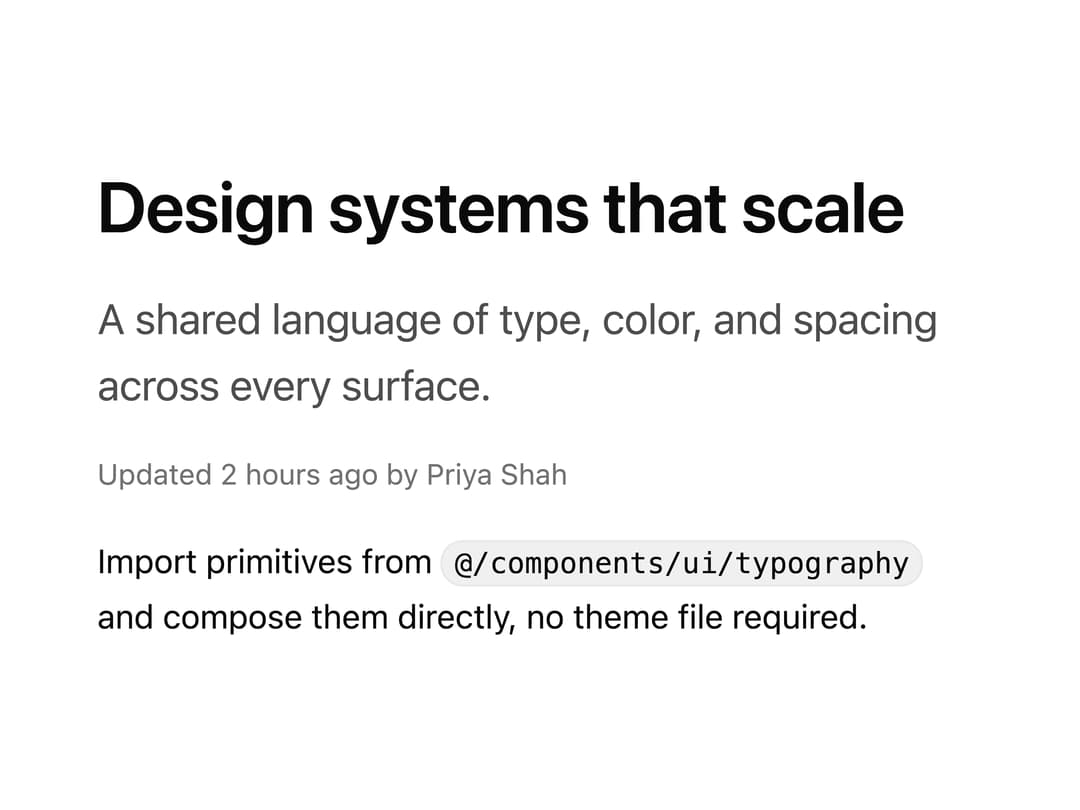
Typography components for headings, paragraphs, lead text, muted text, lists, blockquotes and inline code. Keep blog posts, docs and marketing copy consistent.
Built with React and Tailwind. Copy the prompt and paste it into Claude Code, Cursor or Lovable: your agent adds Typography to your project and fits it to your theme.
Code
How Typography is used: the demo's code. The component's own source comes with a free account.
Usage.tsx
"use client";

import * as React from "react";
import { Heading, Lead, Muted, InlineCode } from "@/components/ui/typography";

export function TypographyPreview() {
  return (
    <div className="flex w-full max-w-md flex-col gap-4 px-6">
      <Heading level={2}>Design systems that scale</Heading>
      <Lead>A shared language of type, color, and spacing across every surface.</Lead>
      <Muted>Updated 2 hours ago by Priya Shah</Muted>
      <p className="text-[15px] leading-[1.7] text-[var(--foreground)]">
        Import primitives from{" "}
        <InlineCode>@/components/ui/typography</InlineCode> and compose
        them directly, no theme file required.
      </p>
    </div>
  );
}

export default function Demo() {
  return <TypographyPreview />;
}
Dependencies
More by Wensity Labs
View all

Sidebar
229
Calendar
171
Button
76
Color Picker
62
Image Comparison Slider
55
AI Prompt Input
50
Navigation Menu
36
Text Morphing
35
More in Text
View all

Vertical Cut Reveal Characters
103

Rainbow Text Effect
47
Text Loop
306
Motion Blur Text
36
Text Reveal
27
Apple Hello Effect
608

Animated Text
8
Lightning Text
122

