

About
An interactive image slideshow where hovering staggered text indicators reveals the matching slide with an animated clip-path transition.
Built with React and Tailwind. Copy the prompt and paste it into Claude Code, Cursor or Lovable: your agent adds Slideshow to your project and fits it to your theme.
Code
How Slideshow is used: the demo's code. The component's own source comes with a free account.
Usage.tsx
"use client";
import {
  Slideshow,
  SlideshowImageContainer,
  SlideshowImageWrap,
  SlideshowIndicator,
} from "@/components/ui/slideshow";
import Image from "next/image";

const slides = [
  {
    id: "slide-6",
    title: "UI UX design",
    imageUrl:
      "https://cdn.21st.dev/assets/mirror/e5/e53e3c7473052546682df15ee99f20ccf6b5413039fc6cafa1b23717237091d0.jpg",
  },
  {
    id: "slide-1",
    title: "frontend dev",
    imageUrl:
      "https://cdn.21st.dev/assets/mirror/8c/8c0f960426250d158fbd13dcb4c244268f0847b8b3f2ae7788a62b9bcf6b7b02.jpg",
  },
  {
    id: "slide-2",
    title: "backend dev",
    imageUrl:
      "https://cdn.21st.dev/assets/mirror/93/9309cec6a1caedbe56f26432bc56830785f7f06089f66190cfebcbe65e92789b.jpg",
  },
  {
    id: "slide-3",
    title: "video editing",
    imageUrl:
      "https://cdn.21st.dev/assets/mirror/48/4875e9daf51a4045c9f1e1f3e58885d32b7f28e04a5c1471c86c135f0b1c8cd2.jpg",
  },
  {
    id: "slide-4",
    title: "SEO optimization",
    imageUrl:
      "https://cdn.21st.dev/assets/mirror/64/64d1fa5c32ed1dc0c2ee577155618270fdff26e47f63c2fb4bc68c127d66d669.jpg",
  },
];

export default function SlideshowDemo() {
  return (
    <Slideshow className="min-h-svh place-content-center p-6 md:px-12">
      <h3 className="mb-6 text-primary text-xs font-medium capitalize tracking-wide">
        / our services
      </h3>
      <div className="flex flex-wrap items-center justify-evenly gap-6 md:gap-12">
        <div className="flex  flex-col space-y-2 md:space-y-4   ">
          {slides.map((slide, index) => (
            <SlideshowIndicator
              key={slide.title}
              index={index}
              className="cursor-pointer text-4xl font-bold uppercase tracking-tighter"
            >
              {slide.title}
            </SlideshowIndicator>
          ))}
        </div>
        <SlideshowImageContainer className="relative h-96 aspect-[9/14]">
          {slides.map((slide, index) => (
            <SlideshowImageWrap key={index} index={index} className="relative">
              <Image
                src={slide.imageUrl}
                alt={slide.title}
                fill
                priority={true}
                sizes="(max-width: 768px) 100vw, 50vw"
                className="size-full object-cover"
              />
            </SlideshowImageWrap>
          ))}
        </SlideshowImageContainer>
      </div>
    </Slideshow>
  );
}
Dependencies
More by YoucefBnm Bnm
View all

Animated Slideshow
2.2K
Hero Gallery Scroll Animation
1.5K
Animated Gallery
1.4K
Animated Video on Scroll
1.4K
Animated Cards Stack
1.3K
Cards Stack
1.1K
cta section with gallery
672
Hero Video
538
More in Galleries
View all
Thumbnail image viewer
43

File Upload
18
Editorial Collage Hero
430
3D Parallax Unfurling Gallery
981

Image Gallery
123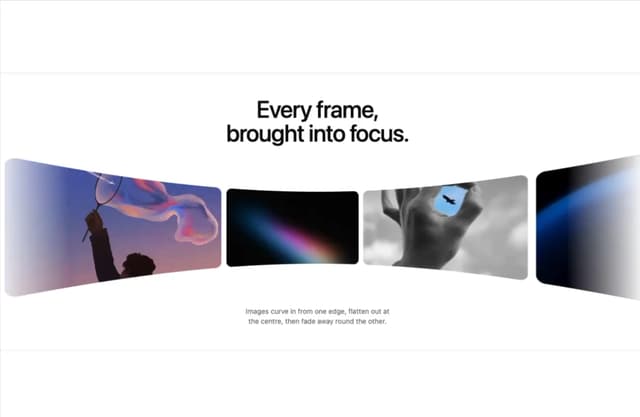

Tilted Grid Hero
1.5K

Elastic Gallery
908

Hero Section 6
882

