
About
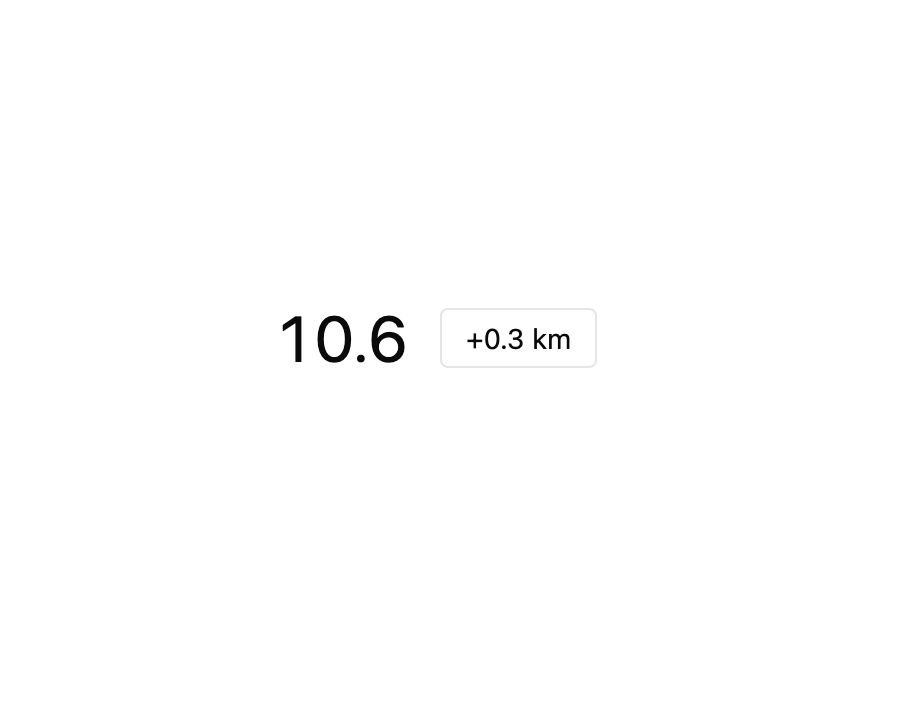
A number display whose digits roll on individual wheels to a new value, like a car's mechanical odometer, with an optional 3D drum mode, locale-aware grouping, and fixed decimal places. Ported to React from the Starbase (zweiundeins) Datastar/Rocket web component, MIT licensed.
Built with React and Tailwind. Copy the prompt and paste it into Claude Code, Cursor or Lovable: your agent adds Odometer to your project and fits it to your theme.
Code
How Odometer is used: the demo's code. The component's own source comes with a free account.
Usage.tsx
"use client";

import * as React from "react";
import Odometer from "@/components/ui/odometer";

// `decimals` fixes the digits after the decimal mark, so a whole-number step
// still shows its ".0" and the layout does not jump. When the number gains a
// digit (9.9 -> 10.0) the wheels snap to the new layout instead of rolling
// from the old one.
export default function OdometerDecimalDemo() {
  const [trip, setTrip] = React.useState(9.4);

  return (
    <div className="flex h-full w-full items-center justify-center gap-4 bg-background text-foreground">
      <Odometer decimals={1} value={trip} style={{ fontSize: "2rem" }} />
      <button
        className="rounded border px-3 py-1 text-sm"
        onClick={() => setTrip((v) => Math.round((v + 0.3) * 10) / 10)}
      >
        +0.3 km
      </button>
    </div>
  );
}
More by zweiundeins
View all
Theme Switch
11
Busy
7
Meter
Radio Group
Gauge
Checkbox Group

QR Code
Alert