
About
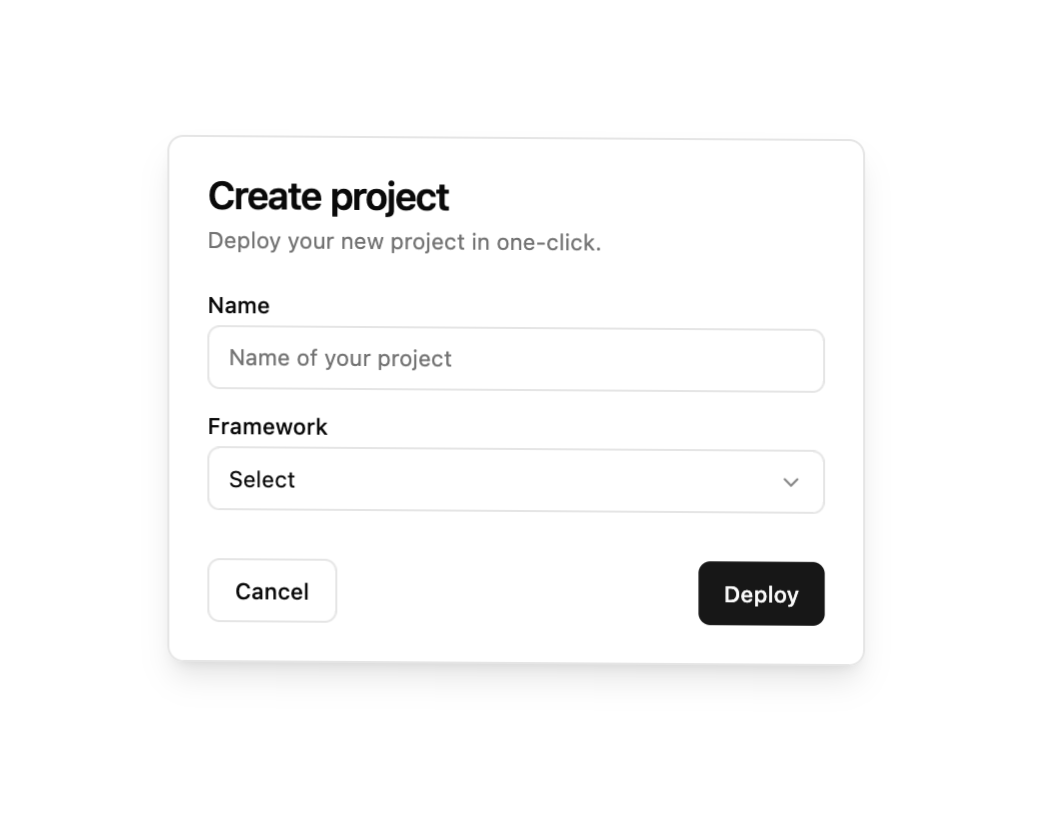
Here is 3d Wrapper component
Built with React and Tailwind. Copy the prompt and paste it into Claude Code, Cursor or Lovable: your agent adds 3d Wrapper to your project and fits it to your theme.
Code
How 3d Wrapper is used: the demo's code. The component's own source comes with a free account.
Usage.tsx
import { Button } from "@/components/ui/button"
import {
  Card,
  CardContent,
  CardDescription,
  CardFooter,
  CardHeader,
  CardTitle,
} from "@/components/ui/card"
import { Input } from "@/components/ui/input"
import { Label } from "@/components/ui/label"
import {
  Select,
  SelectContent,
  SelectItem,
  SelectTrigger,
  SelectValue,
} from "@/components/ui/select"
import { Wrapper3D } from "@/components/ui/3d-wrapper"

export default function Wrapper3DDemo() {
  return (
    <div>
      <Wrapper3D maxRotation={20} translateZ={60} perspective={false}>
        <Card className="dark:bg-secondary w-auto bg-white shadow-lg sm:w-[350px]">
          <CardHeader>
            <CardTitle>Create project</CardTitle>
            <CardDescription>
              Deploy your new project in one-click.
            </CardDescription>
          </CardHeader>
          <CardContent>
            <form>
              <div className="grid w-full items-center gap-4">
                <div className="flex flex-col space-y-1.5">
                  <Label htmlFor="name">Name</Label>
                  <Input id="name" placeholder="Name of your project" />
                </div>
                <div className="flex flex-col space-y-1.5">
                  <Label htmlFor="framework">Framework</Label>
                  <Select>
                    <SelectTrigger id="framework">
                      <SelectValue placeholder="Select" />
                    </SelectTrigger>
                    <SelectContent position="popper">
                      <SelectItem value="next">Next.js</SelectItem>
                      <SelectItem value="sveltekit">SvelteKit</SelectItem>
                      <SelectItem value="astro">Astro</SelectItem>
                      <SelectItem value="nuxt">Nuxt.js</SelectItem>
                    </SelectContent>
                  </Select>
                </div>
              </div>
            </form>
          </CardContent>
          <CardFooter className="flex justify-between">
            <Button variant="outline">Cancel</Button>
            <Button>Deploy</Button>
          </CardFooter>
        </Card>
      </Wrapper3D>
    </div>
  )
}
Dependencies
More by badtz
View all
Animated Card Chart
1K
Animated Card Diagram
626
Animated Card
465
dock
337
Glowing Button
212
Border Beam
181
Cursor Cards
180
Star Button
86
More in Cards
View all
Stats cards with links
33

Course Design Cards
1.1K

Card
70
Statistics Card 2
264
Statistics Card 10
263

Card
17

Card Studio
9
The Item one
3
