
About
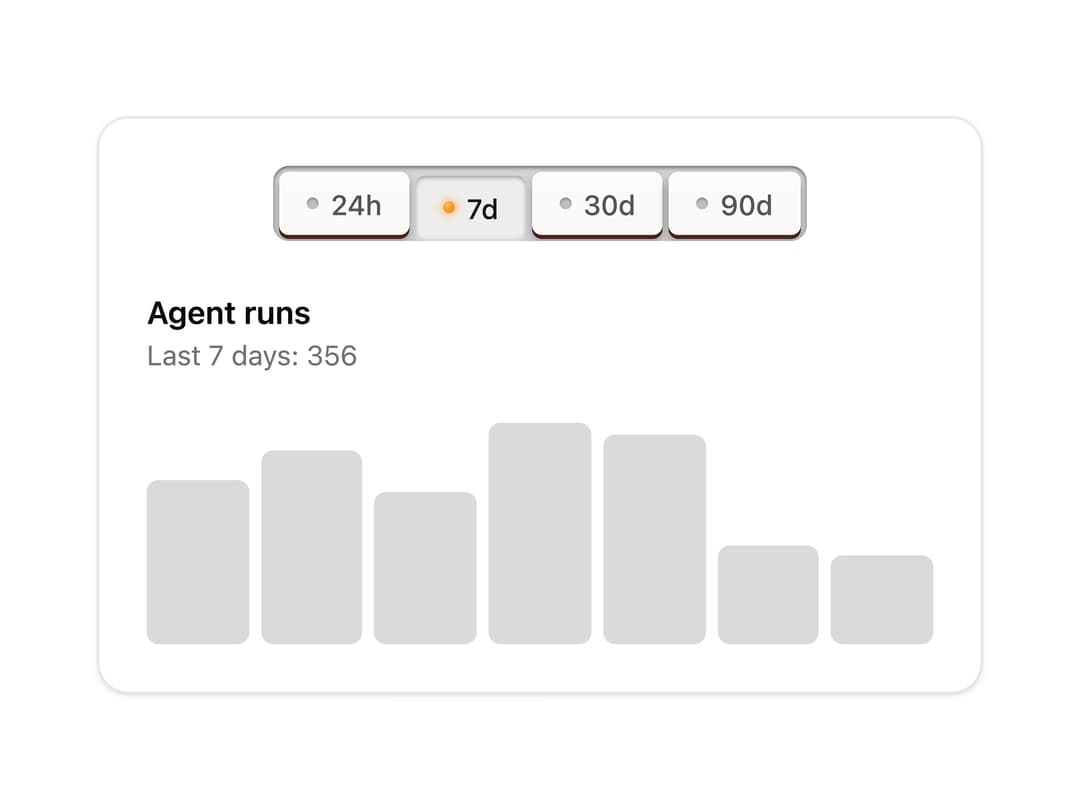
Tabs and segmented controls as interlocked preset keys, like a car radio's: press one and it latches down while the one that was down springs back up. Only one is ever down. Skeuomorphic, accessible, Base UI. Part of Bevel: bevel-ui.vercel.app
Built with React and Tailwind. Copy the prompt and paste it into Claude Code, Cursor or Lovable: your agent adds Preset keys to your project and fits it to your theme.
Code
How Preset keys is used: the demo's code. The component's own source comes with a free account.
Usage.tsx
"use client"

import * as React from "react"
import { PresetKey, PresetKeys } from "@/components/ui/preset-keys"

const ranges = {
  "24h": {
    label: "Last 24 hours",
    runs: [4, 7, 3, 9, 12, 8, 6, 10, 14, 9, 5, 7],
  },
  "7d": { label: "Last 7 days", runs: [52, 61, 48, 70, 66, 31, 28] },
  "30d": {
    label: "Last 30 days",
    runs: [210, 260, 240, 300, 280, 330, 310, 350, 290, 320],
  },
  "90d": {
    label: "Last 90 days",
    runs: [
      800, 950, 1100, 1020, 1240, 1180, 1300, 1420, 1390, 1500, 1610, 1580,
    ],
  },
} as const
type Range = keyof typeof ranges

/** A time-range picker on a row of radio preset keys: press one and the others pop up. */
export function PresetKeysRange() {
  const [range, setRange] = React.useState<Range>("7d")
  const { label, runs } = ranges[range]
  const max = Math.max(...runs)
  return (
    <div className="flex w-[28rem] flex-col gap-6 rounded-2xl border bg-card p-6 shadow-sm">
      <PresetKeys<Range>
        aria-label="Range"
        value={range}
        onValueChange={setRange}
        className="self-center"
      >
        {(Object.keys(ranges) as Range[]).map((r) => (
          <PresetKey<Range> key={r} value={r}>
            {r}
          </PresetKey>
        ))}
      </PresetKeys>
      <div>
        <p className="font-semibold">Agent runs</p>
        <p className="text-sm text-muted-foreground">
          {label}: {runs.reduce((a, b) => a + b, 0).toLocaleString("en-US")}
        </p>
      </div>
      <div aria-hidden className="flex h-28 items-end gap-1.5">
        {runs.map((n, i) => (
          <span
            key={i}
            className="flex-1 rounded-sm bg-foreground/15"
            style={{ height: `${(n / max) * 100}%` }}
          />
        ))}
      </div>
    </div>
  )
}

export default PresetKeysRange
Dependencies
More by Hitesh
View all
Wallet
9
Kbd
4
Number wheel
4
Badge
2
Icon key
1
Gauge and dial
Ledger
Latch checkbox