
About
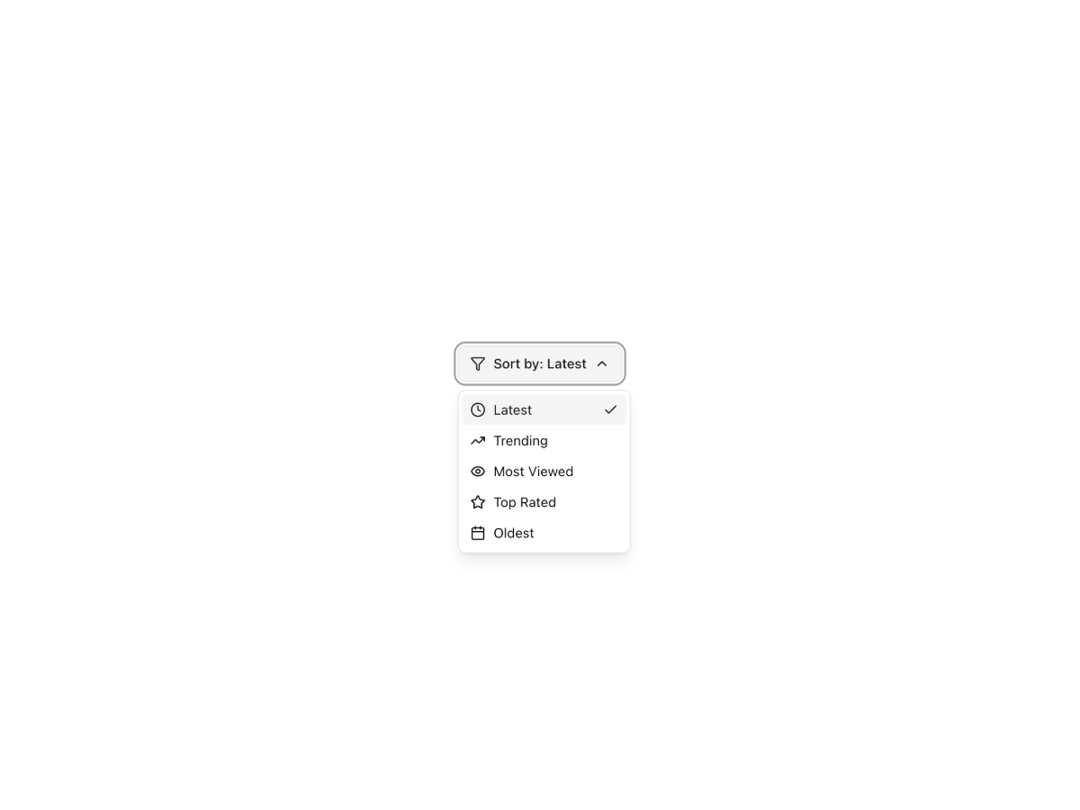
A clean, animated dropdown button designed for filtering content. Includes smooth transitions, optional icons, and customizable options. Fully responsive, theme-aware, and accessible out of the box. Perfect for “Sort by” or filter menus in modern apps.
Built with React and Tailwind. Copy the prompt and paste it into Claude Code, Cursor or Lovable: your agent adds Filter Dropdown to your project and fits it to your theme.
Code
How Filter Dropdown is used: the demo's code. The component's own source comes with a free account.
Usage.tsx
"use client";

import React, { useState } from "react";
import { FilterDropdown, FilterItem } from "@/components/ui/filter-dropdown";
import { Filter, Calendar, Star, TrendingUp, Clock, Eye } from "lucide-react";

export default function FilterDemo() {
  const [selectedSort, setSelectedSort] = useState("latest");

  const sortFilterItems: FilterItem[] = [
    {
      value: "latest",
      label: "Latest",
      icon: <Clock className="h-4 w-4" />,
      onClick: () => setSelectedSort("latest"),
    },
    {
      value: "trending",
      label: "Trending",
      icon: <TrendingUp className="h-4 w-4" />,
      onClick: () => setSelectedSort("trending"),
    },
    {
      value: "most-viewed",
      label: "Most Viewed",
      icon: <Eye className="h-4 w-4" />,
      onClick: () => setSelectedSort("most-viewed"),
    },
    {
      value: "top-rated",
      label: "Top Rated",
      icon: <Star className="h-4 w-4" />,
      onClick: () => setSelectedSort("top-rated"),
    },
    {
      value: "oldest",
      label: "Oldest",
      icon: <Calendar className="h-4 w-4" />,
      onClick: () => setSelectedSort("oldest"),
    },
  ];

  const getDisplayLabel = (value: string) => {
    const item = sortFilterItems.find(item => item.value === value);
    return item?.label || value;
  };

  return (
    <div className="min-h-screen bg-background flex items-center justify-center p-8">
      <FilterDropdown
        trigger={
          <div className="flex items-center gap-2">
            <Filter className="h-4 w-4" />
            <span>Sort by: {getDisplayLabel(selectedSort)}</span>
          </div>
        }
        items={sortFilterItems}
        selectedValue={selectedSort}
        position="bottom-left"
      />
    </div>
  );
}
Dependencies
More by Caio Bonato
View all
Liquid Metal Hero
1.3K
Globe Hero
968
Modern Timeline
658
Grain Gradient Hero Section
447
Onboarding Checklist
125
Animated Gradient Button
55
Animated Tabs
4
Simple Dropdown