
About
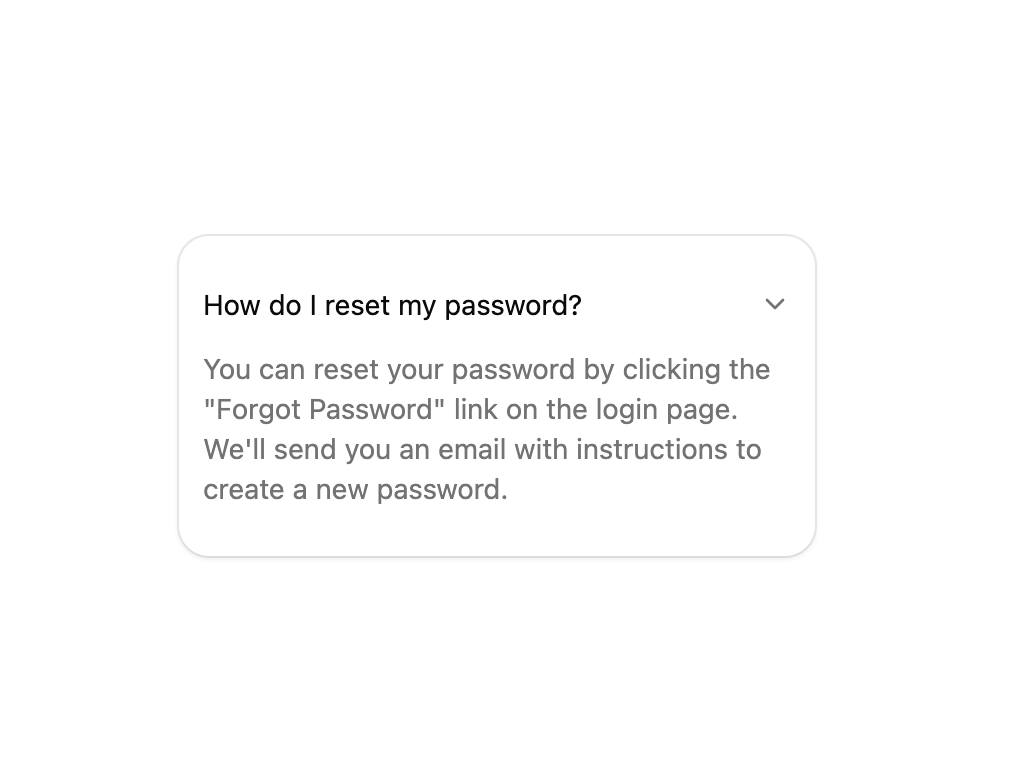
A card containing a collapsible FAQ item that smoothly expands and collapses its answer when the header is clicked.
Built with React and Tailwind. Copy the prompt and paste it into Claude Code, Cursor or Lovable: your agent adds Collapsible Animated Card to your project and fits it to your theme.
Code
How Collapsible Animated Card is used: the demo's code. The component's own source comes with a free account.
Usage.tsx
import { ChevronDownIcon } from "lucide-react";
import { Card, CardContent } from "@/components/ui/v-collapsible-3-utils/card";
import {
Collapsible,
CollapsibleContent,
CollapsibleTrigger,
} from "@/components/ui/v-collapsible-3-utils/collapsible";
export default function Default() {
return (
<div className="flex min-h-60 w-full items-center justify-center p-6">
<div className="h-40 w-full max-w-xs">
<Card className="py-0">
<CardContent className="px-3">
<Collapsible defaultOpen>
<CollapsibleTrigger className="flex w-full cursor-pointer items-center justify-between gap-4 text-sm">
<span>How do I reset my password?</span>
<ChevronDownIcon
aria-hidden="true"
className="size-4 shrink-0 in-data-[state=open]:rotate-180 text-muted-foreground transition-transform"
/>
</CollapsibleTrigger>
<CollapsibleContent className="data-[state=closed]:animate-collapsible-up data-[state=open]:animate-collapsible-down">
<div className="pt-3 text-muted-foreground text-sm">
You can reset your password by clicking the "Forgot
Password" link on the login page. We'll send you an
email with instructions to create a new password.
</div>
</CollapsibleContent>
</Collapsible>
</CardContent>
</Card>
</div>
</div>
);
}
Dependencies
More by Cnippet
View all

Team
1.3K
Davincho Hero-1
683
Aero Hero-3
558
Features
510
Random Letter Swap Navigation
487
Services with Animated Hover Modal
465
Blogs
396
Aero Hero-1
356
More in Cards
View all

Statistics Card 2
264

Course Design Cards
1.1K
Card
70
Stats cards with links
39
The Item one
3

Card Studio
7
Statistics Card 7
292

Item
10
