About
A utility component and hook that applies pending/loading state to any interactive element, blocking clicks and keyboard activation with proper ARIA attributes.
Built with React and Tailwind. Copy the prompt and paste it into Claude Code, Cursor or Lovable: your agent adds Pending to your project and fits it to your theme.
Code
How Pending is used: the demo's code. The component's own source comes with a free account.
Usage.tsx
"use client";

import { usePending } from "@/components/ui/pending";
import { Loader2 } from "lucide-react";
import * as React from "react";
import { Button } from "@/components/ui/button";
import { Input } from "@/components/ui/input";
import { Label } from "@/components/ui/label";

export default function PendingFormDemo() {
  const [isSubmitting, setIsSubmitting] = React.useState(false);
  const [submitted, setSubmitted] = React.useState(false);
  const { pendingProps, isPending } = usePending({ isPending: isSubmitting });

  const onSubmit = React.useCallback((event: React.FormEvent) => {
    event.preventDefault();
    setIsSubmitting(true);
    setSubmitted(false);

    // Simulate API call
    setTimeout(() => {
      setIsSubmitting(false);
      setSubmitted(true);
      setTimeout(() => setSubmitted(false), 2000);
    }, 2000);
  }, []);

  return (
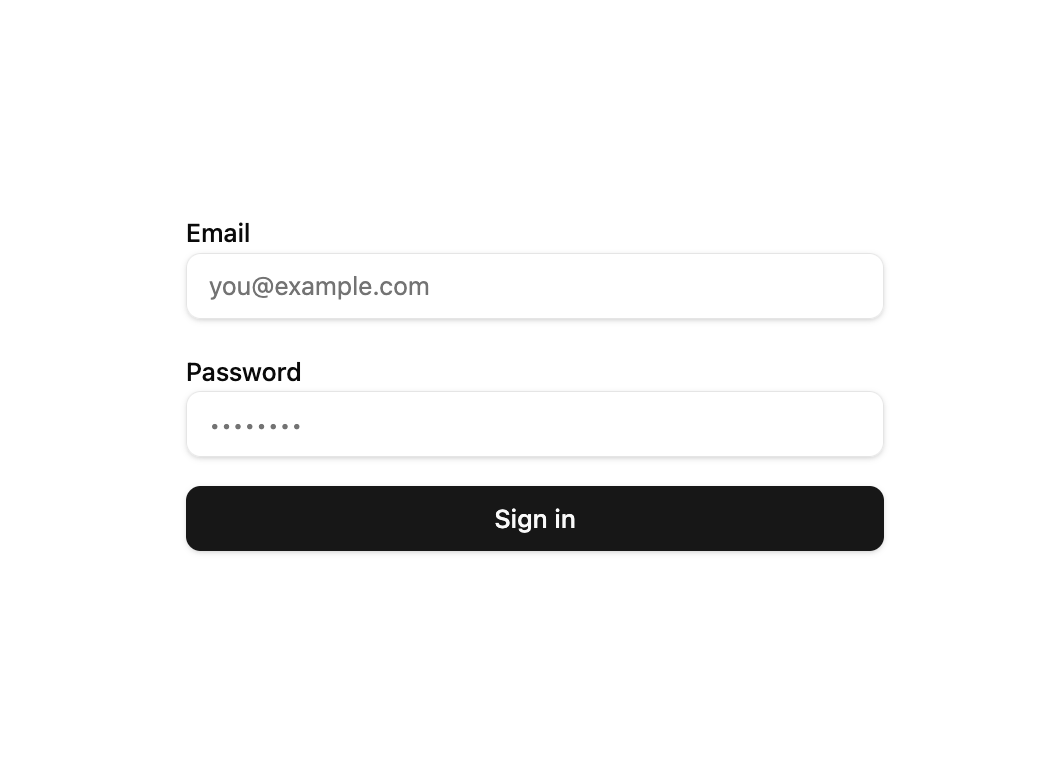
    <form onSubmit={onSubmit} className="w-full max-w-sm space-y-4">
      <div className="space-y-2">
        <Label htmlFor="email">Email</Label>
        <Input
          id="email"
          type="email"
          placeholder="you@example.com"
          required
          disabled={isPending}
        />
      </div>

      <div className="space-y-2">
        <Label htmlFor="password">Password</Label>
        <Input
          id="password"
          type="password"
          placeholder="••••••••"
          required
          disabled={isPending}
        />
      </div>

      <Button type="submit" className="w-full" {...pendingProps}>
        {isPending && <Loader2 className="size-4 animate-spin" />}
        {isPending ? "Signing in..." : "Sign in"}
      </Button>

      {submitted && (
        <p className="text-center text-green-600 text-sm dark:text-green-400">
          Successfully signed in!
        </p>
      )}
    </form>
  );
}
Dependencies
More by Dice UI
View all

Compare Slider
75
Sortable
49
Circular Progress
41
Status
28
Banner
19
Stack
8
Scroller
5
Kanban Board
4
More in Buttons
View all

Button
14
Button
34
Texture Button
92
Button Save
46

Button
64

Button Group
3

App Store Button
454

Notification Button
103

