
About
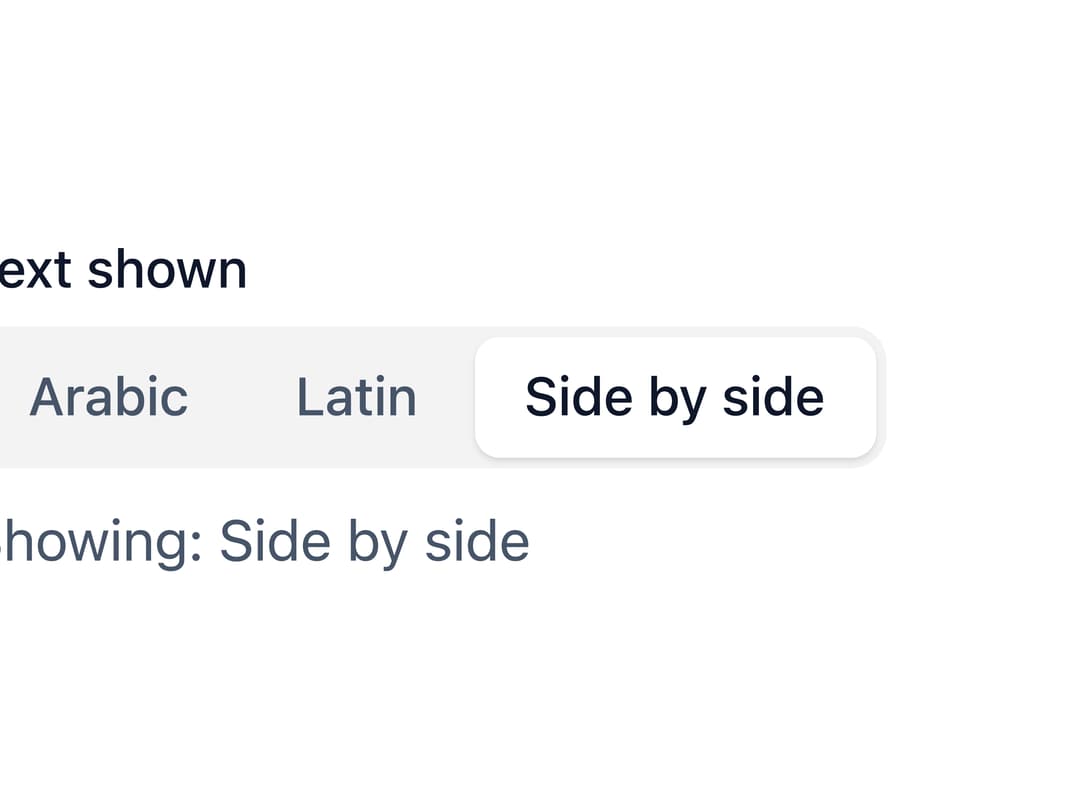
A compact single-choice control with a sliding highlight that glides to the active option, built on native radio inputs for keyboard and screen-reader support. Ported to React from the Svelte original by ebnsina (Sina UI).
Built with React and Tailwind. Copy the prompt and paste it into Claude Code, Cursor or Lovable: your agent adds Segmented Control to your project and fits it to your theme.
Code
How Segmented Control is used: the demo's code. The component's own source comes with a free account.
Usage.tsx
"use client";

import * as React from "react";
import Segmented from "@/components/ui/segmented";

export default function SegmentedDemo() {
  const [view, setView] = React.useState("both");
  const views = [
    { value: "arabic", label: "Arabic" },
    { value: "latin", label: "Latin" },
    { value: "both", label: "Side by side" },
  ];

  return (
    <div className="flex w-full max-w-sm flex-col items-start gap-2">
      <Segmented
        label="Text shown"
        options={views}
        value={view}
        onValueChange={setView}
      />
      <p style={{ margin: 0, color: "var(--ui-muted)" }}>
        Showing: {views.find((v) => v.value === view)?.label}
      </p>
    </div>
  );
}
More by ebnsina
View all
Countdown Timer
20
Video Player
15
Alarm Clock
15
Voice Note
12
Split Button
11
Sortable List
10
Stopwatch
5
Code Block
5