
About
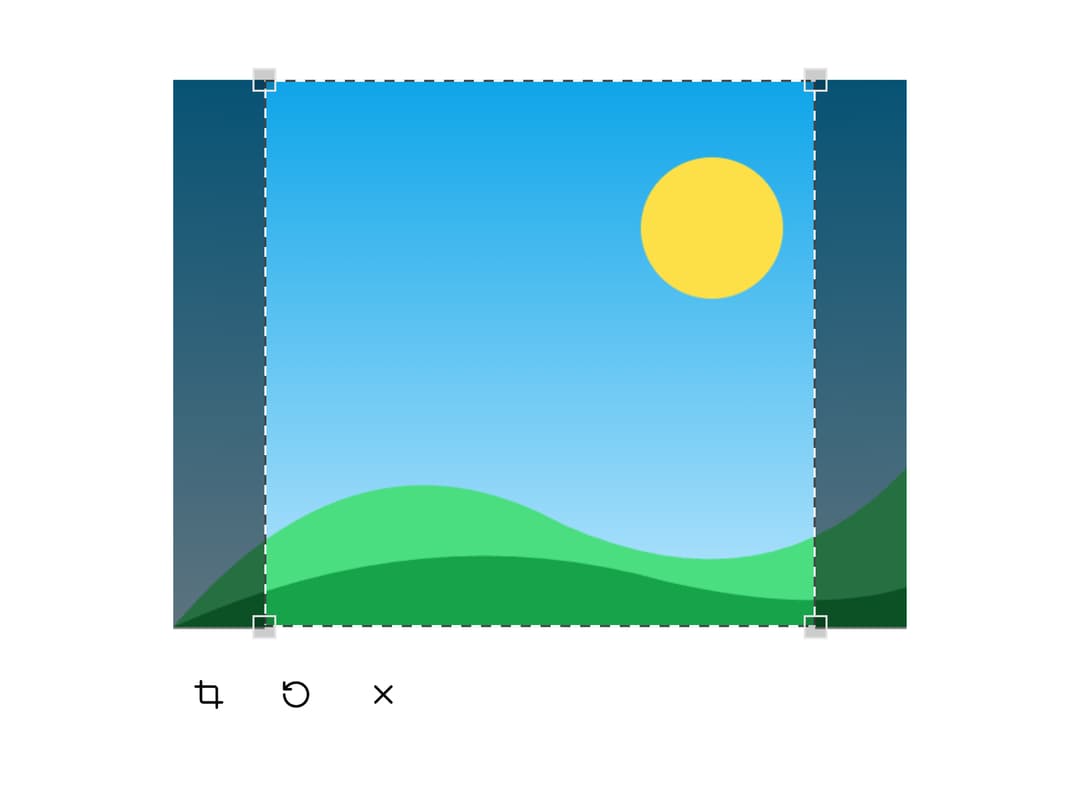
An interactive image cropper with customizable aspect ratios, circular crop mode, and apply/reset controls that returns the cropped result as a PNG data URL.
Built with React and Tailwind. Copy the prompt and paste it into Claude Code, Cursor or Lovable: your agent adds Image Crop to your project and fits it to your theme.
Code
How Image Crop is used: the demo's code. The component's own source comes with a free account.
Usage.tsx
"use client";

import {
  ImageCrop,
  ImageCropApply,
  ImageCropContent,
  ImageCropReset,
} from "@/components/ui/image-crop";
import { Button } from "@/components/ui/button";
import { XIcon } from "lucide-react";
import Image from "next/image";
import { useEffect, useState } from "react";

// Build a self-contained sample image (no network) so the cropper is shown live.
const createSampleFile = () =>
  new Promise<File | null>((resolve) => {
    const canvas = document.createElement("canvas");
    canvas.width = 640;
    canvas.height = 480;
    const ctx = canvas.getContext("2d");
    if (!ctx) {
      resolve(null);
      return;
    }

    // Sky gradient
    const sky = ctx.createLinearGradient(0, 0, 0, 480);
    sky.addColorStop(0, "#0ea5e9");
    sky.addColorStop(1, "#bae6fd");
    ctx.fillStyle = sky;
    ctx.fillRect(0, 0, 640, 480);

    // Sun
    ctx.fillStyle = "#fde047";
    ctx.beginPath();
    ctx.arc(470, 130, 62, 0, Math.PI * 2);
    ctx.fill();

    // Far hills
    ctx.fillStyle = "#4ade80";
    ctx.beginPath();
    ctx.moveTo(0, 480);
    ctx.quadraticCurveTo(160, 290, 340, 390);
    ctx.quadraticCurveTo(520, 470, 640, 340);
    ctx.lineTo(640, 480);
    ctx.closePath();
    ctx.fill();

    // Near hills
    ctx.fillStyle = "#16a34a";
    ctx.beginPath();
    ctx.moveTo(0, 480);
    ctx.quadraticCurveTo(220, 380, 430, 440);
    ctx.quadraticCurveTo(560, 470, 640, 445);
    ctx.lineTo(640, 480);
    ctx.closePath();
    ctx.fill();

    canvas.toBlob((blob) => {
      if (!blob) {
        resolve(null);
        return;
      }
      resolve(new File([blob], "sample.png", { type: "image/png" }));
    }, "image/png");
  });

const Example = () => {
  const [selectedFile, setSelectedFile] = useState<File | null>(null);
  const [croppedImage, setCroppedImage] = useState<string | null>(null);

  useEffect(() => {
    let active = true;
    createSampleFile().then((file) => {
      if (active && file) {
        setSelectedFile(file);
      }
    });
    return () => {
      active = false;
    };
  }, []);

  const handleReset = async () => {
    setCroppedImage(null);
    const file = await createSampleFile();
    setSelectedFile(file);
  };

  if (croppedImage) {
    return (
      <div className="space-y-4">
        <Image
          alt="Cropped"
          height={160}
          src={croppedImage}
          unoptimized
          width={160}
        />
        <Button onClick={handleReset} size="icon" type="button" variant="ghost">
          <XIcon className="size-4" />
        </Button>
      </div>
    );
  }

  if (!selectedFile) {
    return null;
  }

  return (
    <div className="space-y-4">
      <ImageCrop
        aspect={1}
        file={selectedFile}
        maxImageSize={1024 * 1024} // 1MB
        onChange={console.log}
        onComplete={console.log}
        onCrop={setCroppedImage}
      >
        <ImageCropContent className="max-w-md" />
        <div className="flex items-center gap-2">
          <ImageCropApply />
          <ImageCropReset />
          <Button
            onClick={handleReset}
            size="icon"
            type="button"
            variant="ghost"
          >
            <XIcon className="size-4" />
          </Button>
        </div>
      </ImageCrop>
    </div>
  );
};

export default Example;
Dependencies
More by Hayden Bleasel
View all
Spinner
612
Announcement
375
Gantt
342
Stories Carousel
334
Kanban
206
Pill
124
Dropzone
112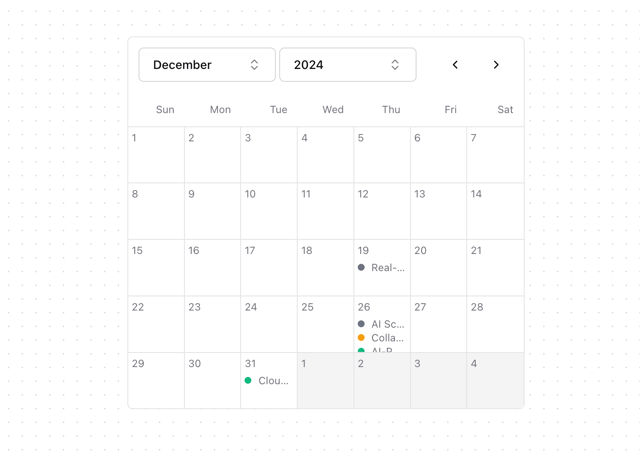
Calendar
112
More in Buttons
View all

Button
5
Texture Button
92

App Store Button
453

Eclipse Button
39

Button
47
Split Button
14

Button
4

Button Group
37

