
About
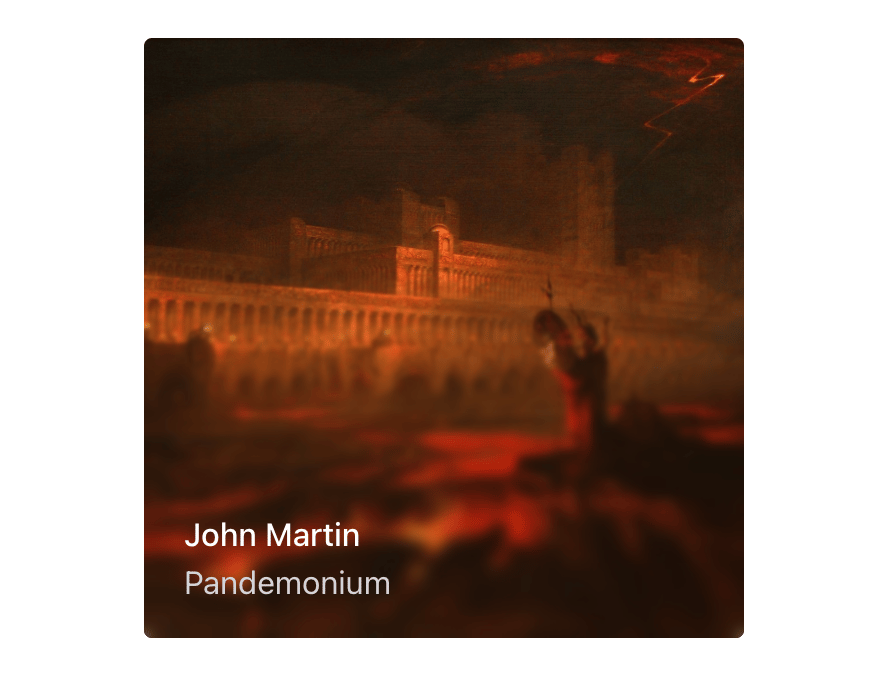
A Progressive Blur component creates a layered blur effect using motion and gradient masks. It progressively blurs layers based on direction and intensity, adding visual depth.
Built with React and Tailwind. Copy the prompt and paste it into Claude Code, Cursor or Lovable: your agent adds Progressive blur to your project and fits it to your theme.
Code
How Progressive blur is used: the demo's code. The component's own source comes with a free account.
Usage.tsx
'use client';

import { useState } from 'react';
import { ProgressiveBlur } from '@/components/ui/progressive-blur';
import { motion } from 'motion/react';

export function ProgressiveBlurHover() {
  const [isHover, setIsHover] = useState(false);

  return (
    <div
      className='relative my-4 aspect-square h-[300px] overflow-hidden rounded-[4px]'
      onMouseEnter={() => setIsHover(true)}
      onMouseLeave={() => setIsHover(false)}
    >
      <img
        src='https://cdn.cosmos.so/2d774ea0-4b4f-4d9f-a634-6b6c5a130e91?format=jpeg'
        alt='John Martin - Pandemonium'
        className='absolute inset-0'
      />
      <ProgressiveBlur
        className='pointer-events-none absolute bottom-0 left-0 h-[75%] w-full'
        blurIntensity={0.5}
        animate={isHover ? 'visible' : 'hidden'}
        variants={{
          hidden: { opacity: 0 },
          visible: { opacity: 1 },
        }}
        transition={{ duration: 0.2, ease: 'easeOut' }}
      />
      <motion.div
        className='absolute bottom-0 left-0'
        animate={isHover ? 'visible' : 'hidden'}
        variants={{
          hidden: { opacity: 0 },
          visible: { opacity: 1 },
        }}
        transition={{ duration: 0.2, ease: 'easeOut' }}
      >
        <div className='flex flex-col items-start gap-0 px-5 py-4'>
          <p className='text-base font-medium text-white'>John Martin</p>
          <span className='text-base text-zinc-300'>Pandemonium</span>
        </div>
      </motion.div>
    </div>
  );
}
Dependencies
More by Julien Thibeaut
View all

Dock
3.1K
Text Effect
1.6K
Infinite Slider
1.5K
Text Shimmer
1.3K
Text Scramble
1.1K
Glow Effect
610
Tailwind CSS Background Snippet
535
Sliding Number
494
More in Galleries
View all
Thumbnail image viewer
43

Animated Gallery
1.4K

Hero Section 6
881
Editorial Collage Hero
430
Layout Grid
826
3D Parallax Unfurling Gallery
981

Image Gallery
90

File Upload
18


