
About
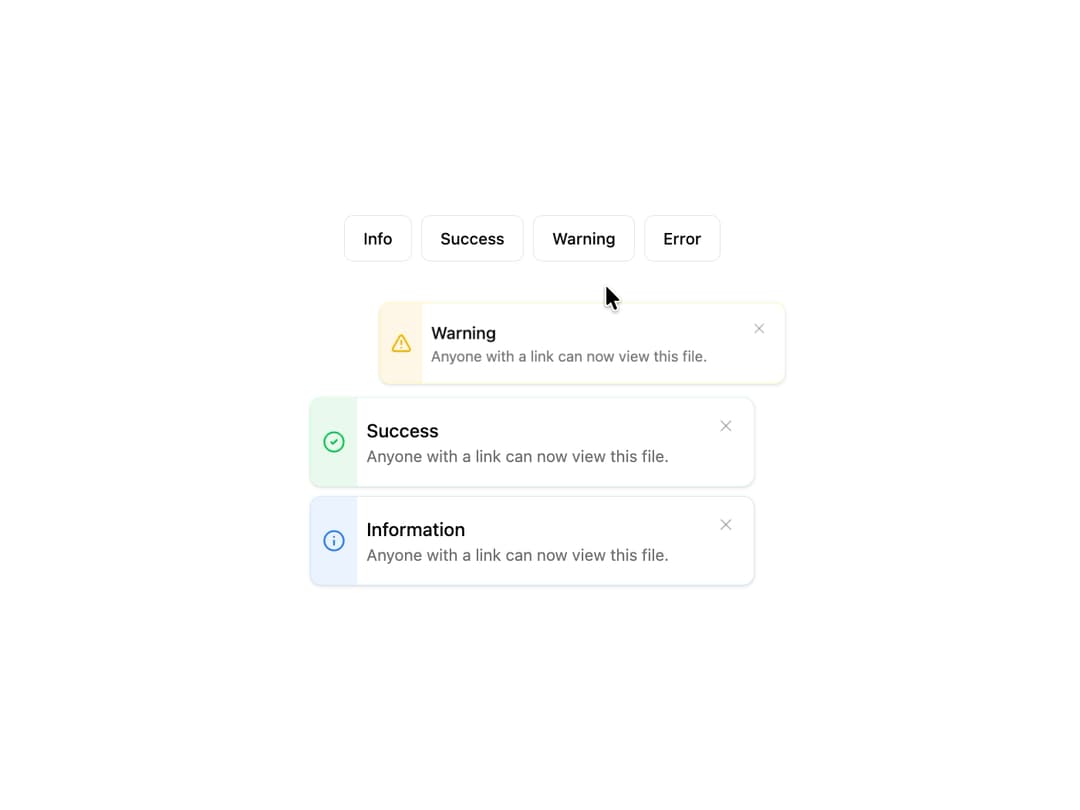
Gradient Alert A theme-aware, animated alert component that displays contextual messages for different states like information, success, warning, and error.
Built with React and Tailwind. Copy the prompt and paste it into Claude Code, Cursor or Lovable: your agent adds Alert to your project and fits it to your theme.
Code
How Alert is used: the demo's code. The component's own source comes with a free account.
Usage.tsx
'use client';

import * as React from 'react';
import { GradientAlert, GradientAlertProps } from '@/components/ui/alert'; // Adjust path as needed
import { Button } from '@/components/ui/button'; // shadcn/ui button
import { AnimatePresence } from 'framer-motion';

// A simple unique ID generator
const generateId = () => '_' + Math.random().toString(36).substr(2, 9);

type AlertItem = { id: string } & Omit<GradientAlertProps, 'onClose'>;

export default function GradientAlertDemo() {
  const [alerts, setAlerts] = React.useState<AlertItem[]>([]);

  // Function to add a new alert to the list
  const addAlert = (variant: GradientAlertProps['variant']) => {
    const newAlert: AlertItem = {
      id: generateId(),
      variant: variant,
      title: variant?.charAt(0).toUpperCase() + variant?.slice(1)!,
      description: 'Anyone with a link can now view this file.',
    };
    setAlerts(prevAlerts => [newAlert, ...prevAlerts]);
  };

  // Function to remove an alert by its ID
  const removeAlert = (id: string) => {
    setAlerts(prevAlerts => prevAlerts.filter(alert => alert.id !== id));
  };

  return (
    <div className="w-full max-w-sm mx-auto flex flex-col items-center gap-8">
      {/* Controls to trigger alerts */}
      <div className="flex flex-wrap gap-2 justify-center">
        <Button variant="outline" onClick={() => addAlert('information')}>
          Info
        </Button>
        <Button variant="outline" onClick={() => addAlert('success')}>
          Success
        </Button>
        <Button variant="outline" onClick={() => addAlert('warning')}>
          Warning
        </Button>
        <Button variant="outline" onClick={() => addAlert('error')}>
          Error
        </Button>
      </div>

      {/* Container for the alerts */}
      <div className="w-full flex flex-col space-y-2">
        <AnimatePresence>
          {alerts.map(({ id, ...props }) => (
            <GradientAlert
              key={id}
              {...props}
              onClose={() => removeAlert(id)}
            />
          ))}
        </AnimatePresence>
      </div>
    </div>
  );
}
Dependencies
More by Kavi Katiyar
View all

3D Card
981
Bento Product Features
831
Testimonial Slider
716
Card
607
Order Confirmation Card
504
Project Detail View
408
State
393
Animated Card
393