
About
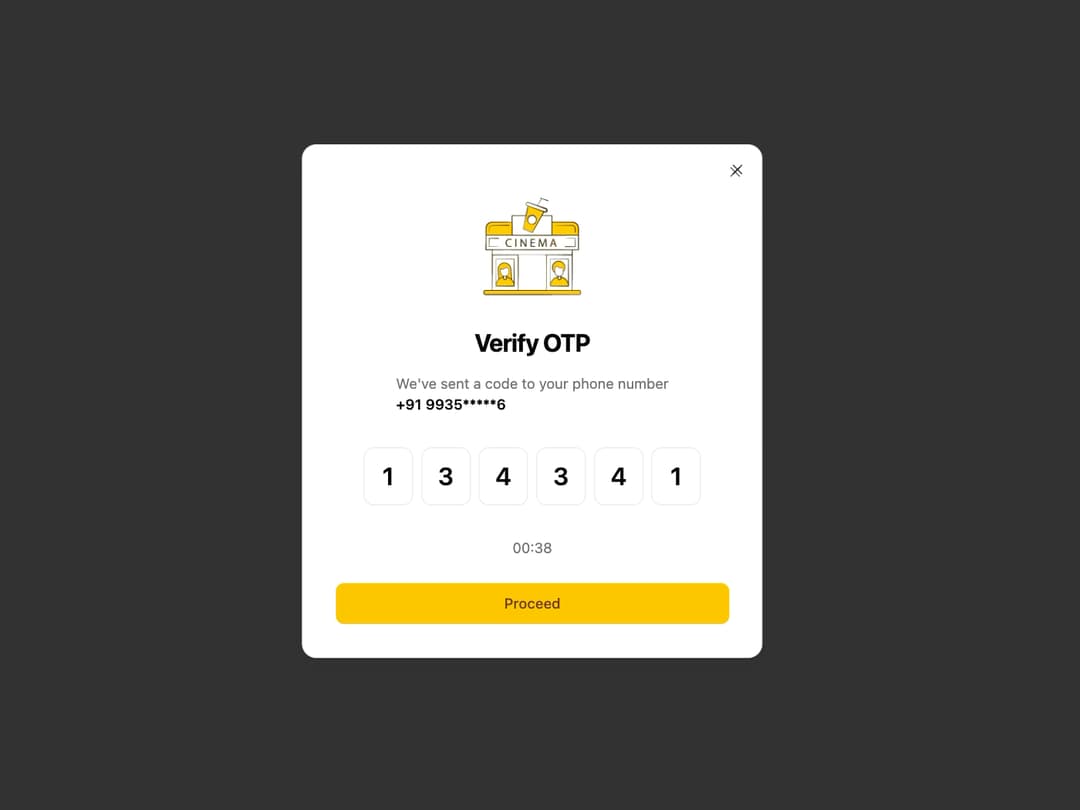
OTP Verification Dialog Description: A modal dialog for user phone number verification via a one-time password (OTP). It features separate input fields for each digit, a countdown timer, and subtle animations for a modern user experience.
Built with React and Tailwind. Copy the prompt and paste it into Claude Code, Cursor or Lovable: your agent adds OTP Verification to your project and fits it to your theme.
Code
How OTP Verification is used: the demo's code. The component's own source comes with a free account.
Usage.tsx
"use client";

import { useState } from "react";
import { OtpVerificationDialog } from "@/components/ui/otp-verification";
import { Button } from "@/components/ui/button";

export default function OtpDemo() {
  const [isDialogOpen, setIsDialogOpen] = useState(false);
  const [isLoading, setIsLoading] = useState(false);
  const [verificationResult, setVerificationResult] = useState("");

  // Handler for when the OTP is completely filled
  const handleOtpComplete = (otp: string) => {
    console.log("Submitted OTP:", otp);
    setVerificationResult("");
    setIsLoading(true);

    // Simulate an API call
    setTimeout(() => {
      setIsLoading(false);
      if (otp === "123456") { // Mock success case
        setVerificationResult("Success! OTP Verified.");
        setIsDialogOpen(false);
      } else { // Mock failure case
        setVerificationResult("Failed! Incorrect OTP.");
      }
    }, 2000);
  };

  return (
    <div className="flex flex-col items-center justify-center min-h-screen bg-background">
      <Button onClick={() => setIsDialogOpen(true)}>
        Open OTP Verification
      </Button>

      {verificationResult && (
        <p className="mt-4 text-center font-medium text-foreground">
          {verificationResult}
        </p>
      )}

      <OtpVerificationDialog
        isOpen={isDialogOpen}
        onOpenChange={setIsDialogOpen}
        imageUrl="https://www.pvrcinemas.com/static/media/Cinema%20House%201.ddda5acf194e124b216b.gif" // Placeholder image link
        phoneNumber="+91 9935*****6"
        isLoading={isLoading}
        onComplete={handleOtpComplete}
        countdownSeconds={45} // You can customize the countdown
      />
    </div>
  );
}
Dependencies
More by Kavi Katiyar
View all

3D Card
982
Bento Product Features
831
Testimonial Slider
716
Card
608
Order Confirmation Card
504
Project Detail View
408
Animated Card
394
State
393