
About
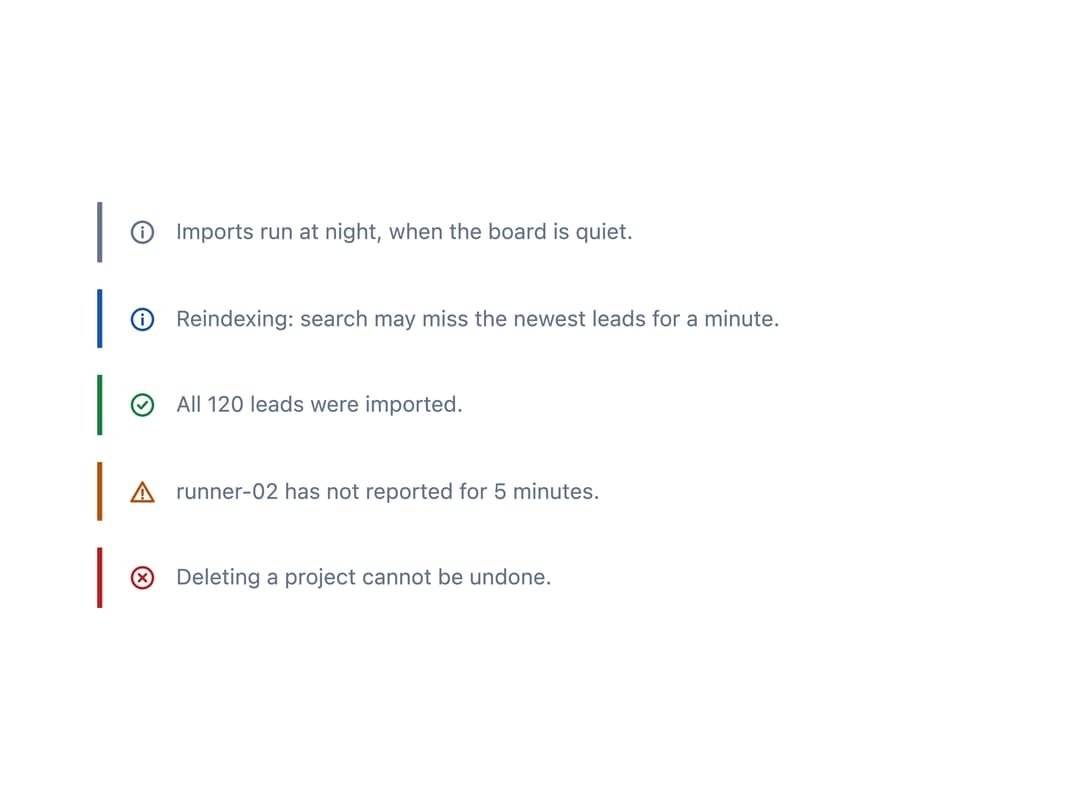
An inline aside with a leading edge bar and an optional tone icon, used to add a short explanatory remark beside the content it refers to without the heading or actions of a full banner.
Built with React and Tailwind. Copy the prompt and paste it into Claude Code, Cursor or Lovable: your agent adds Note to your project and fits it to your theme.
Code
How Note is used: the demo's code. The component's own source comes with a free account.
Usage.tsx
import Note from "@/components/ui/note";

const toned = [
  {
    tone: "neutral" as const,
    text: "Imports run at night, when the board is quiet.",
  },
  {
    tone: "running" as const,
    text: "Reindexing: search may miss the newest leads for a minute.",
  },
  { tone: "ok" as const, text: "All 120 leads were imported." },
  { tone: "warn" as const, text: "runner-02 has not reported for 5 minutes." },
  { tone: "error" as const, text: "Deleting a project cannot be undone." },
];

export default function NoteStatusTonesDemo() {
  return (
    <div className="w-full max-w-xl flex flex-col gap-4 p-6">
      {toned.map(({ tone, text }) => (
        <Note key={tone} tone={tone}>
          {text}
        </Note>
      ))}
    </div>
  );
}
More by keshon
View all
List
Thinking
Lanes
Key Value List
Status Dot
Spinner
Split