
About
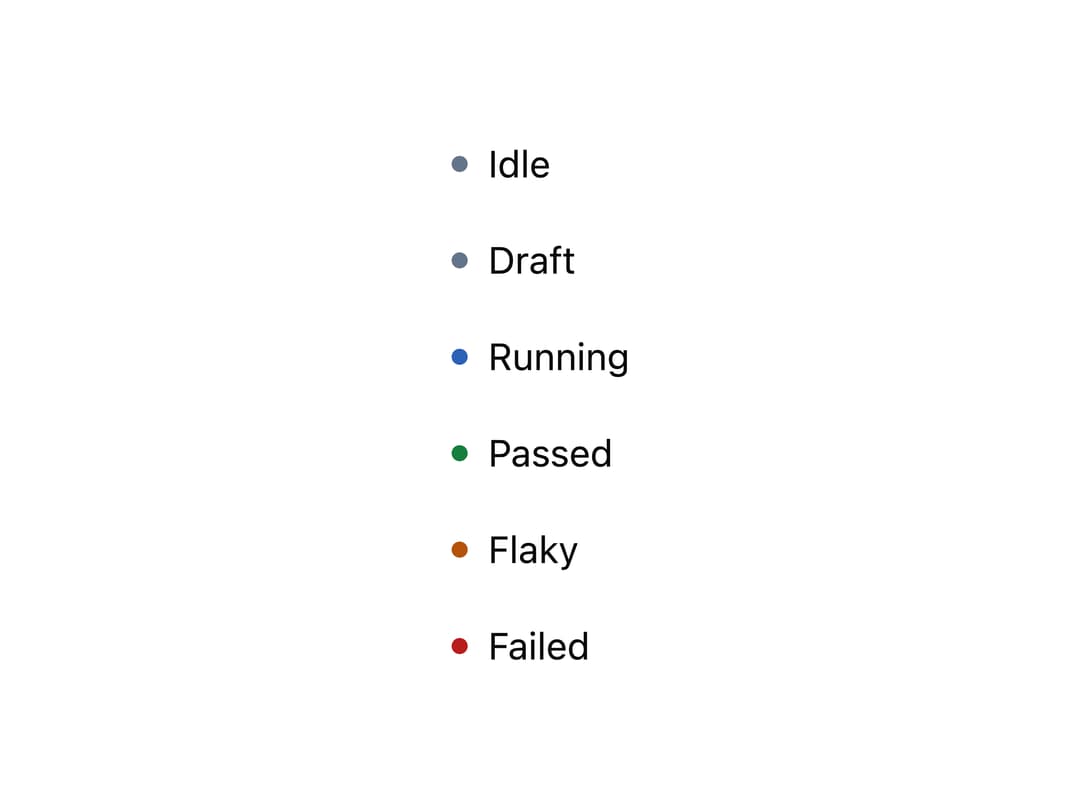
A tiny 6px colored dot that marks a state (idle, running, ok, warning, error) next to a label, reading its color from the nearest ancestor's tone.
Built with React and Tailwind. Copy the prompt and paste it into Claude Code, Cursor or Lovable: your agent adds Status Dot to your project and fits it to your theme.
Code
How Status Dot is used: the demo's code. The component's own source comes with a free account.
Usage.tsx
import StatusDot from "@/components/ui/status-dot";

const toned = [
  { tone: "neutral" as const, word: "Draft" },
  { tone: "running" as const, word: "Running" },
  { tone: "ok" as const, word: "Passed" },
  { tone: "warn" as const, word: "Flaky" },
  { tone: "error" as const, word: "Failed" },
];

export default function StatusDotDemo() {
  return (
    <div className="flex flex-col gap-4 p-6 bg-background">
      <div className="flex items-center gap-2">
        <StatusDot />
        <span className="text-sm text-foreground">Idle</span>
      </div>
      {toned.map(({ tone, word }) => (
        <div key={tone} className="flex items-center gap-2">
          <StatusDot tone={tone} />
          <span className="text-sm text-foreground">{word}</span>
        </div>
      ))}
    </div>
  );
}
More by keshon
View all
List
Thinking
Lanes
Key Value List
Spinner
Note
Split