
About
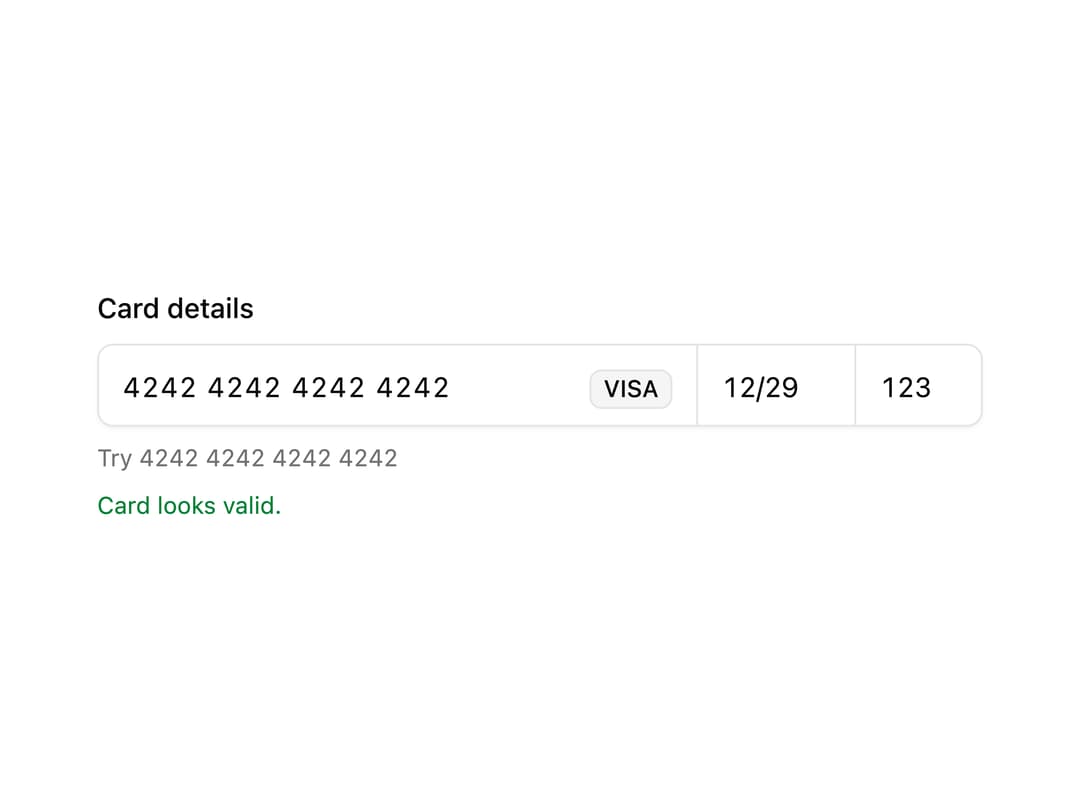
Card number, expiry, and CVC in one row with brand detection, per-brand grouping, Luhn and expiry validation, and auto-advance between fields.
Built with React and Tailwind. Copy the prompt and paste it into Claude Code, Cursor or Lovable: your agent adds Credit Card Input to your project and fits it to your theme.
Code
How Credit Card Input is used: the demo's code. The component's own source comes with a free account.
Usage.tsx
"use client";

import * as React from "react";
import {
  CreditCardInput,
  CreditCardInputNumber,
  CreditCardInputExpiry,
  CreditCardInputCvc,
  type CreditCardChange,
} from "@/components/ui/credit-card-input";

export default function CreditCardInputDemo() {
  const [card, setCard] = React.useState<CreditCardChange | null>(null);

  return (
    <div className="grid w-full max-w-md gap-2">
      <label className="text-sm font-medium text-foreground">
        Card details
      </label>
      <CreditCardInput onValueChange={setCard}>
        <CreditCardInputNumber />
        <CreditCardInputExpiry />
        <CreditCardInputCvc />
      </CreditCardInput>
      <p className="text-xs text-muted-foreground tabular-nums">
        Try 4242 4242 4242 4242
      </p>
      {card?.valid && <p className="text-xs text-success">Card looks valid.</p>}
    </div>
  );
}
Dependencies
More by Mohammad Shehadeh
View all
Feature Problem Cards
86
Feature Grid Spotlight Cards
71
Dithered Shader CTA
63
Ecommerce Category Page
62
Comparison Table
61
Split Login
60
FAQ Two Column
59
Comparison Section
58
More in Cards
View all

Card
56
Stats cards with links
81
Statistics Card 2
264

Course Design Cards
1.1K
Statistics Card 7
292

Card
17
The Item one
3

Card Studio
7
