
About
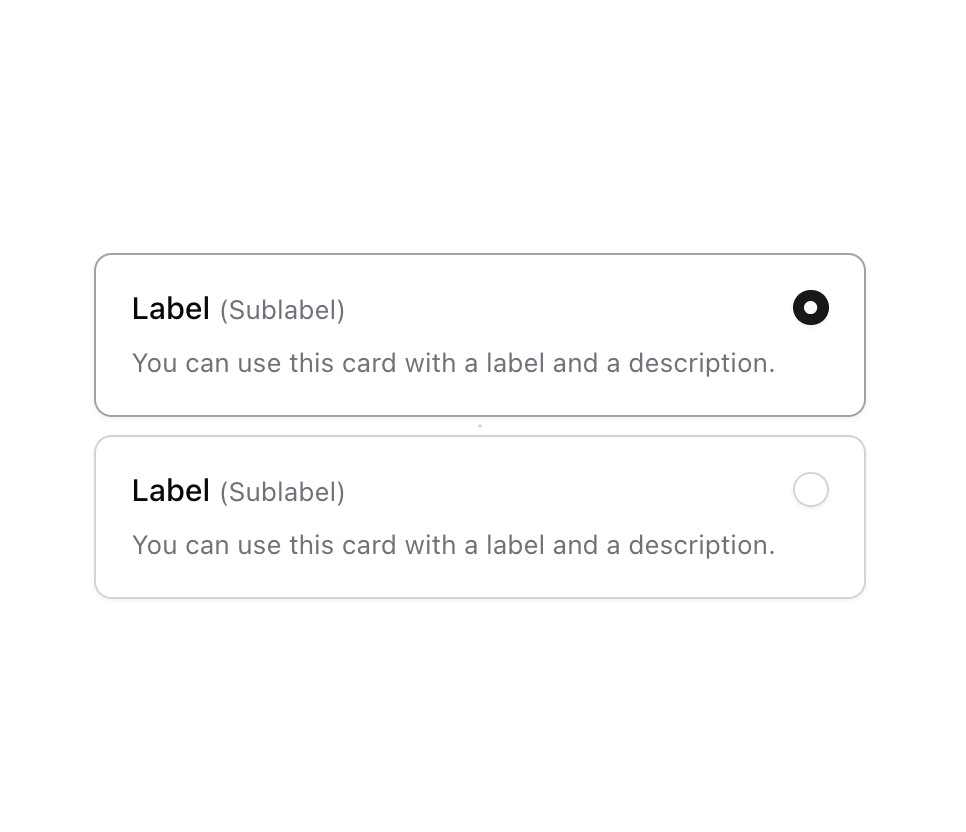
Enhanced shadcn/ui radio group
Built with React and Tailwind. Copy the prompt and paste it into Claude Code, Cursor or Lovable: your agent adds Radio Group to your project and fits it to your theme.
Code
How Radio Group is used: the demo's code. The component's own source comes with a free account.
Usage.tsx
import { Label } from "@/components/ui/label";
import { RadioGroup, RadioGroupItem } from "@/components/ui/radio-group";
import { useId } from "react";

function Component() {
  const id = useId();
  return (
    <RadioGroup className="gap-2 max-w-[400px]" defaultValue="1">
      <div className="relative flex w-full items-start gap-2 rounded-lg border border-input p-4 shadow-sm shadow-black/5 has-[[data-state=checked]]:border-ring">
        <RadioGroupItem
          value="1"
          id={`${id}-1`}
          aria-describedby={`${id}-1-description`}
          className="order-1 after:absolute after:inset-0"
        />
        <div className="grid grow gap-2">
          <Label htmlFor={`${id}-1`}>
            Label{" "}
            <span className="text-xs font-normal leading-[inherit] text-muted-foreground">
              (Sublabel)
            </span>
          </Label>
          <p id={`${id}-1-description`} className="text-xs text-muted-foreground">
            You can use this card with a label and a description.
          </p>
        </div>
      </div>
      <div className="relative flex w-full items-start gap-2 rounded-lg border border-input p-4 shadow-sm shadow-black/5 has-[[data-state=checked]]:border-ring">
        <RadioGroupItem
          value="2"
          id={`${id}-2`}
          aria-describedby={`${id}-2-description`}
          className="order-1 after:absolute after:inset-0"
        />
        <div className="grid grow gap-2">
          <Label htmlFor={`${id}-2`}>
            Label{" "}
            <span className="text-xs font-normal leading-[inherit] text-muted-foreground">
              (Sublabel)
            </span>
          </Label>
          <p id={`${id}-2-description`} className="text-xs text-muted-foreground">
            You can use this card with a label and a description.
          </p>
        </div>
      </div>
    </RadioGroup>
  );
}

export { Component };
Dependencies
More by Origin UI
View all
Dialog
1.2K
Avatar
951
useImageUpload
926
usePagination
622
Popover
384
Button
364
Command
321
Accordion
258
More in Cards
View all

Statistics Card 2
264

Course Design Cards
1.1K
Card
70
Stats cards with links
39
The Item one
3

Card Studio
7
Statistics Card 7
292

Item
10
