
About
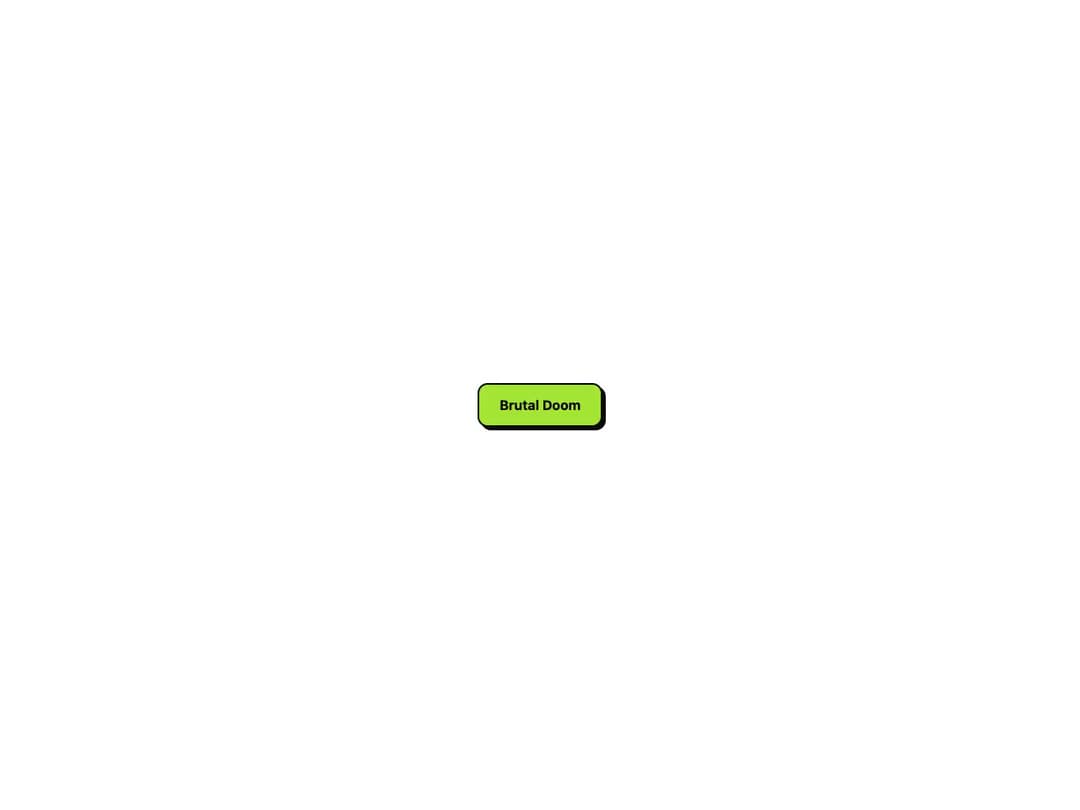
A NeoBrutalism style button with thick borders, high-contrast colors, and a sharp offset shadow that snaps away on press. Fully theme-aware with overridable color, border, shadow, and radius props.
Built with React and Tailwind. Copy the prompt and paste it into Claude Code, Cursor or Lovable: your agent adds Brutal Button to your project and fits it to your theme.
Code
How Brutal Button is used: the demo's code. The component's own source comes with a free account.
Usage.tsx
"use client";

import { BrutalButton } from "@/components/ui/brutal-button";

export default function CustomColor() {
  return (
    <div className="flex min-h-screen w-full items-center justify-center bg-background p-12">
      <BrutalButton color="#a3e635" textColor="#000000" radius={12}>
        Brutal Doom
      </BrutalButton>
    </div>
  );
}
More by jay sharma
View all

Live Orb
216
Chrome Button
182
Frame Button
132
Highlight Button
76
ASCII Fluid
73
Motion Button
59
Grid Button
49
Shader Metal
48
More in Buttons
View all

Button
14
Button
34
Texture Button
92
Button Save
46

Button
64

Button Group
3

App Store Button
454

Notification Button
103

