
About
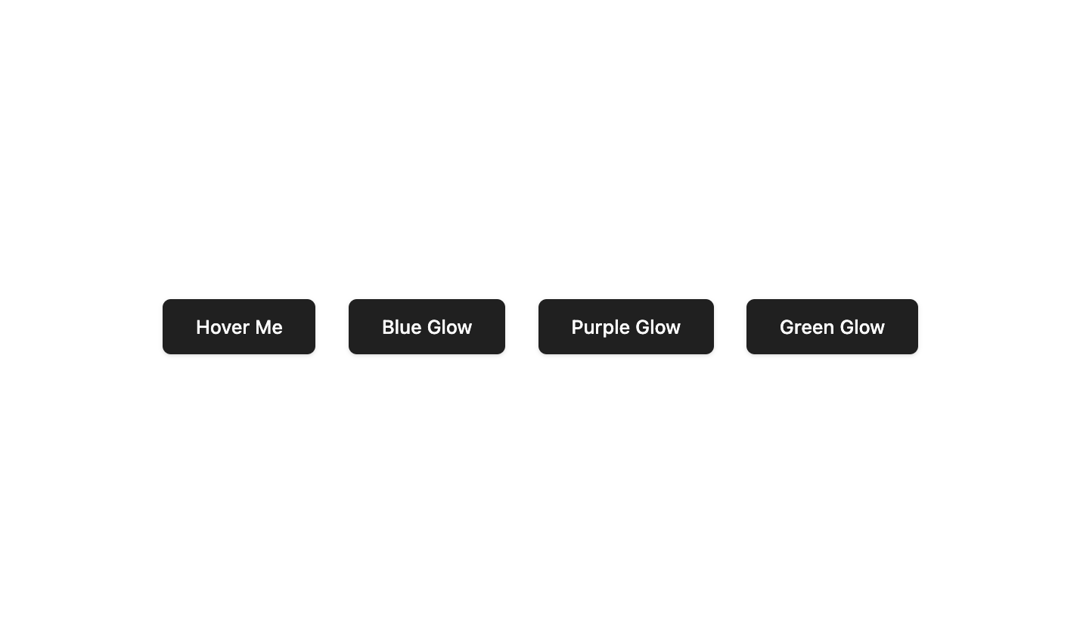
A button with a mouse-following highlight that darkens the surface as the cursor moves, fades in a soft border on hover, and bursts a radial ripple from the exact click point. Theme-aware, with overridable highlight color, size, and border color.
Built with React and Tailwind. Copy the prompt and paste it into Claude Code, Cursor or Lovable: your agent adds Highlight Button to your project and fits it to your theme.
Code
How Highlight Button is used: the demo's code. The component's own source comes with a free account.
Usage.tsx
"use client";

import { HighlightButton } from "@/components/ui/highlight-button";

export default function Default() {
  return (
    <div className="flex min-h-screen w-full flex-wrap items-center justify-center gap-6 bg-background p-12">
      <HighlightButton>Hover Me</HighlightButton>
      <HighlightButton
        highlightColor="rgba(59, 130, 246, 0.65)"
        borderColor="rgba(59, 130, 246, 0.8)"
      >
        Blue Glow
      </HighlightButton>
      <HighlightButton
        highlightColor="rgba(168, 85, 247, 0.65)"
        borderColor="rgba(168, 85, 247, 0.8)"
      >
        Purple Glow
      </HighlightButton>
      <HighlightButton
        highlightColor="rgba(34, 197, 94, 0.65)"
        borderColor="rgba(34, 197, 94, 0.8)"
      >
        Green Glow
      </HighlightButton>
    </div>
  );
}
Dependencies
More by jay sharma
View all

Live Orb
203
Chrome Button
181
Frame Button
131
ASCII Fluid
72
Motion Button
59
Brutal Button
54
Grid Button
49
Shader Metal
44
More in Buttons
View all

Button
5
Texture Button
92

App Store Button
453

Eclipse Button
39

Button
47
Split Button
14

Button
4

Button Group
37

