
About
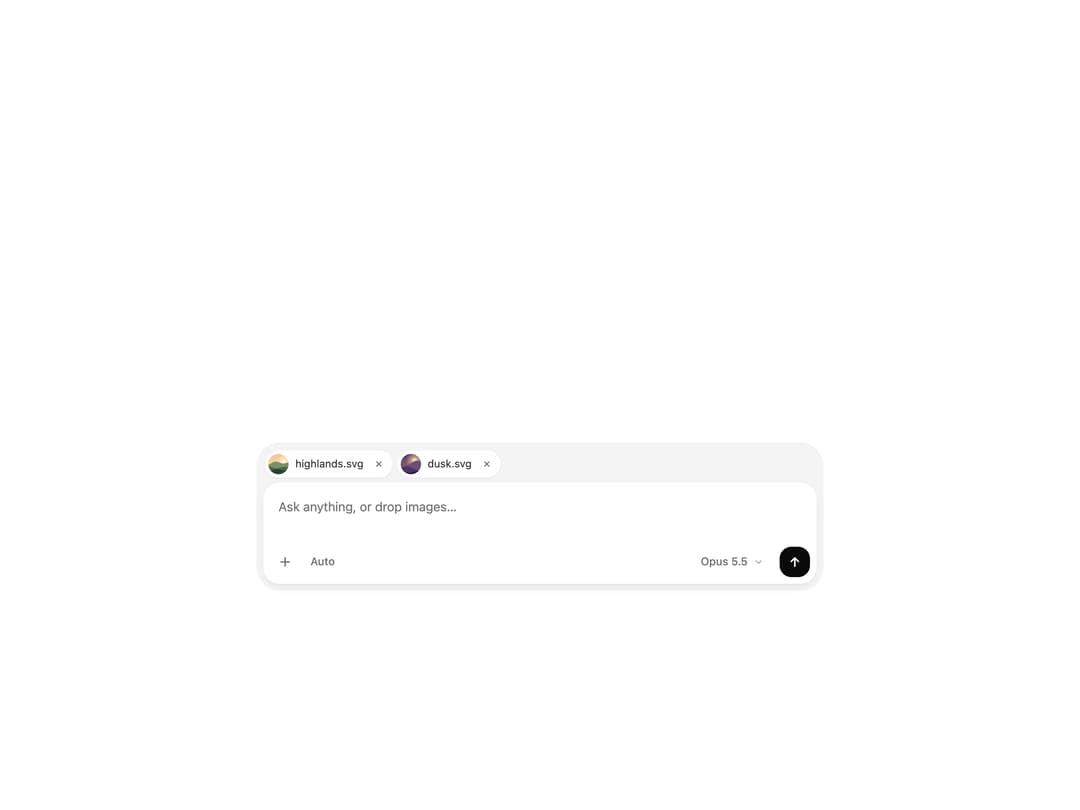
A prompt field for AI chat in a soft shell. Images attach as pills that open large inside the field, tasks in flight show progress above it, and send turns into stop while a reply is busy.
Built with React and Tailwind. Copy the prompt and paste it into Claude Code, Cursor or Lovable: your agent adds Prompt Box to your project and fits it to your theme.
Code
How Prompt Box is used: the demo's code. The component's own source comes with a free account.
Usage.tsx
"use client"

import { useEffect, useRef, useState } from "react"

import {
  PromptBox,
  PromptBoxAction,
  type PromptBoxAttachment,
  type PromptBoxMessage,
} from "@/components/ui/prompt-box"

const settings = {
  placeholder: "Ask anything, or drop images…",
  model: "Opus 5.5",
  mode: "Auto",
  uploads: true,
  replyMs: 2600,
  minRows: 2,
  maxRows: 8,
  maxAttachments: 6,
}

// Inline SVG landscapes, so the preview needs no network images.
function scene(
  sky: [string, string],
  sun: string,
  hills: [string, string, string],
  width = 1200,
  height = 800
) {
  const ridge = (base: number, amp: number, seed: number) => {
    let d = `M0 ${height}L0 ${base}`
    for (let x = 0; x <= width; x += width / 12) {
      const y = base - amp * (0.5 + 0.5 * Math.sin(x / 140 + seed) * Math.cos(x / 310 + seed * 2))
      d += `L${x.toFixed(0)} ${y.toFixed(0)}`
    }
    return `${d}L${width} ${height}Z`
  }
  const svg = `<svg xmlns="http://www.w3.org/2000/svg" width="${width}" height="${height}" viewBox="0 0 ${width} ${height}">
<defs><linearGradient id="s" x1="0" y1="0" x2="0" y2="1"><stop offset="0" stop-color="${sky[0]}"/><stop offset="1" stop-color="${sky[1]}"/></linearGradient>
<radialGradient id="g"><stop offset="0" stop-color="${sun}" stop-opacity=".9"/><stop offset="1" stop-color="${sun}" stop-opacity="0"/></radialGradient></defs>
<rect width="${width}" height="${height}" fill="url(#s)"/>
<circle cx="${width * 0.68}" cy="${height * 0.36}" r="${height * 0.34}" fill="url(#g)"/>
<circle cx="${width * 0.68}" cy="${height * 0.36}" r="${height * 0.08}" fill="${sun}"/>
<path d="${ridge(height * 0.58, height * 0.22, 1)}" fill="${hills[0]}"/>
<path d="${ridge(height * 0.72, height * 0.16, 4)}" fill="${hills[1]}"/>
<path d="${ridge(height * 0.86, height * 0.12, 7)}" fill="${hills[2]}"/>
</svg>`
  return `data:image/svg+xml;charset=utf-8,${encodeURIComponent(svg)}`
}

const SAMPLES: PromptBoxAttachment[] = [
  {
    id: "sample-1",
    name: "highlands.svg",
    url: scene(["#F6C38B", "#FBE7C6"], "#FFF4D6", ["#7A8F6B", "#4E6650", "#2C4236"]),
  },
  {
    id: "sample-2",
    name: "dusk.svg",
    // A portrait crop, so the island shows how it follows the image's shape.
    url: scene(["#2B2F6B", "#E07A6B"], "#FFD3A1", ["#6B4E7A", "#4A3560", "#2A1D3F"], 600, 800),
  },
]

export default function PromptBoxDemo(props: Partial<typeof settings>) {
  const s = { ...settings, ...props }

  const [replying, setReplying] = useState(false)
  const [files, setFiles] = useState<PromptBoxAttachment[]>([])
  const [sent, setSent] = useState<PromptBoxMessage | null>(null)
  const known = useRef(new Set(SAMPLES.map((file) => file.id)))

  const loadSamples = (uploads: boolean) => {
    for (const file of SAMPLES) known.current.add(file.id)
    setFiles(
      SAMPLES.map((file) => (uploads ? { ...file, progress: 0 } : file))
    )
  }

  // Start with the samples attached; reload them when upload progress flips.
  useEffect(() => {
    loadSamples(s.uploads)
  }, [s.uploads])

  // A sent message keeps the prompt busy for a moment, like a reply.
  useEffect(() => {
    if (!replying) return
    const id = window.setTimeout(() => setReplying(false), s.replyMs)
    return () => window.clearTimeout(id)
  }, [replying, s.replyMs])

  // Uploads tick up, then become ready.
  useEffect(() => {
    if (!files.some((file) => file.progress !== undefined)) return
    const id = window.setTimeout(() => {
      setFiles((list) =>
        list.map((file) => {
          if (file.progress === undefined) return file
          const progress = file.progress + 0.06 + Math.random() * 0.12
          return { ...file, progress: progress >= 1 ? undefined : progress }
        })
      )
    }, 160)
    return () => window.clearTimeout(id)
  }, [files])

  const onAttachmentsChange = (next: PromptBoxAttachment[]) => {
    setFiles(
      next.map((file) => {
        if (known.current.has(file.id)) return file
        known.current.add(file.id)
        return s.uploads ? { ...file, progress: 0 } : file
      })
    )
  }

  const onSubmit = (message: PromptBoxMessage) => {
    setSent(message)
    setFiles([])
    setReplying(true)
  }

  return (
    <div className="flex min-h-[520px] w-full flex-col items-center justify-end gap-6 bg-background px-4 py-8 sm:px-10 sm:py-10">
      {sent ? (
        <div className="flex w-full max-w-2xl flex-col items-end gap-2">
          {sent.attachments.length > 0 ? (
            <div className="flex gap-1.5">
              {sent.attachments.map((file) => (
                <img
                  key={file.id}
                  src={file.url}
                  alt={file.name}
                  className="size-16 rounded-xl object-cover ring-1 ring-foreground/10"
                />
              ))}
            </div>
          ) : null}
          {sent.text ? (
            <p className="max-w-[80%] whitespace-pre-wrap rounded-2xl rounded-br-md bg-muted px-4 py-2.5 text-[15px] leading-6 text-foreground">
              {sent.text}
            </p>
          ) : null}
        </div>
      ) : null}

      <PromptBox
        className="max-w-2xl"
        placeholder={s.placeholder}
        attachments={files}
        onAttachmentsChange={onAttachmentsChange}
        maxAttachments={s.maxAttachments}
        minRows={s.minRows}
        maxRows={s.maxRows}
        busy={replying}
        onStop={() => setReplying(false)}
        onSubmit={onSubmit}
        toolbar={
          <>
            <PromptBoxAction>{s.mode}</PromptBoxAction>
            <PromptBoxAction className="ms-auto hidden sm:inline-flex">
              {s.model}
              <svg
                viewBox="0 0 16 16"
                className="size-3.5 opacity-60"
                fill="none"
                aria-hidden
              >
                <path
                  d="m4.5 6.5 3.5 3.5 3.5-3.5"
                  stroke="currentColor"
                  strokeWidth="1.6"
                  strokeLinecap="round"
                  strokeLinejoin="round"
                />
              </svg>
            </PromptBoxAction>
          </>
        }
      />

      {files.length === 0 ? (
        <button
          type="button"
          onClick={() => loadSamples(s.uploads)}
          className="-mt-3 text-xs text-muted-foreground underline-offset-4 transition-colors hover:text-foreground hover:underline"
        >
          Attach sample images
        </button>
      ) : null}
    </div>
  )
}
Dependencies
More by jay sharma
View all

Live Orb
203
Chrome Button
181
Frame Button
131
Highlight Button
75
ASCII Fluid
72
Motion Button
59
Brutal Button
54
Grid Button
49
More in AI chats
View all

AI Actions
318
Color Picker
78
Agent Chat
17
Approval Card
13

System Message
53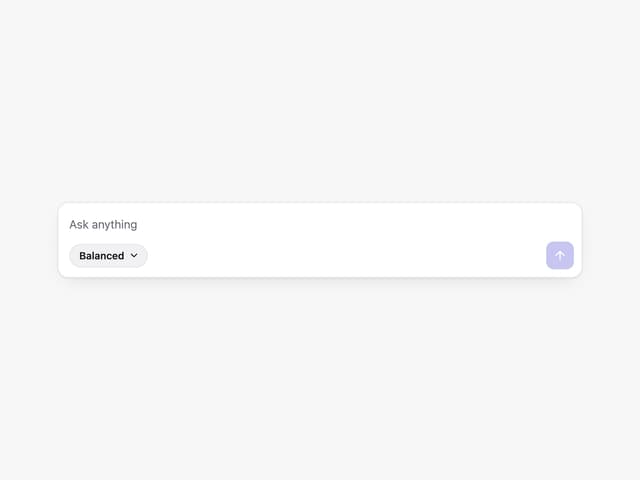
Prompt with Model Picker
2

Message
48

AI Task List
159


