
About
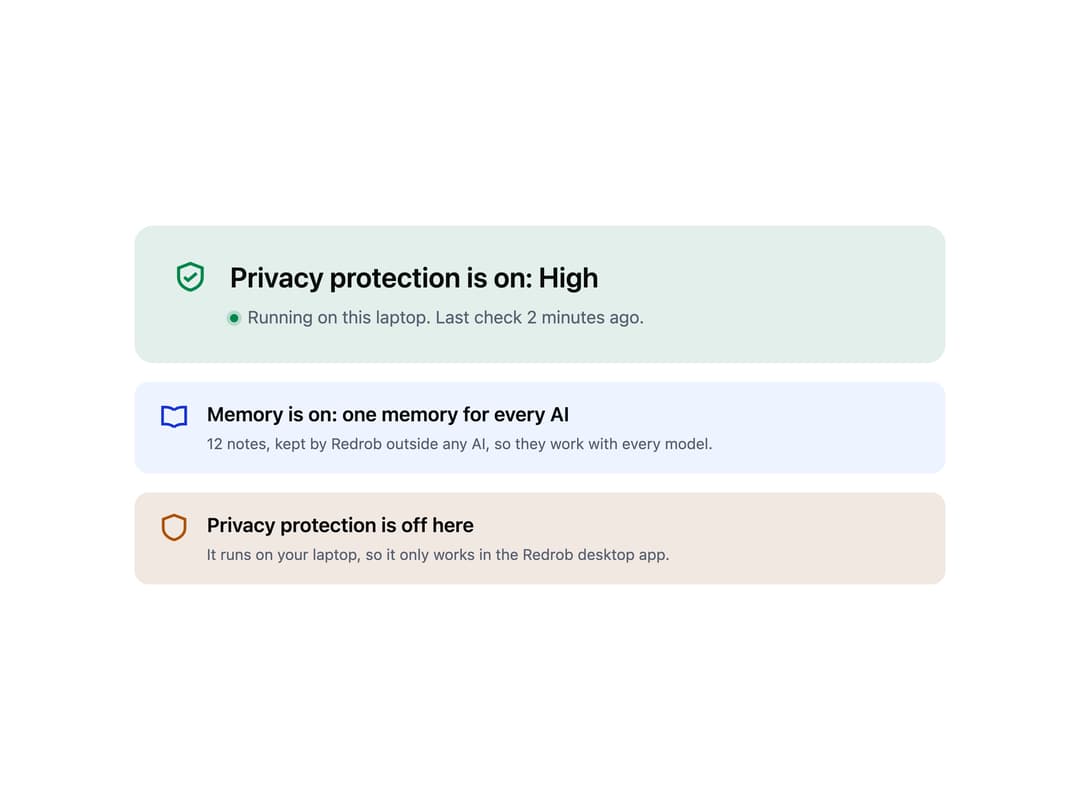
A tone-coded status card that leads with the one sentence a person needs about a protection or feature — whether it is on, off, or in force — optionally paired with a live indicator dot.
Built with React and Tailwind. Copy the prompt and paste it into Claude Code, Cursor or Lovable: your agent adds Status Card to your project and fits it to your theme.
Code
How Status Card is used: the demo's code. The component's own source comes with a free account.
Usage.tsx
import * as React from "react";
import StatusCard from "@/components/ui/status-card";

function ShieldCheckIcon(props: React.SVGProps<SVGSVGElement>) {
  return (
    <svg
      viewBox="0 0 24 24"
      width="1em"
      height="1em"
      fill="none"
      stroke="currentColor"
      strokeWidth={2}
      strokeLinecap="butt"
      strokeLinejoin="miter"
      strokeMiterlimit={3}
      aria-hidden="true"
      focusable="false"
      {...props}
    >
      <path d="M12 3.4 19.6 6.3 V12.4 C19.6 16.6 16.2 19.4 12 20.6 C7.8 19.4 4.4 16.6 4.4 12.4 V6.3 Z" />
      <polyline points="8 12.2 10.5 14.3 16 9.68" />
    </svg>
  );
}

function BookOpenIcon(props: React.SVGProps<SVGSVGElement>) {
  return (
    <svg
      viewBox="0 0 24 24"
      width="1em"
      height="1em"
      fill="none"
      stroke="currentColor"
      strokeWidth={2}
      strokeLinecap="butt"
      strokeLinejoin="miter"
      strokeMiterlimit={3}
      aria-hidden="true"
      focusable="false"
      {...props}
    >
      <path d="M12 7.2C10.6 5.9 8.4 5 6 5H3.5V17.5H6C8.4 17.5 10.6 18.4 12 19.7" />
      <path d="M12 7.2C13.4 5.9 15.6 5 18 5H20.5V17.5H18C15.6 17.5 13.4 18.4 12 19.7" />
    </svg>
  );
}

function ShieldIcon(props: React.SVGProps<SVGSVGElement>) {
  return (
    <svg
      viewBox="0 0 24 24"
      width="1em"
      height="1em"
      fill="none"
      stroke="currentColor"
      strokeWidth={2}
      strokeLinecap="butt"
      strokeLinejoin="miter"
      strokeMiterlimit={3}
      aria-hidden="true"
      focusable="false"
      {...props}
    >
      <path d="M12 3 20 6 V12.5 C20 17 16.4 19.9 12 21.2 C7.6 19.9 4 17 4 12.5 V6 Z" />
    </svg>
  );
}

export default function StatusCardDemo() {
  return (
    <div className="grid gap-4 max-w-[760px] w-full mx-auto p-8 font-sans bg-background">
      <StatusCard
        size="lg"
        tone="safe"
        icon={<ShieldCheckIcon width={32} height={32} />}
        title="Privacy protection is on: High"
        live="Running on this laptop"
      >
        Last check 2 minutes ago.
      </StatusCard>
      <StatusCard
        tone="brand"
        icon={<BookOpenIcon width={28} height={28} />}
        title="Memory is on: one memory for every AI"
      >
        12 notes, kept by Redrob outside any AI, so they work with every model.
      </StatusCard>
      <StatusCard
        tone="warn"
        icon={<ShieldIcon width={28} height={28} />}
        title="Privacy protection is off here"
      >
        It runs on your laptop, so it only works in the Redrob desktop app.
      </StatusCard>
    </div>
  );
}
More by redrob-labs
View all
Alert
18
Schedule Picker
15
Hero Section
7
Switch
5
Meter
2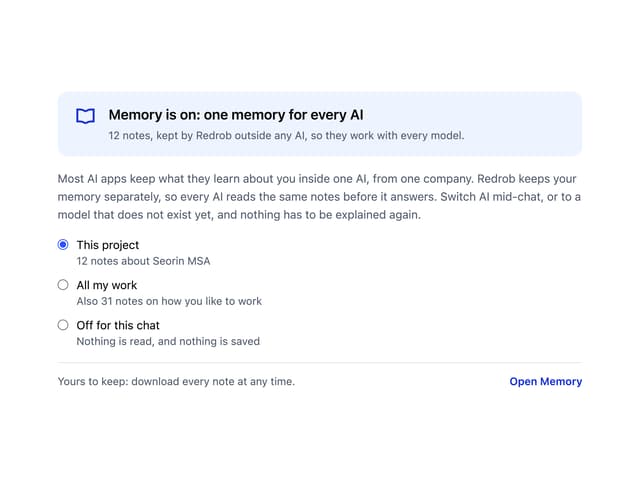
Memory Scope
2
Accordion
2
Checkbox