
About
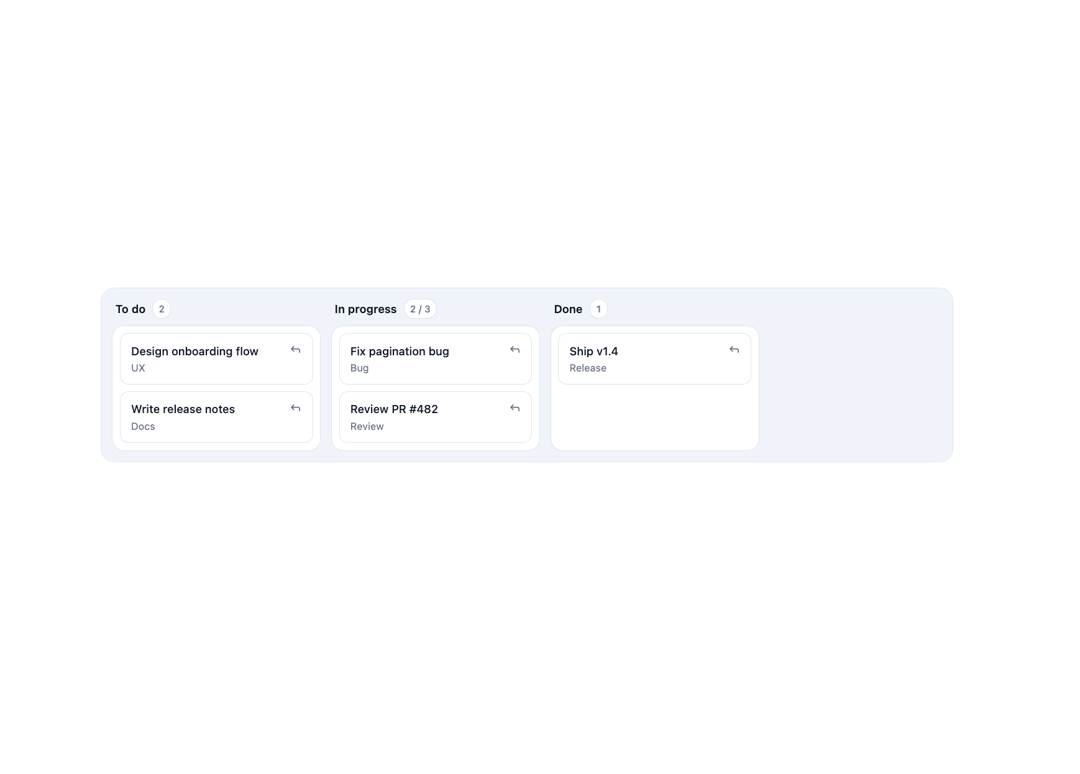
A drag, touch, and keyboard-accessible card-movement layer for a Kanban board, with a non-drag "Move" menu, drop validation, drop indicators, and optimistic moves with rollback on failure.
Built with React and Tailwind. Copy the prompt and paste it into Claude Code, Cursor or Lovable: your agent adds Kanban Card Movement to your project and fits it to your theme.
Code
How Kanban Card Movement is used: the demo's code. The component's own source comes with a free account.
Usage.tsx
"use client";

import * as React from "react";
import {
  KanbanCardMovement,
  type KanbanColumn,
  type KanbanCard,
} from "@/components/ui/kanban-card-movement";

const columns: KanbanColumn[] = [
  { id: "todo", title: "To do" },
  { id: "in-progress", title: "In progress", limit: 3 },
  { id: "done", title: "Done" },
];

const initialCards: KanbanCard[] = [
  {
    id: "1",
    columnId: "todo",
    title: "Design onboarding flow",
    order: 0,
    meta: "UX",
  },
  {
    id: "2",
    columnId: "todo",
    title: "Write release notes",
    order: 1,
    meta: "Docs",
  },
  {
    id: "3",
    columnId: "in-progress",
    title: "Fix pagination bug",
    order: 0,
    meta: "Bug",
  },
  {
    id: "4",
    columnId: "in-progress",
    title: "Review PR #482",
    order: 1,
    meta: "Review",
  },
  { id: "5", columnId: "done", title: "Ship v1.4", order: 0, meta: "Release" },
];

export default function KanbanCardMovementDemo() {
  const [cards, setCards] = React.useState<KanbanCard[]>(initialCards);

  return (
    <div className="w-full p-6">
      <KanbanCardMovement
        columns={columns}
        cards={cards}
        onMove={({ cardId, toColumn, toIndex }) => {
          setCards((prev) => {
            const moved = prev.find((c) => c.id === cardId);
            if (!moved) return prev;
            const rest = prev.filter((c) => c.id !== cardId);
            const inTarget = rest
              .filter((c) => c.columnId === toColumn)
              .sort((a, b) => a.order - b.order);
            inTarget.splice(toIndex, 0, { ...moved, columnId: toColumn });
            const others = rest.filter((c) => c.columnId !== toColumn);
            const reindexed = inTarget.map((c, i) => ({ ...c, order: i }));
            return [...others, ...reindexed];
          });
        }}
      />
    </div>
  );
}
Dependencies
More by Mehi
View all
Border Beam Panel
929
Compare Reveal
304
Decrypt Text
240
Holo Card
220
Magnetic Dock
157
Luminous Topography
106
Lens Card
83
Copperplate Hatch
59
More in Cards
View all
Stats cards with links
33

Course Design Cards
1.1K

Card
70
Statistics Card 2
264
Statistics Card 10
263

Card
17

Card Studio
9
The Item one
3
