
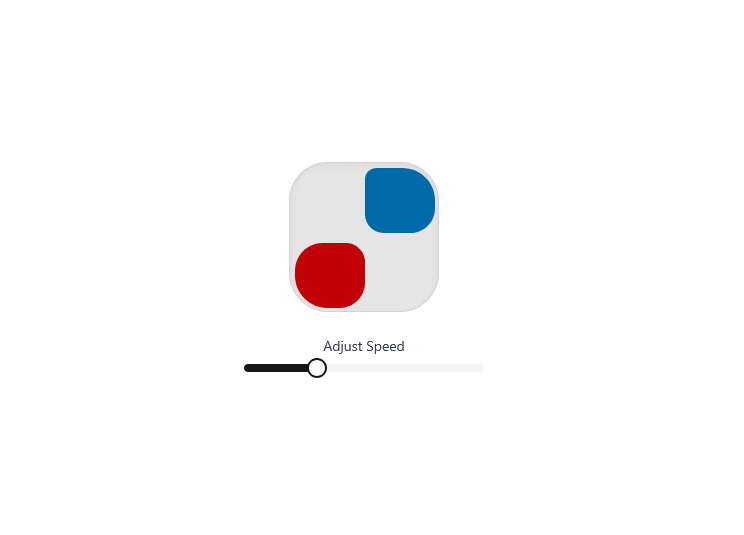
This CSS animation defines a smooth looping motion that makes a box appear to travel around the edges of a square container while changing its shape dynamically at each corner. The @keyframes move sequence adjusts the width, height, margins, and border-radius of the box to simulate rounded transitions and smooth corner turns. As the animation progresses through key stages (12.5%, 25%, 37.5%, etc.), the box stretches horizontally or vertically and rounds specific corners to give a flowing, fluid effect. When combined with the .animate-move class, this animation brings a lively geometric movement that feels both mathematical and elegant—perfect for visually engaging loaders, UI highlights, or modern motion effects.
Built with React and Tailwind. Copy the prompt and paste it into Claude Code, Cursor or Lovable: your agent adds AnimatedBoxLoader to your project and fits it to your theme.
Code
How AnimatedBoxLoader is used: the demo's code. The component's own source comes with a free account.
Usage.tsx
"use client";

import React, { useState } from "react";
import AnimatedBoxLoader from "@/components/ui/animated-box-loader";
import { Card, CardContent, CardHeader, CardTitle } from "@/components/ui/card";
import { Slider } from "@/components/ui/slider";

export default function AnimatedBoxLoaderDemo() {
  const [speed, setSpeed] = useState(3);

  return (
    <div className="flex flex-col items-center gap-6">
      <AnimatedBoxLoader size={150} primaryColor="bg-sky-700" secondaryColor="bg-red-700" speed={speed} />

      <div className="w-60 text-center">
        <p className="text-sm text-gray-700 mb-2">Adjust Speed</p>
        <Slider
          defaultValue={[speed]}
          min={1}
          max={8}
          step={0.5}
          onValueChange={(val) => setSpeed(val[0])}
        />
      </div>
    </div>
  );
}
More by ruhith
View all
LoadingLines
145
Health Stat Card
138
LoadingRadar
119
LoadingBottle
114
BarLoader
90
Loader
71
BouncingCirclesLoader
50
LoaderProgressiveBar
49