
The HealthStatCard component is a beautifully designed, interactive, and reusable UI card built using Shadcn UI and Framer Motion. It is perfect for displaying health, fitness, or performance-related statistics in a visually engaging way. The card features smooth animations, rounded “bubble-style” bars with 3D hover effects, and an optional tooltip that provides detailed information about each data point. You can configure the title, icon, stats, graph data, legend visibility, and even customize tooltip descriptions for each bar. This makes it ideal for use in dashboards, wellness apps, or analytics pages where users can easily visualize and interpret progress trends at a glance.
Built with React and Tailwind. Copy the prompt and paste it into Claude Code, Cursor or Lovable: your agent adds Health Stat Card to your project and fits it to your theme.
Code
How Health Stat Card is used: the demo's code. The component's own source comes with a free account.
Usage.tsx
"use client";

import * as React from "react";
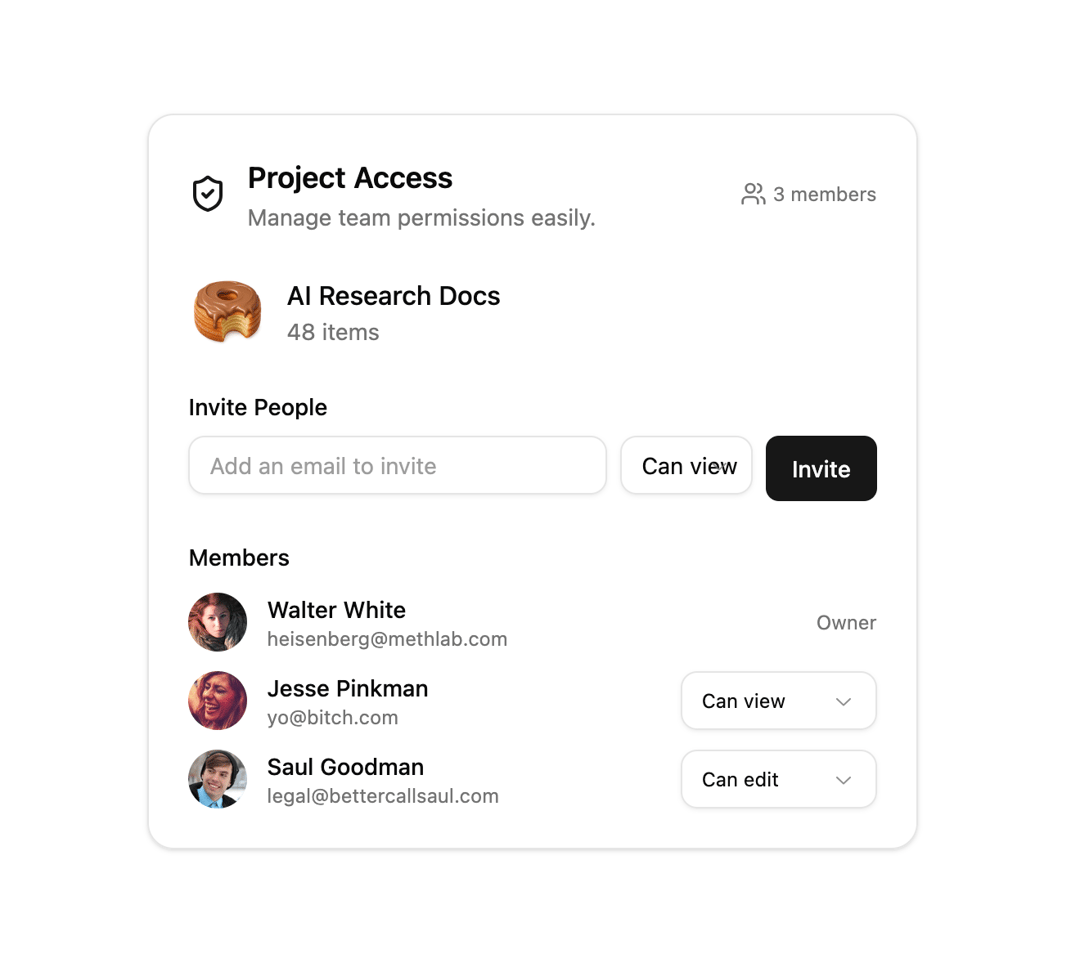
import { AccessManagerCard, Member } from "@/components/ui/health-stat-card";
import { ShieldCheck } from "lucide-react";

const initialMembers: Member[] = [
  {
    id: "1",
    name: "Walter White",
    email: "heisenberg@methlab.com",
    avatar: "https://cdn.21st.dev/assets/mirror/56/5619d988d9e8795f57f23caeac425062a8b972984cbe75e5a3fe3370e4dd60b9.jpg",
    role: "Owner",
  },
  {
    id: "2",
    name: "Jesse Pinkman",
    email: "yo@bitch.com",
    avatar: "https://cdn.21st.dev/assets/mirror/4f/4fcf7f925f8c23881f850d2c242e643915c1141e6e23e8cace997c603267198c.jpg",
    role: "Viewer",
  },
  {
    id: "3",
    name: "Saul Goodman",
    email: "legal@bettercallsaul.com",
    avatar: "https://cdn.21st.dev/assets/mirror/9a/9a3f3f88dac2ceb807e98d4cbe99acc9813da6d0ce2859b1cf026747727e1667.jpg",
    role: "Editor",
  },
];

export default function AccessManagerDemo() {
  const [members, setMembers] = React.useState<Member[]>(initialMembers);

  const handleRoleChange = (id: string, newRole: "Viewer" | "Editor") => {
    setMembers((prev) =>
      prev.map((m) => (m.id === id ? { ...m, role: newRole } : m))
    );
    console.log(`${id} changed to ${newRole}`);
  };

  const handleInvite = (email: string, role: "Viewer" | "Editor") => {
    const newMember: Member = {
      id: (members.length + 1).toString(),
      name: email.split("@")[0],
      email,
      avatar: `https://i.pravatar.cc/150?u=${email}`,
      role,
    };
    setMembers((prev) => [...prev, newMember]);
    console.log(`Invited ${email} as ${role}`);
  };

  return (
    <div className="flex h-full min-h-screen items-center justify-center bg-background p-6">
      <AccessManagerCard
        title="Project Access"
        description="Manage team permissions easily."
        folderName="AI Research Docs"
        itemCount={48}
        members={members}
        onInvite={handleInvite}
        onRoleChange={handleRoleChange}
        folderIcon={<ShieldCheck className="h-6 w-6 text-primary" />}
      />
    </div>
  );
}
Dependencies
More by ruhith
View all
LoadingLines
145
LoadingRadar
119
LoadingBottle
114
BarLoader
90
Loader
71
BouncingCirclesLoader
50
LoaderProgressiveBar
49
LoaderGrid
42
More in Cards
View all

Statistics Card 2
264

Course Design Cards
1.1K
Card
70
Stats cards with links
39
The Item one
3

Card Studio
7
Statistics Card 7
292

Item
10
