
About
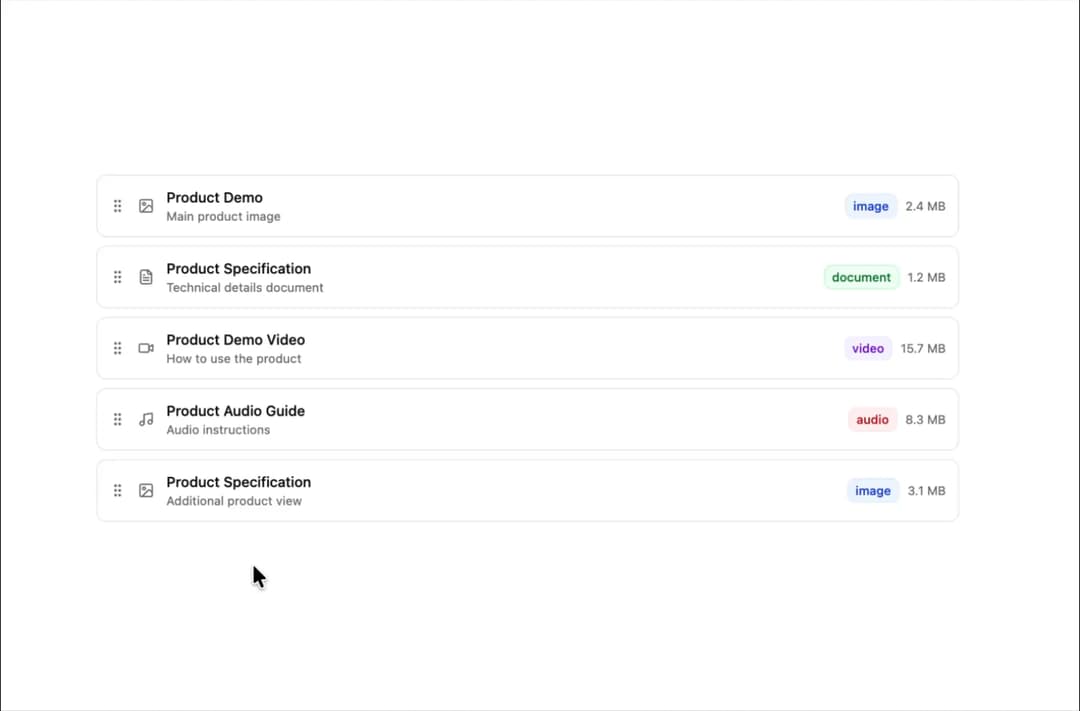
A drag-and-drop sortable component designed for seamless item organization across customizable columns.
Built with React and Tailwind. Copy the prompt and paste it into Claude Code, Cursor or Lovable: your agent adds Sortable to your project and fits it to your theme.
Code
How Sortable is used: the demo's code. The component's own source comes with a free account.
Usage.tsx
'use client';

import { useState } from 'react';
import { Card, CardContent } from '@/components/ui/card';
import { Sortable, SortableItem, SortableItemHandle } from '@/components/ui/sortable';
import { GripVertical } from 'lucide-react';
import { toast } from 'sonner';

interface OptionValue {
  id: string;
  value: string;
}

interface OptionGroup {
  id: string;
  name: string;
  values: OptionValue[];
}

const defaultOptionGroups: OptionGroup[] = [
  {
    id: '1',
    name: 'Colors',
    values: [
      { id: '1-1', value: 'White' },
      { id: '1-2', value: 'Black' },
      { id: '1-3', value: 'Grey' },
      { id: '1-4', value: 'Green' },
    ],
  },
  {
    id: '2',
    name: 'Sizes',
    values: [
      { id: '2-1', value: 'Small' },
      { id: '2-2', value: 'Medium' },
      { id: '2-3', value: 'Large' },
    ],
  },
  {
    id: '3',
    name: 'Materials',
    values: [
      { id: '3-1', value: 'Cotton' },
      { id: '3-2', value: 'Polyester' },
      { id: '3-3', value: 'Wool' },
    ],
  },
];

export default function SortableNested() {
  const [optionGroups, setOptionGroups] = useState<OptionGroup[]>(defaultOptionGroups);

  const handleParentReorder = (newGroups: OptionGroup[]) => {
    console.log('🔴 PARENT REORDERED:', newGroups);
    setOptionGroups(newGroups);

    toast.success('Option groups reordered successfully!', {
      description: `${newGroups.map((group, index) => `${index + 1}. ${group.name}`).join(', ')}`,
      duration: 4000,
    });
  };

  const getParentValue = (group: OptionGroup) => group.id;
  const getChildValue = (value: OptionValue) => value.id;

  const handleChildReorder = (groupId: string, newValues: OptionValue[]) => {
    console.log('🔴 CHILD REORDERED:', groupId, newValues);
    setOptionGroups((prev) => prev.map((group) => (group.id === groupId ? { ...group, values: newValues } : group)));

    toast.success('Values reordered successfully!', {
      description: `${newValues.map((value, index) => `${index + 1}. ${value.value}`).join(', ')}`,
      duration: 4000,
    });
  };

  return (
    <div className="w-full max-w-4xl mx-auto p-6 space-y-6">
      <Sortable
        value={optionGroups}
        onValueChange={handleParentReorder}
        getItemValue={getParentValue}
        strategy="vertical"
        className="space-y-4"
      >
        {optionGroups.map((group) => (
          <SortableItem key={group.id} value={group.id}>
            <Card>
              <CardContent>
                {/* Group Header */}
                <div className="flex items-center gap-2 mb-4">
                  <SortableItemHandle className="text-muted-foreground hover:text-foreground cursor-grab">
                    <GripVertical className="h-4 w-4" />
                  </SortableItemHandle>
                  <h3 className="font-semibold text-base">{group.name}</h3>
                </div>

                {/* Option Values - Child Level */}
                <div className="ps-2.5">
                  <Sortable
                    value={group.values}
                    onValueChange={(newValues) => handleChildReorder(group.id, newValues)}
                    getItemValue={getChildValue}
                    strategy="vertical"
                    className="space-y-2"
                  >
                    {group.values.map((value) => (
                      <SortableItem key={value.id} value={value.id}>
                        <div className="flex items-center gap-2 p-2 border border-border rounded-md">
                          <SortableItemHandle className="text-muted-foreground hover:text-foreground cursor-grab">
                            <GripVertical className="h-4 w-4" />
                          </SortableItemHandle>
                          <span className="flex-1 text-sm">{value.value}</span>
                        </div>
                      </SortableItem>
                    ))}
                  </Sortable>
                </div>
              </CardContent>
            </Card>
          </SortableItem>
        ))}
      </Sortable>
    </div>
  );
}
Dependencies
More by Sean Hello
View all

3D Testimonails
3.3K
Line Charts 9
637
Alert
492
Area Charts 1
385
Line Charts 6
384
Scroll Area
376
Area Charts 2
317
Navigation Menu
305
More in Cards
View all
Statistics Card 2
264

Course Design Cards
1.1K
Card
70
Stats cards with links
39
The Item one
3

Card Studio
7
Statistics Card 7
292

Item
10
