
About
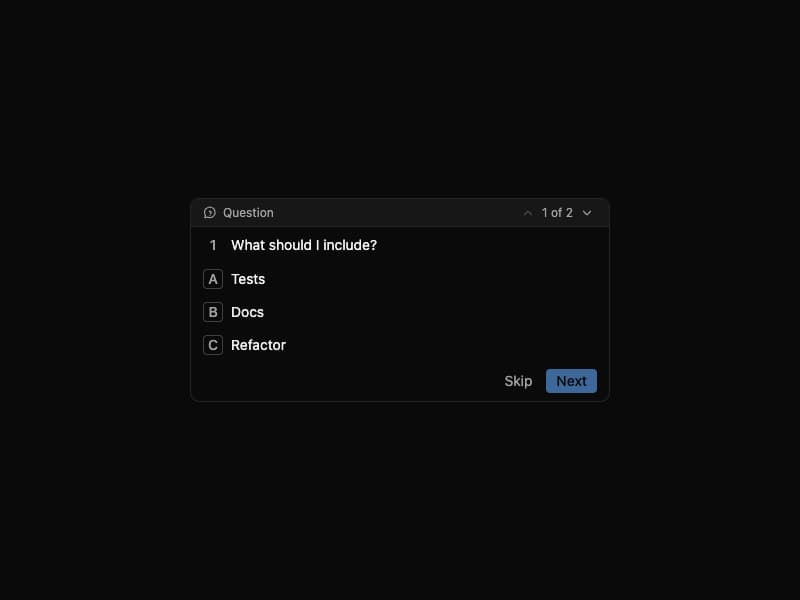
Clarifying-question form for agents. Single / multi / text answer kinds with optional custom input. Self-contained port from 21st.dev Agent Elements.
Built with React and Tailwind. Copy the prompt and paste it into Claude Code, Cursor or Lovable: your agent adds Question Tool to your project and fits it to your theme.
Code
How Question Tool is used: the demo's code. The component's own source comes with a free account.
Usage.tsx
"use client";

import { useState } from "react";
import { QuestionTool } from "@/components/ui/question-tool";

const questions = [
  {
    kind: "multi" as const,
    title: "What should I include?",
    options: [
      { id: "tests", label: "Tests" },
      { id: "docs", label: "Docs" },
      { id: "refactor", label: "Refactor" },
    ],
    minSelections: 1,
  },
  {
    kind: "multi" as const,
    title: "Which environments should be covered?",
    options: [
      { id: "dev", label: "Development" },
      { id: "staging", label: "Staging" },
      { id: "prod", label: "Production" },
    ],
    minSelections: 1,
  },
];

export default function Demo() {
  const [questionIndex, setQuestionIndex] = useState(1);
  const totalQuestions = questions.length;

  return (
    <div className="min-h-screen w-full flex items-center justify-center p-6 bg-white dark:bg-neutral-950">
      <div className="w-full max-w-[420px]">
        <QuestionTool
          questions={questions}
          questionIndex={questionIndex}
          totalQuestions={totalQuestions}
          onPreviousQuestion={() =>
            setQuestionIndex((prev) => Math.max(1, prev - 1))
          }
          onNextQuestion={() =>
            setQuestionIndex((prev) => Math.min(totalQuestions, prev + 1))
          }
          submitLabel="Submit"
          skipLabel="Skip"
          onSubmitAnswer={(answer) => console.log(answer)}
        />
      </div>
    </div>
  );
}
Dependencies
More by Serafim
View all
Spline Scene
9.5K
Testimonials with Marquee
2.3K
Gradient Button
1.9K
Pixel Canvas
900
Animated Blur Number
830
Empty State
775
Balloons
755
Status Badge
646
More in Cards
View all

Statistics Card 2
263
Stats cards with links
39
Card
70

Course Design Cards
1.1K
The Item one
3

Card Studio
7
Statistics Card 7
291

Item
10
