About
Here is Item component
Built with React and Tailwind. Copy the prompt and paste it into Claude Code, Cursor or Lovable: your agent adds Item to your project and fits it to your theme.
Code
How Item is used: the demo's code. The component's own source comes with a free account.
Usage.tsx
import { Button } from "@/components/ui/button"
import {
  Item,
  ItemActions,
  ItemContent,
  ItemDescription,
  ItemTitle,
} from "@/components/ui/item"

export default function ItemVariant() {
  return (
    <div className="flex flex-col gap-6">
      <Item>
        <ItemContent>
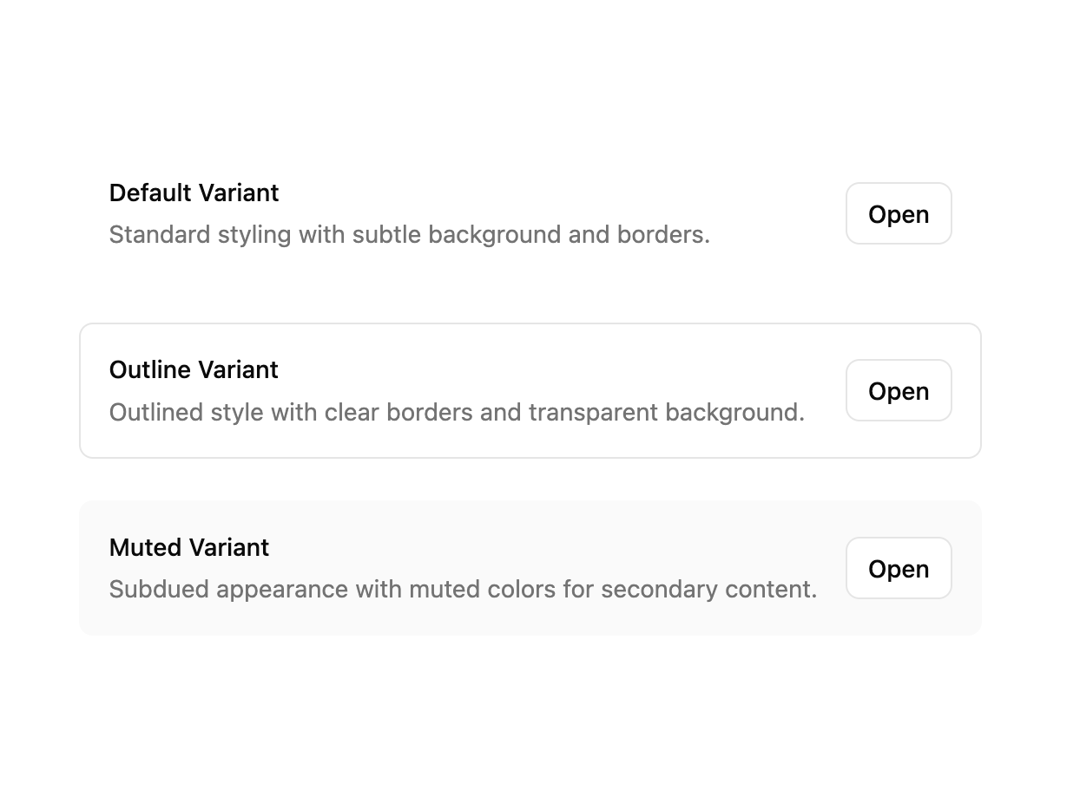
          <ItemTitle>Default Variant</ItemTitle>
          <ItemDescription>
            Standard styling with subtle background and borders.
          </ItemDescription>
        </ItemContent>
        <ItemActions>
          <Button variant="outline" size="sm">
            Open
          </Button>
        </ItemActions>
      </Item>
      <Item variant="outline">
        <ItemContent>
          <ItemTitle>Outline Variant</ItemTitle>
          <ItemDescription>
            Outlined style with clear borders and transparent background.
          </ItemDescription>
        </ItemContent>
        <ItemActions>
          <Button variant="outline" size="sm">
            Open
          </Button>
        </ItemActions>
      </Item>
      <Item variant="muted">
        <ItemContent>
          <ItemTitle>Muted Variant</ItemTitle>
          <ItemDescription>
            Subdued appearance with muted colors for secondary content.
          </ItemDescription>
        </ItemContent>
        <ItemActions>
          <Button variant="outline" size="sm">
            Open
          </Button>
        </ItemActions>
      </Item>
    </div>
  )
}
Dependencies
More by shadcn
View all

Navigation menu
771
Calendar with time pressets
504
Sidebar
339
Sonner
231
Chart
216
Icons
178
Dropdown Menu
149
Calendar with event slots
116
More in Buttons
View all

Button
14
Button
34
Texture Button
92
Button Save
46
Button
64

Button Group
3

App Store Button
454

Notification Button
103

