
About
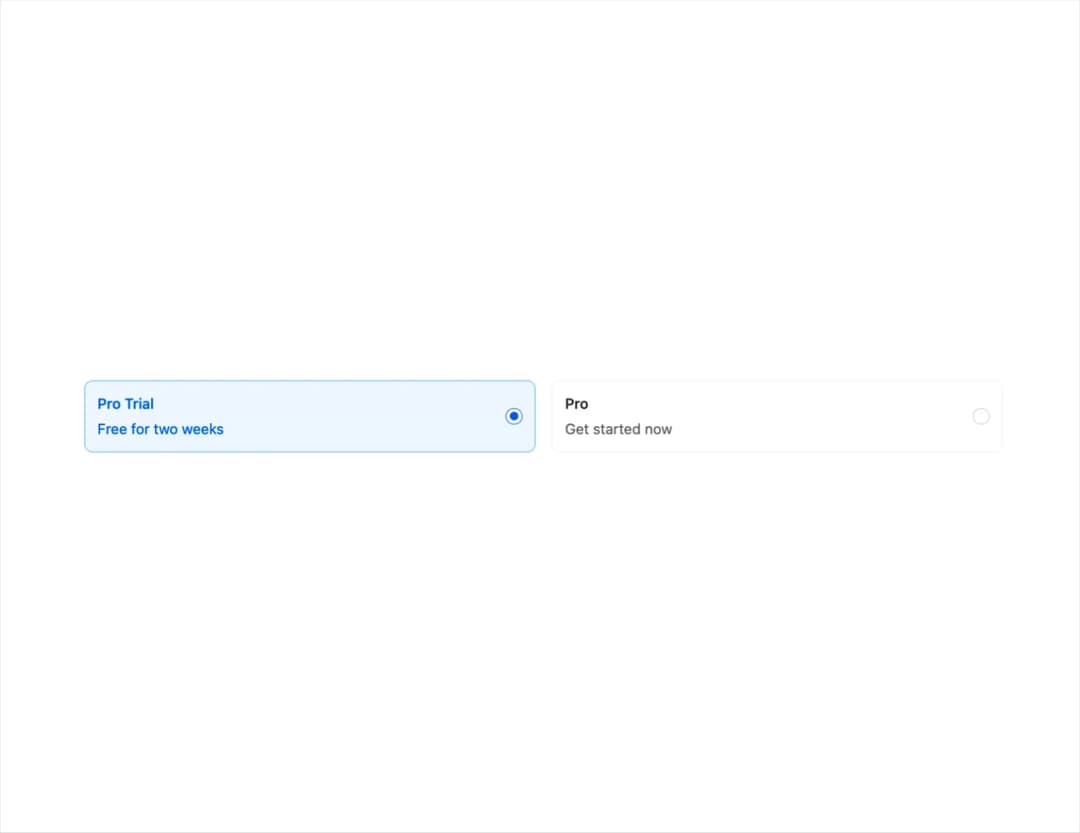
A larger form of Radio or Checkbox, where the user has a larger tap target and more details.
Built with React and Tailwind. Copy the prompt and paste it into Claude Code, Cursor or Lovable: your agent adds Choicebox to your project and fits it to your theme.
Code
How Choicebox is used: the demo's code. The component's own source comes with a free account.
Usage.tsx
import { useState } from "react";
import { ChoiceboxGroup } from "@/components/ui/choicebox-1";

export default function DefaultDemo() {
  const [value1, setValue1] = useState<string>("trial");
  return (
      <div className="w-3/4">
        <ChoiceboxGroup
          direction="row"
          label="select a plan"
          onChange={setValue1}
          type="radio"
          value={value1}
        >
          <ChoiceboxGroup.Item
            description="Free for two weeks"
            title="Pro Trial"
            value="trial"
          />
          <ChoiceboxGroup.Item
            description="Get started now"
            title="Pro"
            value="pro"
          />
        </ChoiceboxGroup>
      </div>
  );
}
Dependencies
More by tigran tumasov
View all
Product Hunt Badge
1.8K
Book
162
Calendar
152
Theme Switcher
135
Snippet
124
Table
123
Toggle
89
Feedback
88
More in Cards
View all
Stats cards with links
39

Statistics Card 2
261

Course Design Cards
1.1K
The Item one
3
Card
70

Card Studio
7
Statistics Card 7
289

Card
17
