

About
Searchable select on cmdk: single or multiple, create new options as you type, hints under each option, disabled items. Backspace in an empty search removes the last pick. Light and dark. Part of the Layro System: layro.vercel.app.
Built with React and Tailwind. Copy the prompt and paste it into Claude Code, Cursor or Lovable: your agent adds Combobox to your project and fits it to your theme.
Code
How Combobox is used: the demo's code. The component's own source comes with a free account.
Usage.tsx
import * as React from "react";
import { Combobox, Field } from "@/components/ui/combobox-multi-create";
import { Bell, FileText } from "lucide-react";

/* Assigning a contract. Owner is a single choice from a searchable list
   (Tom's invite is still pending, so he cannot own it yet). Watchers is a
   multi-select of the same people. Tags take several values and create new
   ones: type "renewal" and press Enter. The summary on the right follows. */

const PEOPLE = [
  { value: "michael", label: "Michael Carter", hint: "michael@northwind.studio" },
  { value: "maya", label: "Maya Chen", hint: "maya@northwind.studio" },
  { value: "olivia", label: "Olivia Martinez", hint: "olivia@northwind.studio" },
  { value: "sarah", label: "Sarah Anderson", hint: "sarah@northwind.studio" },
  { value: "daniel", label: "Daniel Wilson", hint: "daniel@velalabs.com" },
  { value: "tom", label: "Tom Okafor", hint: "Invite pending", disabled: true },
];
const person = (v?: string) => PEOPLE.find((p) => p.value === v);
const initials = (name: string) => name.split(" ").map((w) => w[0]).join("");

function Avatar({ name, className = "" }: { name: string; className?: string }) {
  return (
    <span title={name} className={"grid size-8 shrink-0 place-items-center rounded-full bg-muted text-[11px] font-semibold ring-2 ring-background " + className}>
      {initials(name)}
    </span>
  );
}

export default function ComboboxDemo() {
  const [owner, setOwner] = React.useState<string | undefined>("maya");
  const [watchers, setWatchers] = React.useState<string[]>(["michael", "olivia"]);
  const [tags, setTags] = React.useState<string[]>(["contract", "q4"]);
  const [tagOptions, setTagOptions] = React.useState(
    ["contract", "q4", "legal", "urgent", "vela-labs"].map((t) => ({ value: t, label: t })),
  );
  const own = person(owner);
  const notified = (own ? 1 : 0) + watchers.filter((w) => w !== owner).length;

  return (
    <div className="flex min-h-screen w-full items-center justify-center bg-background p-6">
      <div className="grid w-full max-w-[780px] min-w-0 overflow-hidden rounded-[18px] [corner-shape:squircle] bg-card shadow-sm ring-1 ring-border sm:grid-cols-[minmax(0,1fr)_280px]">
        <div className="p-6">
          <p className="flex items-center gap-2 text-[12px] text-muted-foreground">
            <FileText className="size-3.5" aria-hidden /> Document
          </p>
          <h2 className="mt-1 text-[17px] font-semibold tracking-[-0.01em]">Master services agreement, Vela Labs</h2>
          <div className="mt-6 grid gap-5">
            <Field label="Owner" hint="Gets the signing notifications">
              <Combobox options={PEOPLE} value={owner} onValueChange={setOwner} placeholder="Assign an owner" searchPlaceholder="Search people" />
            </Field>
            <Field label="Watchers" optional>
              <Combobox multiple options={PEOPLE} value={watchers} onValueChange={setWatchers} placeholder="Add watchers" searchPlaceholder="Search people" />
            </Field>
            <Field label="Tags" hint="Type to create a new tag">
              <Combobox
                multiple
                options={tagOptions}
                value={tags}
                onValueChange={setTags}
                placeholder="Add tags"
                searchPlaceholder="Find or create a tag"
                onCreate={(t) => {
                  setTagOptions((o) => [...o, { value: t, label: t }]);
                  setTags((v) => [...v, t]);
                }}
              />
            </Field>
          </div>
        </div>

        <aside className="hidden flex-col border-l border-border bg-muted/40 p-6 sm:flex" aria-label="Summary" aria-live="polite">
          <p className="text-[11.5px] font-medium tracking-[0.06em] text-muted-foreground uppercase">Summary</p>

          <p className="mt-5 text-[12px] text-muted-foreground">Owner</p>
          {own ? (
            <div className="mt-2 flex items-center gap-2.5">
              <Avatar name={own.label} />
              <span className="min-w-0">
                <span className="block truncate text-[13px] font-medium">{own.label}</span>
                <span className="block truncate text-[12px] text-muted-foreground">{own.hint}</span>
              </span>
            </div>
          ) : (
            <p className="mt-2 text-[13px] text-muted-foreground">No owner yet</p>
          )}

          <p className="mt-5 text-[12px] text-muted-foreground">Watchers</p>
          {watchers.length ? (
            <div className="mt-2 flex items-center">
              <span className="flex -space-x-2">
                {watchers.slice(0, 4).map((w) => <Avatar key={w} name={person(w)!.label} />)}
              </span>
              <span className="ml-2.5 text-[12.5px] text-muted-foreground">
                {watchers.length} {watchers.length === 1 ? "person" : "people"}
              </span>
            </div>
          ) : (
            <p className="mt-2 text-[13px] text-muted-foreground">Nobody is watching</p>
          )}

          <p className="mt-5 text-[12px] text-muted-foreground">Tags</p>
          <div className="mt-2 flex flex-wrap gap-1.5">
            {tags.length ? (
              tags.map((t) => (
                <span key={t} className="rounded-full bg-background px-2 py-0.5 text-[12px] font-medium ring-1 ring-border">
                  {t}
                </span>
              ))
            ) : (
              <span className="text-[13px] text-muted-foreground">No tags</span>
            )}
          </div>

          <p className="mt-auto flex items-center gap-2 pt-6 text-[12px] text-muted-foreground">
            <Bell className="size-3.5" aria-hidden /> {notified} {notified === 1 ? "person" : "people"} will be notified
          </p>
        </aside>
      </div>
    </div>
  );
}
Dependencies
More by Mohamed Uvaish
View all

Signature Pad
420
Folder Card
336
Share Dialog
308
Kanban Board
249
Notification Panel
102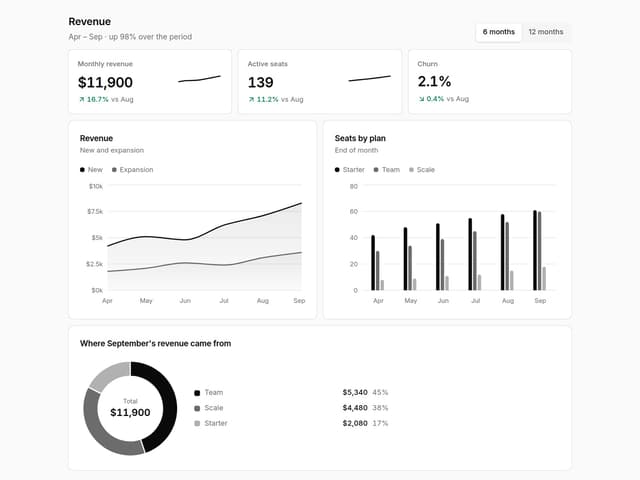
Charts & KPI Cards
86
Rich Text Editor
44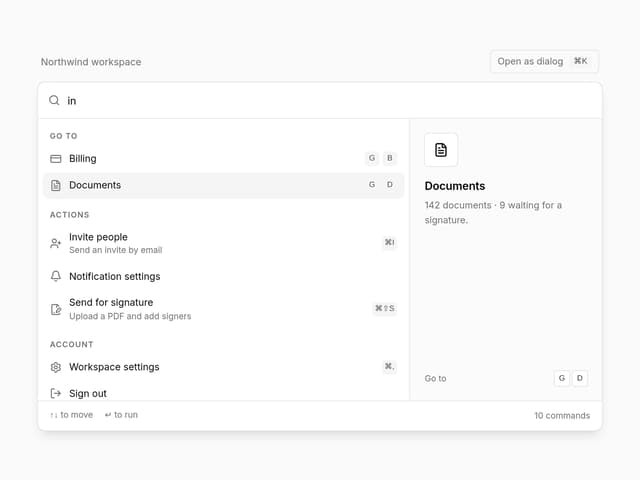
Command Menu
34