
About
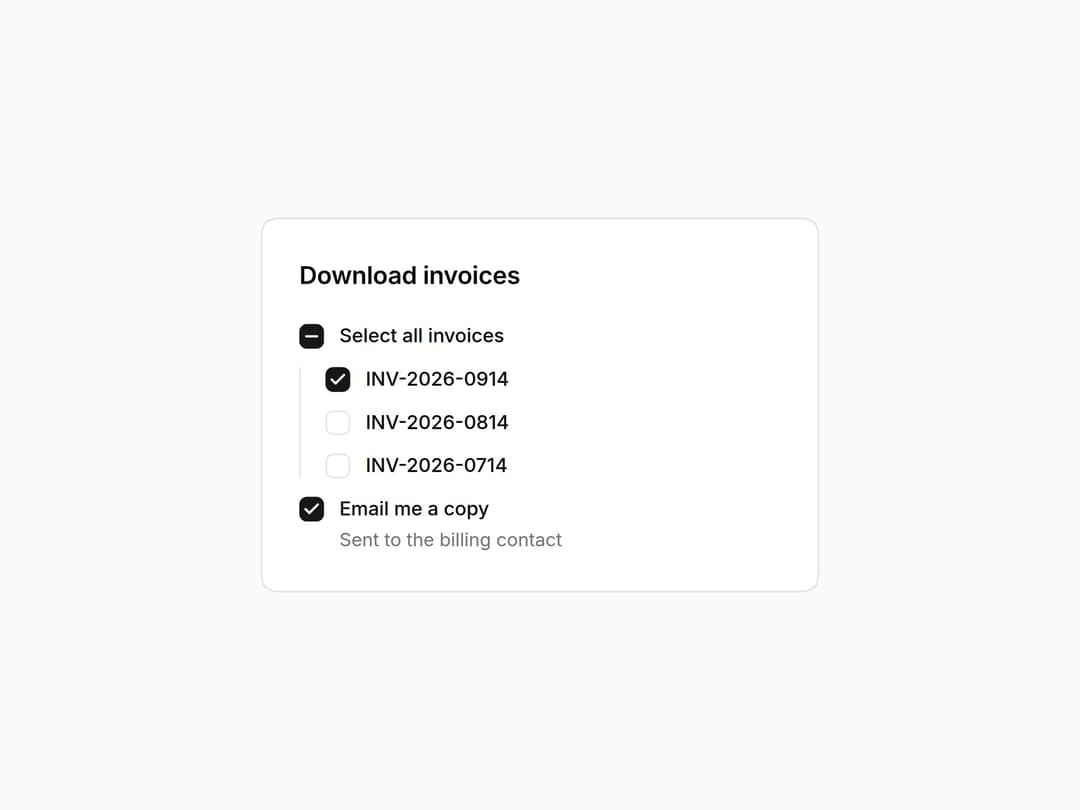
Radix checkbox with checked, unchecked and indeterminate states for select-all, labelled by its Field so the whole row is the target. Part of the Layro System: layro.vercel.app.
Built with React and Tailwind. Copy the prompt and paste it into Claude Code, Cursor or Lovable: your agent adds Checkbox to your project and fits it to your theme.
Code
How Checkbox is used: the demo's code. The component's own source comes with a free account.
Usage.tsx
import * as React from "react";
import { Checkbox, Field } from "@/components/ui/layro-checkbox";

/* Checked, unchecked and indeterminate. The select-all row shows the
   third state when some invoices are picked, and each row's label is the
   click target. */

export default function CheckboxDemo() {
  const INVOICES = ["INV-2026-0914", "INV-2026-0814", "INV-2026-0714"];
  const [picked, setPicked] = React.useState<string[]>([INVOICES[0]]);
  const all = picked.length === INVOICES.length ? true : picked.length ? "indeterminate" : false;
  return (
    <div className="flex min-h-screen w-full items-center justify-center bg-background p-6">
      <div className="w-full min-w-0 rounded-[18px] [corner-shape:squircle] bg-card p-6 text-card-foreground ring-1 ring-border" style={{ maxWidth: 360 }}>
        <h2 className="text-[16px] font-semibold tracking-[-0.01em]">Download invoices</h2>
        <div className="mb-5" />
        <div className="grid gap-3">
          <Field label="Select all invoices" inline>
            <Checkbox checked={all} onCheckedChange={(v) => setPicked(v === true ? INVOICES : [])} />
          </Field>
          <div className="grid gap-3 border-l border-border pl-4">
            {INVOICES.map((n) => (
              <Field key={n} label={n} inline>
                <Checkbox checked={picked.includes(n)} onCheckedChange={(v) => setPicked((p) => (v === true ? [...p, n] : p.filter((x) => x !== n)))} />
              </Field>
            ))}
          </div>
          <Field label="Email me a copy" inline hint="Sent to the billing contact">
            <Checkbox defaultChecked />
          </Field>
        </div>
      </div>
    </div>
  );
}
Dependencies
More by Mohamed Uvaish
View all

Signature Pad
420
Folder Card
336
Share Dialog
308
Kanban Board
249
Notification Panel
102
Charts & KPI Cards
87
Rich Text Editor
44
Command Menu
35
More in Forms
View all

Premium Auth
500

Login 1
52
Authentication Card
47

Book A Demo 3
83
Book A Demo 1
69

Contact Card
1K

Login Card
32

Login 2
7
