About
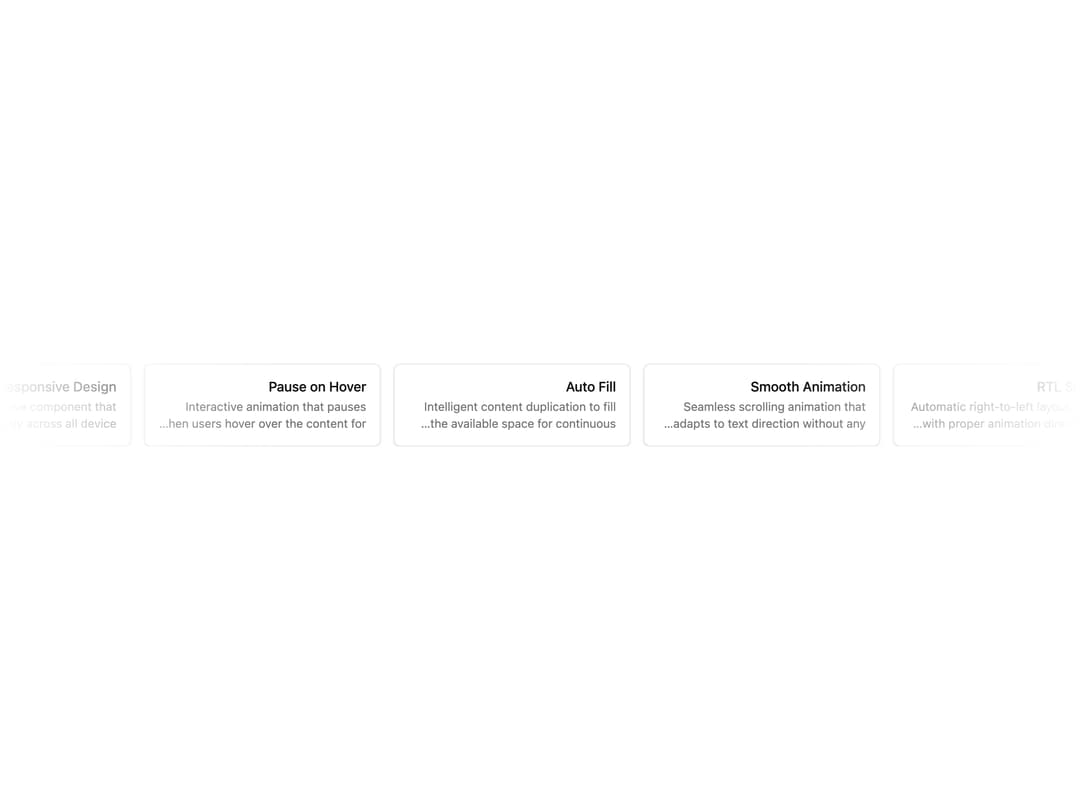
An accessible scrolling marquee component for continuously showcasing logos, testimonials, or cards horizontally or vertically with pause-on-hover, RTL, and auto-fill support.
Built with React and Tailwind. Copy the prompt and paste it into Claude Code, Cursor or Lovable: your agent adds Marquee to your project and fits it to your theme.
Code
How Marquee is used: the demo's code. The component's own source comes with a free account.
Usage.tsx
"use client";

import {
  Marquee,
  MarqueeContent,
  MarqueeEdge,
  MarqueeItem,
} from "@/components/ui/marquee";

const features = [
  {
    title: "RTL Support",
    description:
      "Automatic right-to-left layout support with proper animation direction and gap handling.",
  },
  {
    title: "Smooth Animation",
    description:
      "Seamless scrolling animation that adapts to text direction without any visual gaps.",
  },
  {
    title: "Auto Fill",
    description:
      "Intelligent content duplication to fill the available space for continuous scrolling.",
  },
  {
    title: "Pause on Hover",
    description:
      "Interactive animation that pauses when users hover over the content for better UX.",
  },
  {
    title: "Responsive Design",
    description:
      "Fully responsive component that works perfectly across all device sizes and orientations.",
  },
];

export default function MarqueeRtlDemo() {
  return (
    <Marquee dir="rtl">
      <MarqueeContent>
        {features.map((feature) => (
          <MarqueeItem key={feature.title} asChild>
            <div className="flex w-[280px] flex-col gap-1 rounded-md border bg-card p-4 text-card-foreground shadow-sm">
              <div className="text-sm leading-tight font-medium sm:text-base">
                {feature.title}
              </div>
              <span className="line-clamp-2 text-sm text-muted-foreground">
                {feature.description}
              </span>
            </div>
          </MarqueeItem>
        ))}
      </MarqueeContent>
      <MarqueeEdge side="left" />
      <MarqueeEdge side="right" />
    </Marquee>
  );
}
Dependencies
More by Dice UI
View all

Compare Slider
75
Sortable
49
Circular Progress
41
Status
28
Pending
27
Banner
19
Stack
8
Scroller
5
More in Cards
View all

Statistics Card 2
264

Course Design Cards
1.1K
Card
70
Stats cards with links
39
The Item one
3

Card Studio
7
Statistics Card 7
292

Item
10
