
About
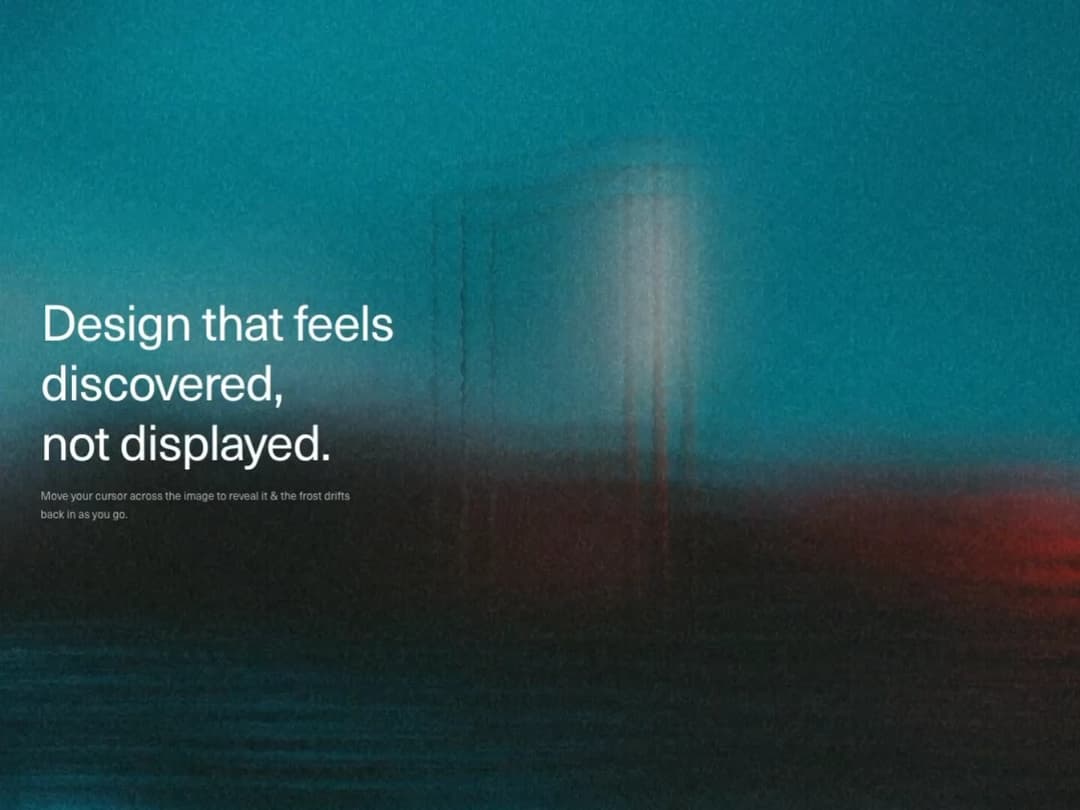
WebGL2 fullscreen shader that keeps an image frosted by default and reveals a sharp version wherever the cursor trails, with animated film grain and a subtle vignette
Built with React and Tailwind. Copy the prompt and paste it into Claude Code, Cursor or Lovable: your agent adds Interactive Blur Reveal to your project and fits it to your theme.
Code
How Interactive Blur Reveal is used: the demo's code. The component's own source comes with a free account.
Usage.tsx
"use client";
import InteractiveBlurReveal from "@/components/ui/interactive-blur-reveal";
export default function InteractiveBlurRevealDemo() {
return (
<main className="relative h-screen w-full overflow-hidden bg-black text-white">
<InteractiveBlurReveal />
<div className="pointer-events-none absolute inset-0 z-10 flex flex-col justify-center px-6 sm:px-12 md:px-16">
<h1 className="max-w-[18ch] text-4xl font-medium leading-[1.05] tracking-tight sm:text-6xl md:text-7xl">
Design that feels discovered,
<br />
not displayed.
</h1>
<p className="mt-6 max-w-md text-sm leading-relaxed text-white/60 sm:text-base">
Move your cursor across the image to reveal it & the frost drifts
back in as you go.
</p>
</div>
</main>
);
}
More by Hyperiux Vault
View all

Product Timeline
2.3K
Stack Spread
1.3K
Arrow Fill Button
912
Interactive List Preview
869
Shiny Button
750
Circular Split Roll
641
Zoom Slider
430
Stack Loader
371