
About
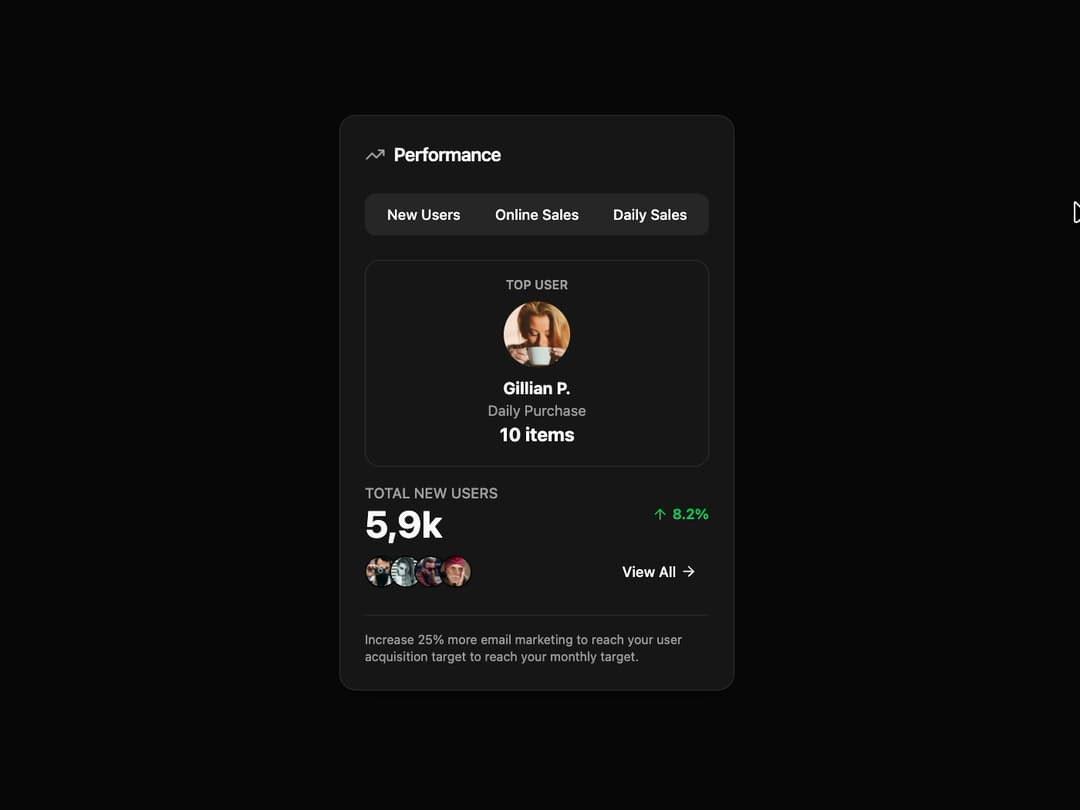
Performance Card A responsive and theme-adaptive card component designed to display key performance metrics. It features a tabbed interface to switch between different data views, animated content transitions, and customizable data points for users, sales, and other statistics. It is built with framer-motion for smooth animations and follows shadcn/ui best practices for styling and structure.
Built with React and Tailwind. Copy the prompt and paste it into Claude Code, Cursor or Lovable: your agent adds Performance Card to your project and fits it to your theme.
Code
How Performance Card is used: the demo's code. The component's own source comes with a free account.
Usage.tsx
import React, { useState } from "react";
import { PerformanceCard } from "@/components/ui/performance-card"; // Adjust the import path

// Mock data for the demo
const demoData = {
  topUser: {
    name: "Gillian P.",
    avatarUrl: "https://cdn.21st.dev/assets/mirror/ff/ff4b0fe2f7d11aff0d68f760e5fdcfeebf8b884c024ae24c9a6cf1d2edf76f49.jpg",
    metricLabel: "Daily Purchase",
    metricValue: "10",
  },
  metricData: {
    label: "Total New Users",
    value: "5,9k",
    percentageChange: 8.20,
    users: [
      { id: '1', name: 'User 1', avatarUrl: 'https://cdn.21st.dev/assets/mirror/c8/c8fff9320a42977b719bac79df70b93920bcb0e5d6cdfe3a9eccf0b700a6af08.jpg' },
      { id: '2', name: 'User 2', avatarUrl: 'https://cdn.21st.dev/assets/mirror/b7/b78f8c42f62ae61f6ebe5c4e79f3af27f49dc05c4f366d2be599d1e14318be86.jpg' },
      { id: '3', name: 'User 3', avatarUrl: 'https://cdn.21st.dev/assets/mirror/42/420c64d5e90b2ff05fc182e3d8c3df40076440cb684d927efed247855775ea9b.jpg' },
      { id: '4', name: 'User 4', avatarUrl: 'https://cdn.21st.dev/assets/mirror/10/10029fcb04096dfae4590fa3373bfdcb52e404a3885a51a27c14bbbaeac41487.jpg' },
    ],
  },
  footerNote: "Increase 25% more email marketing to reach your user acquisition target to reach your monthly target.",
};

const tabs = ["New Users", "Online Sales", "Daily Sales"];

// The demo component
export default function PerformanceCardDemo() {
  const [activeTab, setActiveTab] = useState(tabs[0]);

  // In a real application, you would fetch different data when the tab changes.
  // For this demo, we'll reuse the same data to showcase the animation.
  const handleTabChange = (tab: string) => {
    setActiveTab(tab);
    // e.g., fetchDataForTab(tab);
  };

  return (
    <div className="flex h-full w-full items-center justify-center bg-background p-4">
      <PerformanceCard
        tabs={tabs}
        activeTab={activeTab}
        onTabChange={handleTabChange}
        topUser={demoData.topUser}
        metricData={demoData.metricData}
        footerNote={demoData.footerNote}
      />
    </div>
  );
}
Dependencies
More by Kavi Katiyar
View all

3D Card
982
Bento Product Features
831
Testimonial Slider
716
Card
608
Order Confirmation Card
504
Project Detail View
408
Animated Card
394
State
393
More in Cards
View all
Stats cards with links
33

Course Design Cards
1.1K

Card
70
Statistics Card 2
264
Statistics Card 10
263

Card
17

Card Studio
9
The Item one
3
