
About
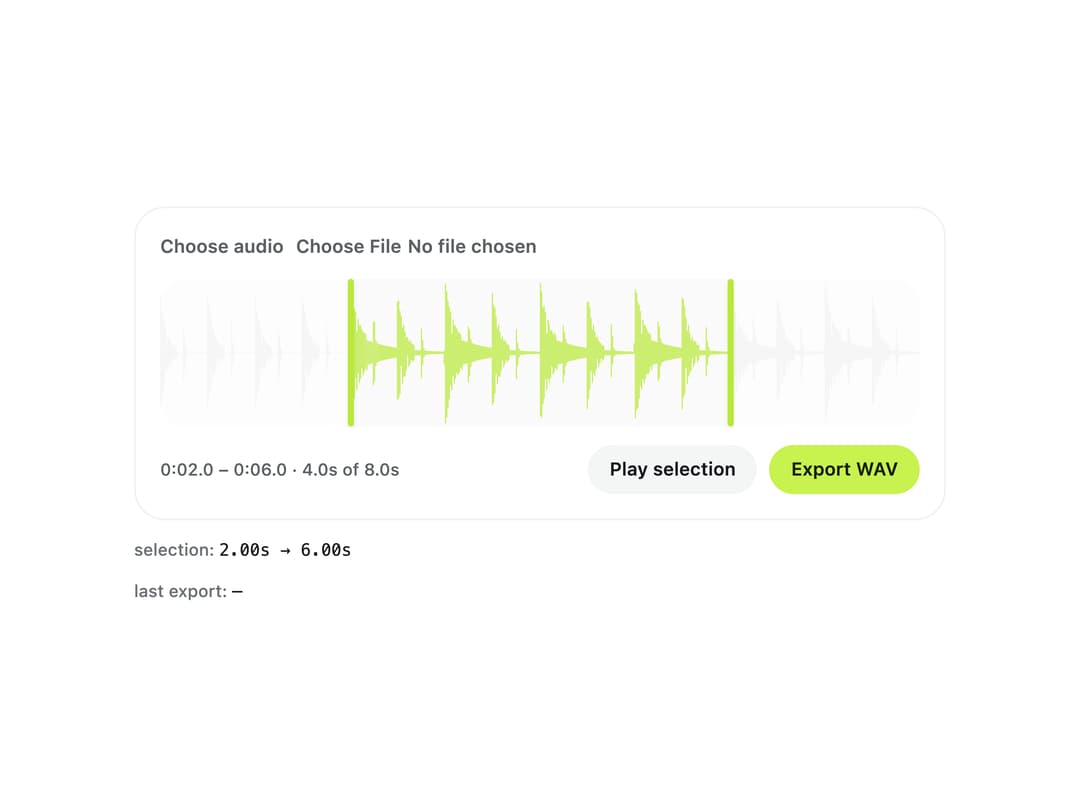
A browser-based tool for cutting a clip out of an audio file by dragging waveform handles (or using arrow keys) and exporting the trimmed selection as a WAV, with no upload to a server.
Built with React and Tailwind. Copy the prompt and paste it into Claude Code, Cursor or Lovable: your agent adds Audio Trimmer to your project and fits it to your theme.
Code
How Audio Trimmer is used: the demo's code. The component's own source comes with a free account.
Usage.tsx
"use client";

import { AudioTrimmer, encodeWav } from "@/components/ui/audio-trimmer";
import type { AudioTrimmerRange } from "@/components/ui/audio-trimmer";
import { Text } from "@/components/ui/audio-trimmer-utils/text";
import * as React from "react";

/** Samples of `seconds` of sound from a function of time, for demos that must work offline. */
function synthesise(
  seconds: number,
  sampleRate: number,
  wave: (t: number) => number,
) {
  const samples = new Float32Array(Math.round(seconds * sampleRate));
  for (let i = 0; i < samples.length; i += 1) samples[i] = wave(i / sampleRate);
  return samples;
}

/** Eight seconds of a small loop: kick on the beat, hats between, a four-note tune. Synthetic — no external audio file. */
function loopWav() {
  const rate = 22050;
  const tune = [261.63, 329.63, 392, 523.25];
  let noise = 1;
  const samples = synthesise(8, rate, (t) => {
    const beat = t % 0.5;
    const kick =
      beat < 0.18
        ? Math.sin(2 * Math.PI * (55 + 90 * Math.exp(-beat * 30)) * beat) *
          Math.exp(-beat * 14)
        : 0;
    const offbeat = (t + 0.25) % 0.5;
    noise = (noise * 16807) % 2147483647;
    const hat =
      offbeat < 0.05
        ? ((noise / 2147483647) * 2 - 1) * Math.exp(-offbeat * 90) * 0.35
        : 0;
    const note = tune[Math.floor(t / 1) % 4];
    const within = t % 1;
    const melody =
      t > 2
        ? Math.sin(2 * Math.PI * note * t) * Math.exp(-within * 3) * 0.3
        : 0;
    return Math.max(-1, Math.min(1, kick * 0.8 + hat + melody));
  });
  return encodeWav([samples], rate);
}

const kb = (bytes: number) => `${(bytes / 1024).toFixed(1)} KB`;

function Readout({ label, value }: { label: string; value: string }) {
  return (
    <Text size="caption" tone="faint">
      {label}: <code className="font-mono text-ink">{value || "—"}</code>
    </Text>
  );
}

export default function AudioTrimmerDemo() {
  const file = React.useMemo(() => loopWav(), []);
  const [range, setRange] = React.useState<AudioTrimmerRange>({
    start: 2,
    end: 6,
  });
  const [exported, setExported] = React.useState("");
  return (
    <div className="flex w-full max-w-xl flex-col gap-3 bg-background p-6">
      <AudioTrimmer
        file={file}
        value={range}
        onValueChange={setRange}
        exportName="loop-clip"
        label="Trim the loop"
        onExport={(wav, at) =>
          setExported(`${kb(wav.size)} WAV, ${(at.end - at.start).toFixed(2)}s`)
        }
      />
      <Readout
        label="selection"
        value={`${range.start.toFixed(2)}s → ${range.end.toFixed(2)}s`}
      />
      <Readout label="last export" value={exported} />
    </div>
  );
}
More by klyv-ui
View all
Gantt Chart
56
Klyv Animated Beam
47
Pareto Chart
40
Shader Canvas
35
Sunburst Chart
23
Morphing Text
21
Gooey Loader
20
Gravity Tags
17