
About
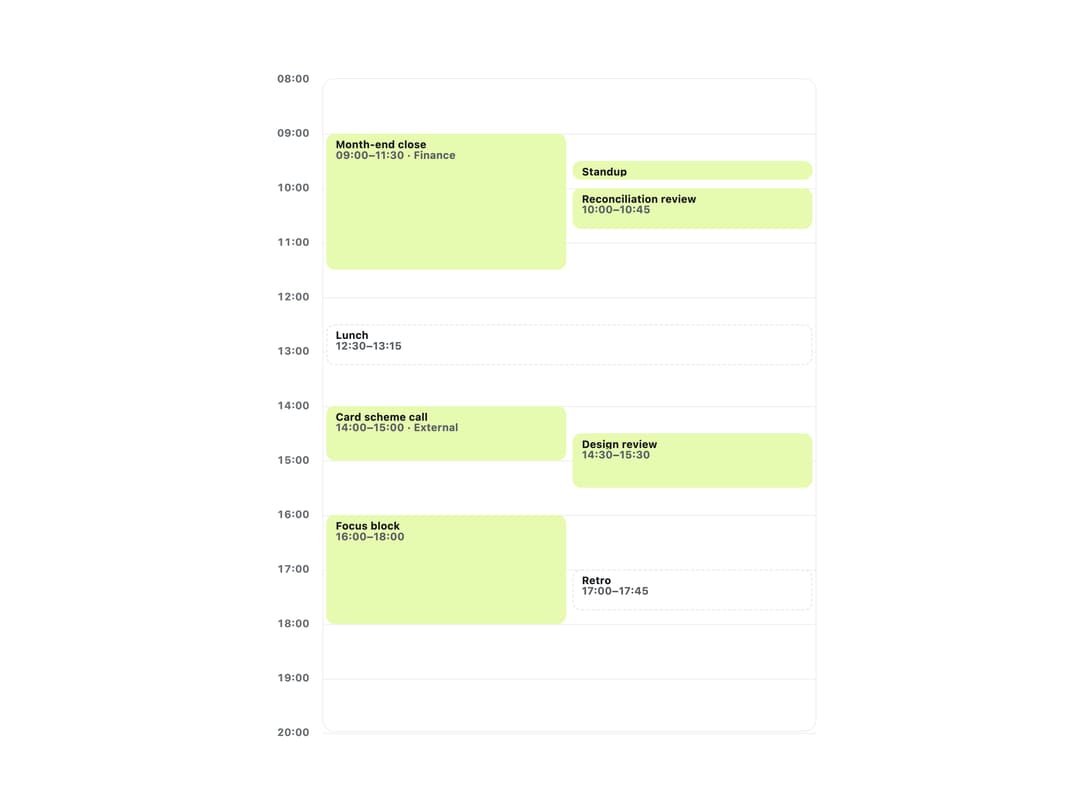
A single-day calendar column that places timed events by their actual start and end time and automatically splits overlapping events into side-by-side columns.
Built with React and Tailwind. Copy the prompt and paste it into Claude Code, Cursor or Lovable: your agent adds Day Schedule to your project and fits it to your theme.
Code
How Day Schedule is used: the demo's code. The component's own source comes with a free account.
Usage.tsx
"use client";

import DaySchedule, { type ScheduleEvent } from "@/components/ui/day-schedule";

const events: ScheduleEvent[] = [
  {
    id: "month-end-close",
    title: "Month-end close",
    start: "09:00",
    end: "11:30",
    detail: "Finance",
  },
  {
    id: "standup",
    title: "Standup",
    start: "09:30",
    end: "09:45",
    detail: "Team",
  },
  {
    id: "reconciliation-review",
    title: "Reconciliation review",
    start: "10:00",
    end: "10:45",
  },
  {
    id: "lunch",
    title: "Lunch",
    start: "12:30",
    end: "13:15",
    tentative: true,
  },
  {
    id: "card-scheme-call",
    title: "Card scheme call",
    start: "14:00",
    end: "15:00",
    detail: "External",
  },
  { id: "design-review", title: "Design review", start: "14:30", end: "15:30" },
  { id: "focus-block", title: "Focus block", start: "16:00", end: "18:00" },
  {
    id: "retro",
    title: "Retro",
    start: "17:00",
    end: "17:45",
    tentative: true,
  },
];

export default function DayScheduleDemo() {
  return (
    <div className="w-full max-w-xl p-6">
      <DaySchedule events={events} label="Today" />
    </div>
  );
}
More by klyv-ui
View all
Gantt Chart
56
Klyv Animated Beam
47
Pareto Chart
40
Shader Canvas
35
Sunburst Chart
23
Morphing Text
21
Gooey Loader
20
Gravity Tags
17