
About
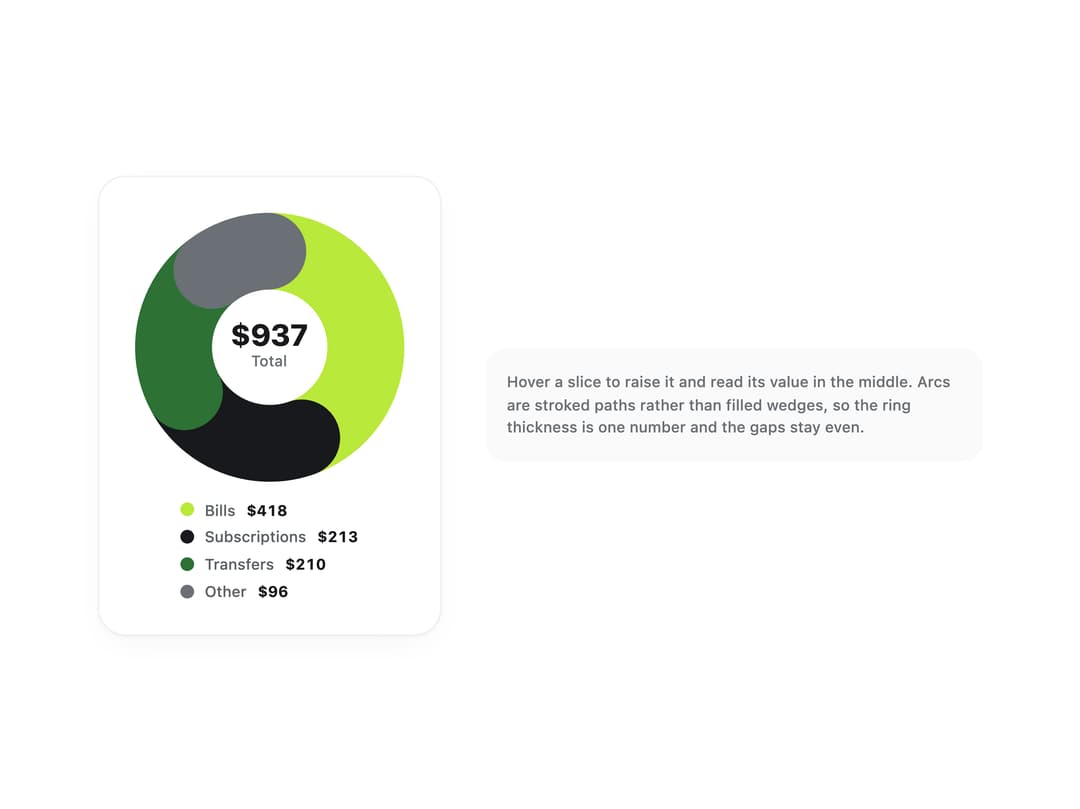
An accessible SVG ring chart that shows part-to-whole values as stroked arcs, with a hoverable legend, a centered total, and a visually-hidden data table so the values are never hover-only.
Built with React and Tailwind. Copy the prompt and paste it into Claude Code, Cursor or Lovable: your agent adds Donut Chart to your project and fits it to your theme.
Code
How Donut Chart is used: the demo's code. The component's own source comes with a free account.
Usage.tsx
import DonutChart from "@/components/ui/donut-chart";

const money = (value: number) =>
  `$${Math.round(value).toLocaleString("en-US")}`;

export default function DonutChartDemo() {
  return (
    <div className="flex w-full flex-wrap items-center justify-center gap-8 p-8">
      <div className="flex flex-col items-center gap-3 rounded-[20px] border border-line bg-surface p-6 shadow-[var(--shadow-card)]">
        <DonutChart
          label="Spending by category"
          format={money}
          slices={[
            { id: "bills", label: "Bills", value: 418 },
            { id: "subs", label: "Subscriptions", value: 213 },
            { id: "transfers", label: "Transfers", value: 210 },
            { id: "other", label: "Other", value: 96 },
          ]}
        >
          <p className="text-[22px] font-extrabold leading-none text-ink">
            $937
          </p>
          <p className="text-[11px] font-medium text-ink-faint">Total</p>
        </DonutChart>
      </div>
      <div className="max-w-[36ch] rounded-[14px] bg-surface-sunken p-4">
        <p className="text-[11px] font-medium leading-normal text-ink-faint">
          Hover a slice to raise it and read its value in the middle. Arcs are
          stroked paths rather than filled wedges, so the ring thickness is one
          number and the gaps stay even.
        </p>
      </div>
    </div>
  );
}
More by klyv-ui
View all
Gantt Chart
56
Klyv Animated Beam
47
Pareto Chart
40
Shader Canvas
35
Sunburst Chart
23
Morphing Text
21
Gooey Loader
20
Gravity Tags
17