
About
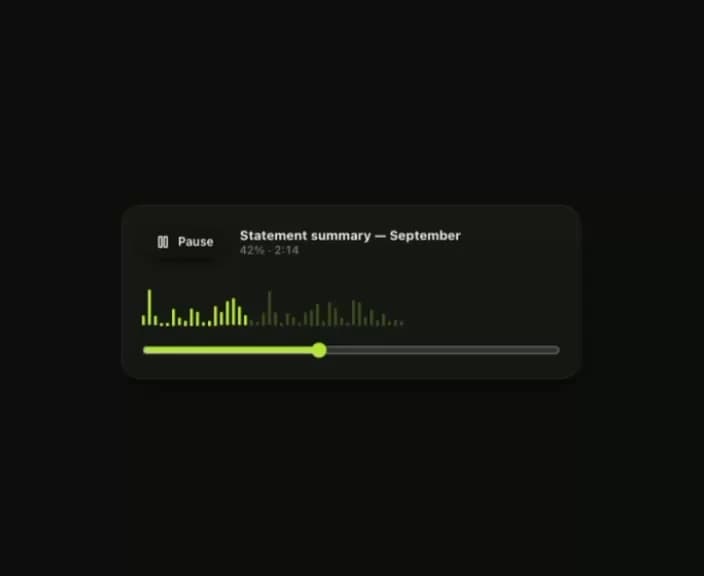
The bar visualiser, with a playhead. One scaleY keyframe per bar rather than a frame loop writing heights.
Built with React and Tailwind. Copy the prompt and paste it into Claude Code, Cursor or Lovable: your agent adds Klyv Waveform to your project and fits it to your theme.
Code
How Klyv Waveform is used: the demo's code. The component's own source comes with a free account.
Usage.tsx
import { useState } from "react";
import { Pause, Play } from "lucide-react";
import { Button } from "@/components/ui/klyv-waveform-utils/components-Button-Button";
import { Surface } from "@/components/ui/klyv-waveform-utils/components-Surface-Surface";
import { Text } from "@/components/ui/klyv-waveform-utils/components-Text-Text";
import { Waveform } from "@/components/ui/klyv-waveform";

function WaveformExample() {
  const [playing, setPlaying] = useState(true)
  const [progress, setProgress] = useState(0.42)

  return (
    <Surface variant="card" padding="lg" className="w-full max-w-[460px] gap-4">
      <div className="flex items-center gap-3">
        <Button size="sm" variant="white" onClick={() => setPlaying((value) => !value)}>
          {playing ? <Pause size={14} strokeWidth={2.5} /> : <Play size={14} strokeWidth={2.5} />}
          {playing ? 'Pause' : 'Play'}
        </Button>
        <div className="flex min-w-0 flex-col">
          <Text size="body" truncate>
            Statement summary — September
          </Text>
          <Text size="caption" tone="faint" tabular>
            {Math.round(progress * 100)}% · 2:14
          </Text>
        </div>
      </div>

      <Waveform
        label="Statement summary audio"
        bars={44}
        playing={playing}
        progress={progress}
        height={52}
      />

      <input
        type="range"
        min={0}
        max={100}
        value={Math.round(progress * 100)}
        aria-label="Playback position"
        onChange={(event) => setProgress(Number(event.target.value) / 100)}
        className="w-full accent-[var(--color-accent-strong)]"
      />
    </Surface>
  )
}

export default function Demo(){return <div data-component-demo className="flex min-h-screen w-full items-center justify-center bg-canvas p-8 text-ink"><div className="w-full max-w-[620px]"><WaveformExample /></div></div>}
Dependencies
More by klyv-ui
View all
Gantt Chart
56
Klyv Animated Beam
47
Pareto Chart
40
Shader Canvas
35
Sunburst Chart
23
Morphing Text
21
Gooey Loader
20
Gravity Tags
17