
About
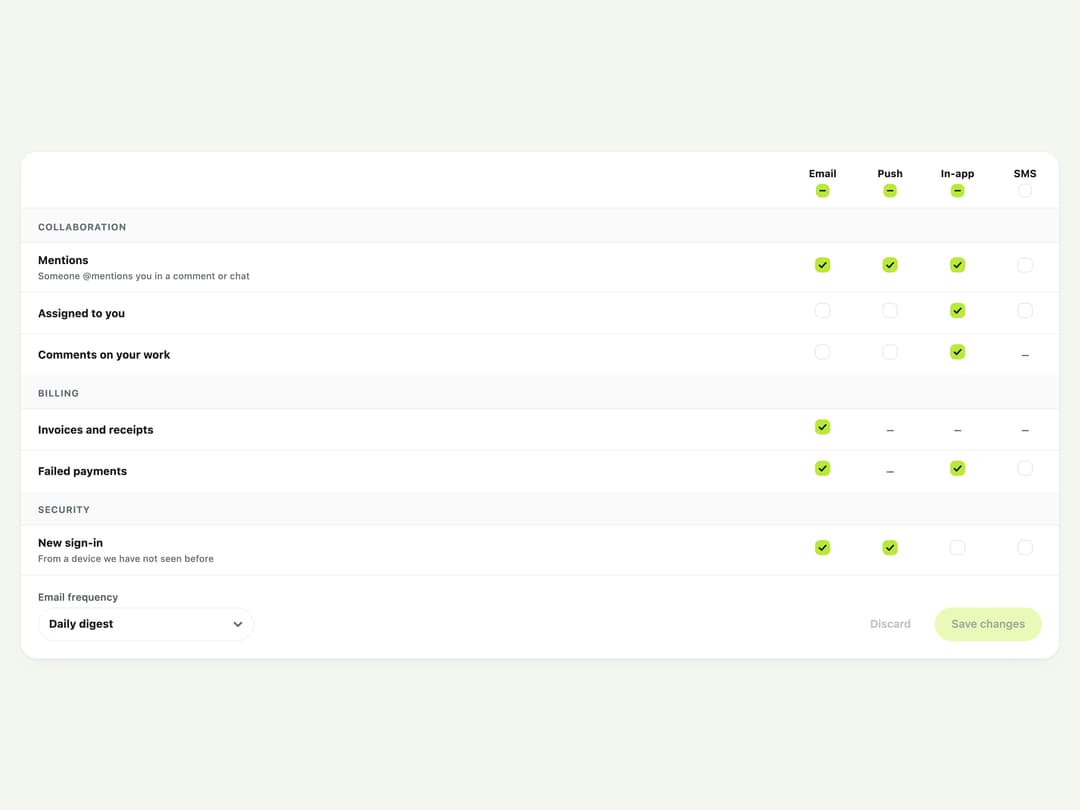
A settings panel that lets a user choose which events deliver to which channels (email, push, in-app, SMS) in a checkbox grid, with per-column "all" toggles, an email digest frequency, and a draft that only saves on confirmation.
Built with React and Tailwind. Copy the prompt and paste it into Claude Code, Cursor or Lovable: your agent adds Notification Preferences Grid to your project and fits it to your theme.
Code
How Notification Preferences Grid is used: the demo's code. The component's own source comes with a free account.
Usage.tsx
"use client";

import NotificationPreferences from "@/components/ui/notification-preferences";
import type {
  NotificationPreferencesDigest,
  NotificationPreferencesEvent,
  NotificationPreferencesValue,
} from "@/components/ui/notification-preferences";
import { useState } from "react";

const EVENTS: NotificationPreferencesEvent[] = [
  {
    id: "mention",
    label: "Mentions",
    description: "Someone @mentions you in a comment or chat",
    category: "Collaboration",
  },
  { id: "assigned", label: "Assigned to you", category: "Collaboration" },
  {
    id: "comment",
    label: "Comments on your work",
    category: "Collaboration",
    channels: ["email", "push", "in-app"],
  },
  {
    id: "invoice",
    label: "Invoices and receipts",
    category: "Billing",
    channels: ["email"],
  },
  {
    id: "payment-failed",
    label: "Failed payments",
    category: "Billing",
    channels: ["email", "sms", "in-app"],
  },
  {
    id: "login",
    label: "New sign-in",
    description: "From a device we have not seen before",
    category: "Security",
  },
];

export default function NotificationPreferencesDemo() {
  const [saved, setSaved] = useState<NotificationPreferencesValue>({
    mention: ["email", "push", "in-app"],
    assigned: ["in-app"],
    comment: ["in-app"],
    invoice: ["email"],
    "payment-failed": ["email", "in-app"],
    login: ["email", "push"],
  });
  const [digest, setDigest] = useState<NotificationPreferencesDigest>("daily");

  return (
    <div className="w-full p-6 bg-[var(--color-canvas)] text-[var(--color-ink)]">
      <NotificationPreferences
        className="w-full"
        events={EVENTS}
        value={saved}
        digest={digest}
        onSave={async (payload) => {
          await new Promise((resolve) => window.setTimeout(resolve, 800));
          setSaved(payload.value);
          setDigest(payload.digest);
        }}
      />
    </div>
  );
}
More by klyv-ui
View all
Gantt Chart
56
Klyv Animated Beam
47
Pareto Chart
40
Shader Canvas
35
Sunburst Chart
23
Morphing Text
21
Gooey Loader
20
Gravity Tags
17