
About
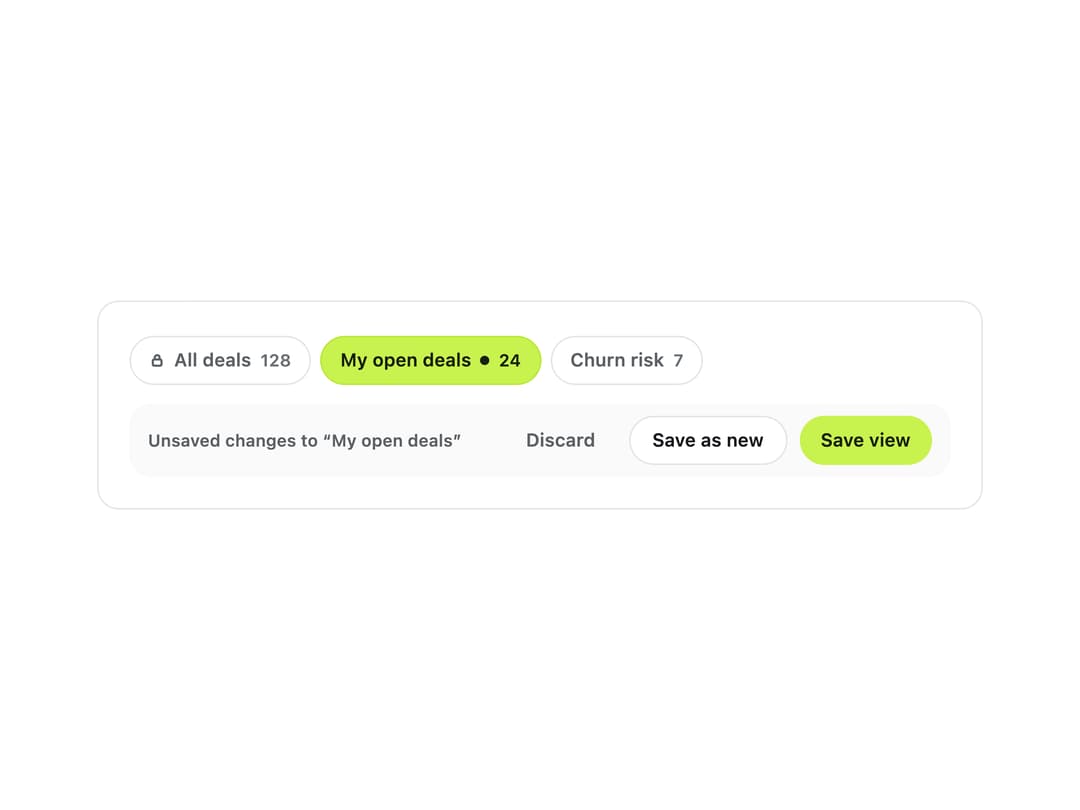
A row of named filter/sort/column presets above a table or list, with an explicit unsaved-changes state so users can save over, save as new, or discard changes to the view they're on.
Built with React and Tailwind. Copy the prompt and paste it into Claude Code, Cursor or Lovable: your agent adds Saved Views to your project and fits it to your theme.
Code
How Saved Views is used: the demo's code. The component's own source comes with a free account.
Usage.tsx
"use client";

import SavedViews, { type SavedView } from "@/components/ui/saved-views";
import { useState } from "react";

const INITIAL_VIEWS: SavedView[] = [
  { id: "all", name: "All deals", count: 128, locked: true },
  { id: "open", name: "My open deals", count: 24, shared: true },
  { id: "churn", name: "Churn risk", count: 7 },
];

export default function SavedViewsDemo() {
  const [views, setViews] = useState<SavedView[]>(INITIAL_VIEWS);
  const [value, setValue] = useState("open");
  const [dirty, setDirty] = useState(true);

  return (
    <div className="w-full max-w-xl rounded-xl border bg-background p-5">
      <SavedViews
        views={views}
        value={value}
        onValueChange={(id) => {
          setValue(id);
          setDirty(false);
        }}
        dirty={dirty}
        onSave={() => setDirty(false)}
        onSaveAs={(name) => {
          const id =
            name.toLowerCase().replace(/\s+/g, "-") || `view-${views.length}`;
          setViews((prev) => [...prev, { id, name, count: 0 }]);
          setValue(id);
          setDirty(false);
        }}
        onDiscard={() => setDirty(false)}
        onDelete={(view) => {
          setViews((prev) => prev.filter((v) => v.id !== view.id));
          setValue("all");
          setDirty(false);
        }}
      />
    </div>
  );
}
More by klyv-ui
View all
Gantt Chart
56
Klyv Animated Beam
47
Pareto Chart
40
Shader Canvas
35
Sunburst Chart
23
Morphing Text
21
Gooey Loader
20
Gravity Tags
17