
About
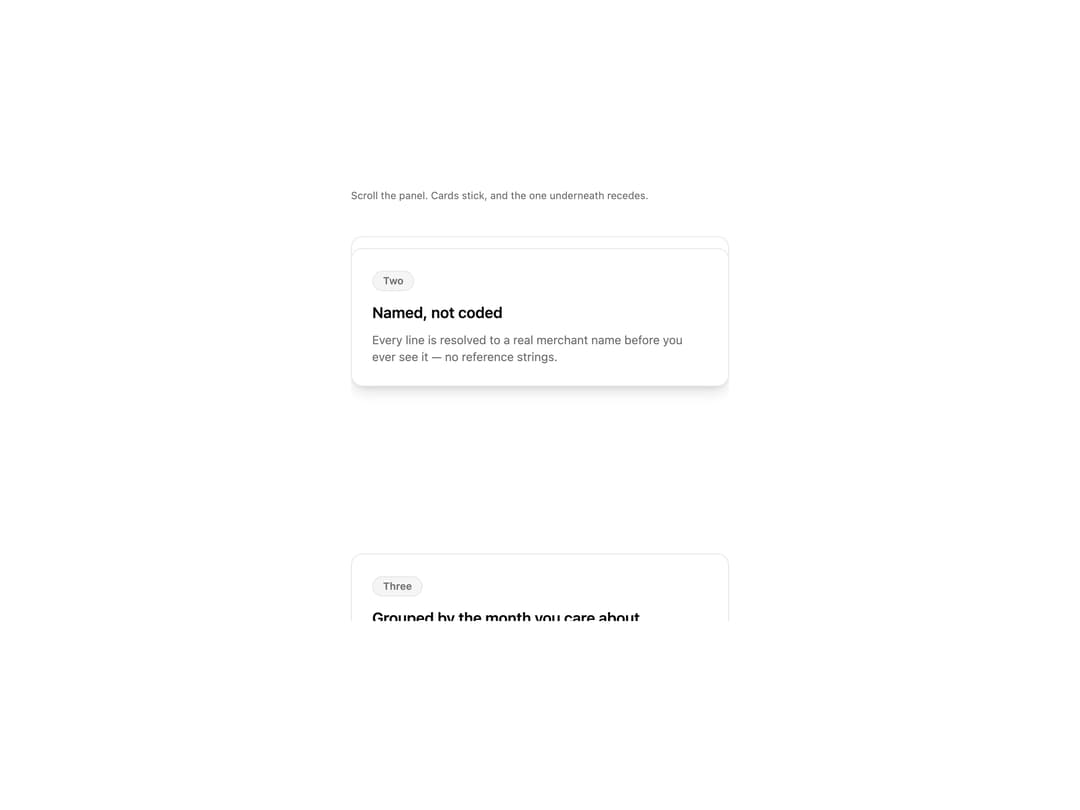
A list of cards that stick as you scroll past them and visually pile up behind each other, each buried card scaling down and fading as more cards stack on top.
Built with React and Tailwind. Copy the prompt and paste it into Claude Code, Cursor or Lovable: your agent adds Stacked Cards to your project and fits it to your theme.
Code
How Stacked Cards is used: the demo's code. The component's own source comes with a free account.
Usage.tsx
"use client";

import { useEffect, useRef } from "react";
import StackedCards from "@/components/ui/stacked-cards";

interface PitchCard {
  id: string;
  label: string;
  title: string;
  description: string;
}

const cards: PitchCard[] = [
  {
    id: "one",
    label: "One",
    title: "Everything you spent, in one place",
    description:
      "Cards, transfers and direct debits arrive on the same timeline, in the order they happened.",
  },
  {
    id: "two",
    label: "Two",
    title: "Named, not coded",
    description:
      "Every line is resolved to a real merchant name before you ever see it — no reference strings.",
  },
  {
    id: "three",
    label: "Three",
    title: "Grouped by the month you care about",
    description: "Not by the statement period your bank happens to run on.",
  },
  {
    id: "four",
    label: "Four",
    title: "And exportable, always",
    description:
      "The same data, as a file, whenever you want it. No support ticket.",
  },
];

export default function StackedCardsDemo() {
  const scrollRef = useRef<HTMLDivElement>(null);

  // Scroll the panel partway on mount so the stacking/receding effect is
  // visible immediately, instead of showing a flat, unscrolled list.
  useEffect(() => {
    const el = scrollRef.current;
    if (!el) return;
    el.scrollTop = 340;
  }, []);

  return (
    <div className="flex w-full justify-center bg-background p-8">
      <div className="w-full max-w-md">
        <p className="mb-4 text-xs text-muted-foreground">
          Scroll the panel. Cards stick, and the one underneath recedes.
        </p>
        <div ref={scrollRef} style={{ height: 480, overflowY: "auto" }}>
          <StackedCards
            items={cards}
            itemId={(card) => card.id}
            renderItem={(card) => (
              <div className="rounded-xl border border-border bg-card p-6 shadow-lg">
                <span className="mb-3 inline-flex h-6 items-center rounded-full border border-border bg-muted px-3 text-xs font-semibold text-muted-foreground">
                  {card.label}
                </span>
                <h3 className="text-lg font-semibold text-foreground">
                  {card.title}
                </h3>
                <p className="mt-2 text-sm text-muted-foreground">
                  {card.description}
                </p>
              </div>
            )}
            scrollRef={scrollRef}
          />
        </div>
      </div>
    </div>
  );
}
More by klyv-ui
View all
Gantt Chart
56
Klyv Animated Beam
47
Pareto Chart
40
Shader Canvas
35
Sunburst Chart
23
Morphing Text
21
Gooey Loader
20
Gravity Tags
17