
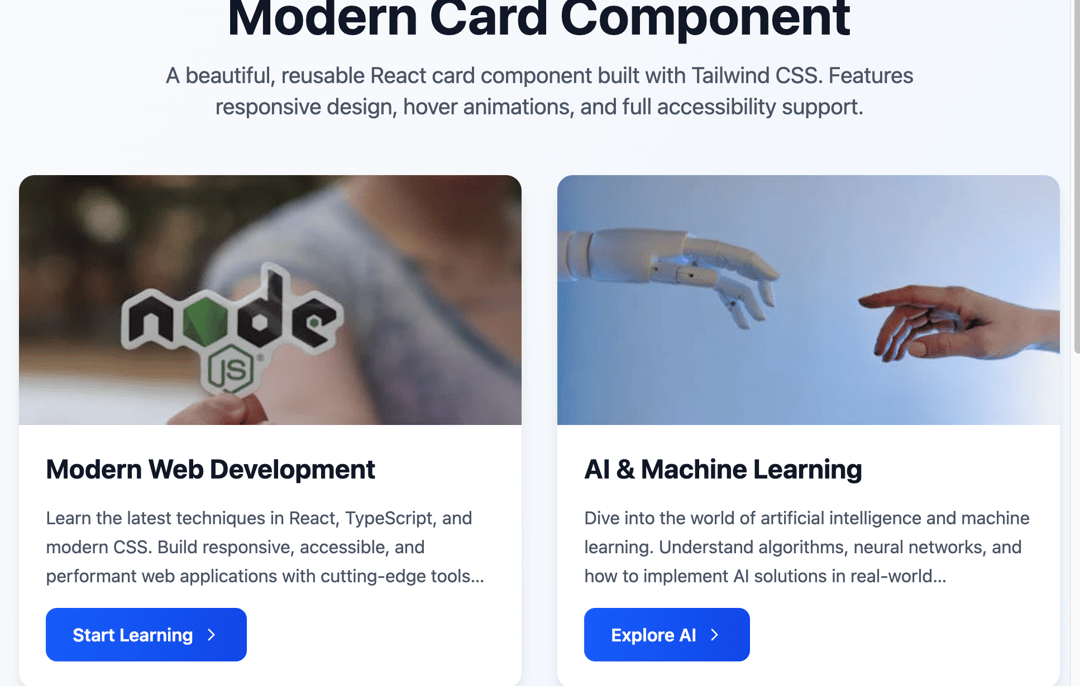
Modern Card Component — Beautiful, Accessible, and Fully Responsive This elegant React + Tailwind CSS card component is a powerful UI building block, designed for modern web applications that demand both style and usability. Built with TypeScript, it features smooth animations, responsive layouts, and complete accessibility support — making it ideal for portfolios, dashboards, content showcases, or landing pages. 🚀 Key Features: 💅 Sleek Visuals Minimalist aesthetic with smooth shadows, rounded corners, and interactive hover effects. 📷 Optional Image Section Supports lazy-loaded, responsive images with graceful fallback and zoom-on-hover. 🧠 Smart CTA Button Integrated call-to-action button with keyboard support, hover scaling, and arrow icon animation. 📱 Responsive Layout Adapts seamlessly across mobile, tablet, and desktop viewports. ♿ Accessibility-First Fully navigable via keyboard with proper ARIA roles and focus indicators. 🛠️ Fully Configurable Accepts props for title, description, imageUrl, buttonText, onClick, and custom styling via className. 🧾 TypeScript Support Type-safe with a well-defined CardProps interface for better developer experience. 📦 What's Included: A reusable Card component An App component showcasing: Cards with images A text-only card A responsive card grid A feature section explaining component capabilities 🔧 Use Cases: Blog previews or article summaries E-learning course tiles Product highlights Service offerings in landing pages Dashboards and portals Whether you're building a portfolio or launching a product, this component gives you a professional-grade layout with delightful UX, ready to drop into any React project.
Built with React and Tailwind. Copy the prompt and paste it into Claude Code, Cursor or Lovable: your agent adds Card Component to your project and fits it to your theme.
Code
How Card Component is used: the demo's code. The component's own source comes with a free account.
Usage.tsx
import CardExamples from "@/components/ui/card-component";

export default function DemoOne() {
  return <CardExamples />;
}
More by Sonu kumar
View all
Dashboard with Collapsible Sidebar
2.4K
Modern Hero
1.4K
Text Parallax Content (scroll)
1.2K
About Us section
1.2K
Modern Animated Hero Section
1.1K
Animated Hero Section
689
Cuisine Selector Chips
585
Bounce card features
571
More in Cards
View all

Statistics Card 2
263
Card
70
Stats cards with links
39

Course Design Cards
1.1K
The Item one
3

Card Studio
7
Statistics Card 7
290

Card
17
