
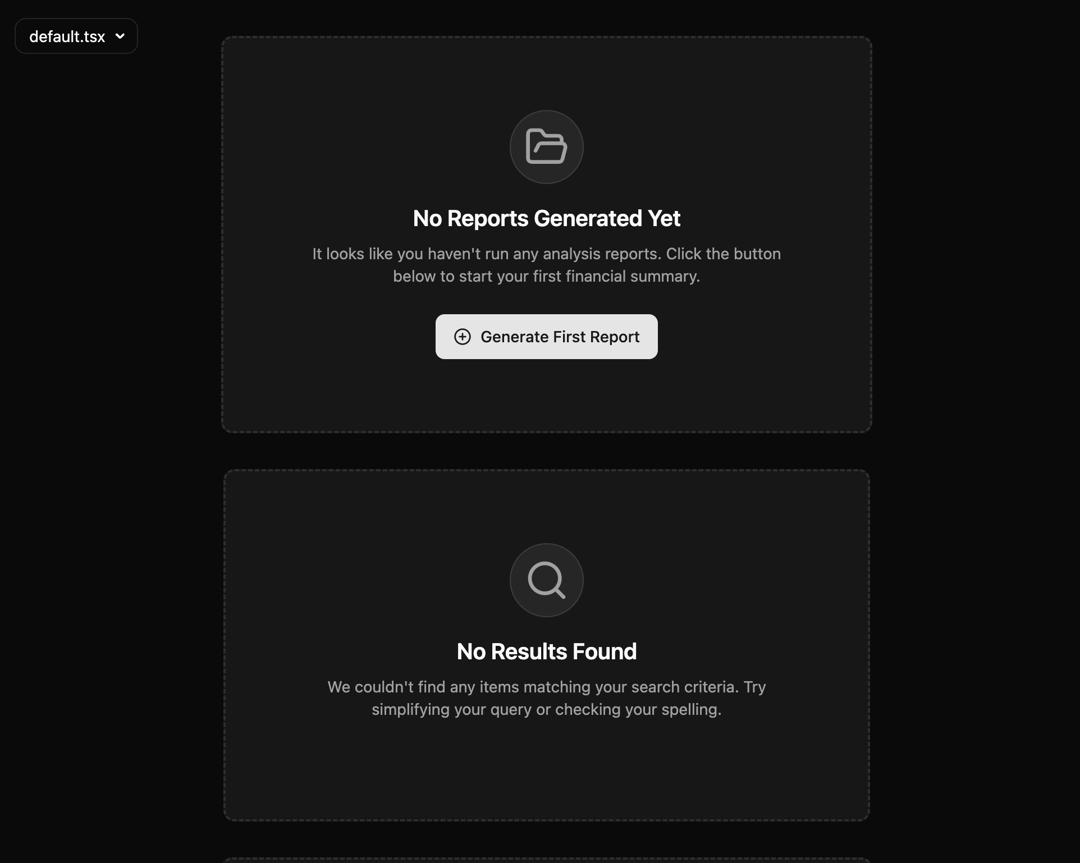
“Stop leaving your users in the void. The EmptyState component gives you elegant, accessible, and responsive UI for no-data moments. With built-in icons, customizable CTAs, and dark mode support, it turns empty screens into clear guidance and actionable UX. Perfect for dashboards, search pages, and error states.” ⚡ Why this works: Problem framing: “Stop leaving users in the void” → instantly relatable. Solution promise: “Elegant, accessible, responsive UI for no-data moments.” Feature highlights: Icons, CTA, dark mode, flexible usage. Use cases: Dashboards, search results, error/config screens.
Built with React and Tailwind. Copy the prompt and paste it into Claude Code, Cursor or Lovable: your agent adds EmptyState – Beautiful, Accessible ‘No Data’ States to your project and fits it to your theme.
Code
How EmptyState – Beautiful, Accessible ‘No Data’ States is used: the demo's code. The component's own source comes with a free account.
Usage.tsx
import ExampleUsage from "@/components/ui/empty-state-beautiful-accessible-no-data-states";

export default function DemoOne() {
  return <ExampleUsage />;
}
Dependencies
More by Sonu kumar
View all
Dashboard with Collapsible Sidebar
2.4K
Modern Hero
1.4K
Text Parallax Content (scroll)
1.2K
About Us section
1.2K
Modern Animated Hero Section
1.1K
Animated Hero Section
689
Cuisine Selector Chips
585
Bounce card features
573
More in Cards
View all

Statistics Card 2
264

Course Design Cards
1.1K
Card
70
Stats cards with links
39
The Item one
3

Card Studio
7
Statistics Card 7
292

Item
10
