
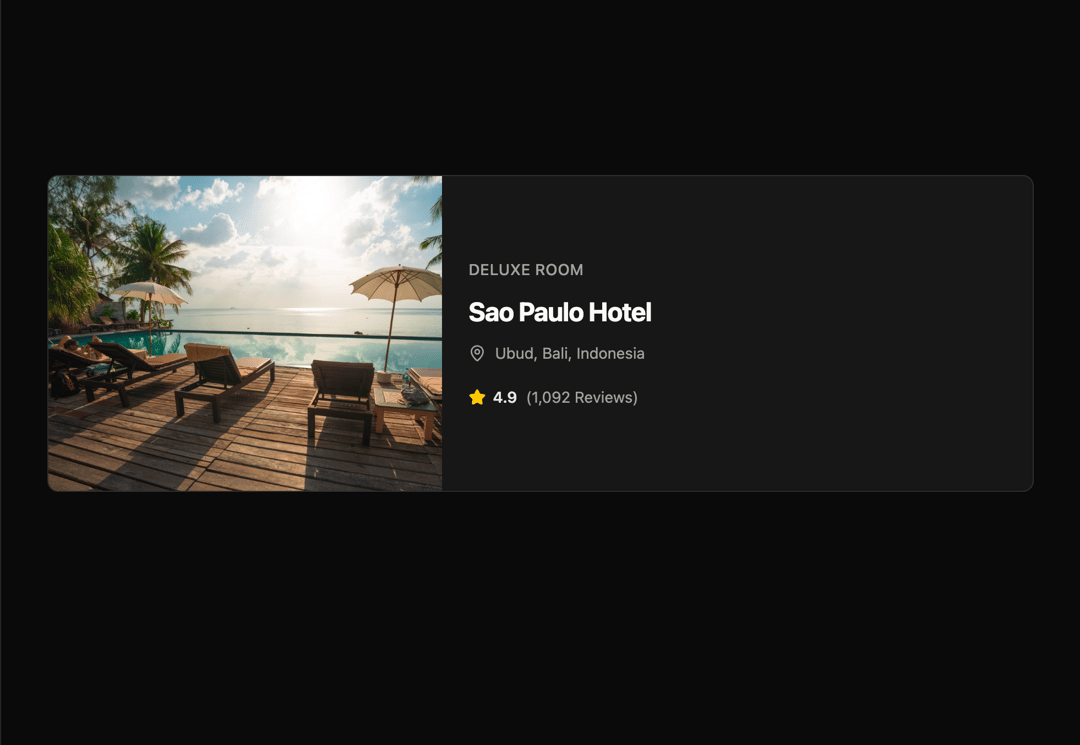
This code implements a reusable UI component for displaying hotel information, along with a theme toggle. The `HotelCard` component takes hotel data as props (image URL, hotel name, location, rating, etc.) and renders a visually appealing card. It leverages styling and layout features to create a clean and responsive design. The component uses image placeholders, handles different screen sizes responsively, and includes interactive elements like hover effects. A theme toggle button dynamically switches between light and dark themes using the `next-themes` library. The `HotelCard` component is designed to be easily integrated into any application that displays hotel listings or travel information. The application renders a list of sample hotel cards using data stored in an array. It uses a functional component approach and JSX for UI rendering. The `useTheme` hook from `next-themes` manages the theme state. Lucide React provides the icons. This is useful for showcasing hotels in travel websites, travel apps, or hotel booking platforms. It could also be integrated with a backend system to fetch hotel data dynamically.
Built with React and Tailwind. Copy the prompt and paste it into Claude Code, Cursor or Lovable: your agent adds Hotel Card UI Component to your project and fits it to your theme.
Code
How Hotel Card UI Component is used: the demo's code. The component's own source comes with a free account.
Usage.tsx
import ExampleDemo from "@/components/ui/hotel-card-ui-component";

export default function DemoOne() {
  return <ExampleDemo />;
}
Dependencies
More by Sonu kumar
View all
Dashboard with Collapsible Sidebar
2.4K
Modern Hero
1.4K
Text Parallax Content (scroll)
1.2K
About Us section
1.2K
Modern Animated Hero Section
1.1K
Animated Hero Section
689
Cuisine Selector Chips
585
Bounce card features
571
More in Cards
View all

Statistics Card 2
263
Card
70
Stats cards with links
39

Course Design Cards
1.1K
The Item one
3

Card Studio
7
Statistics Card 7
290

Item
10
