
About
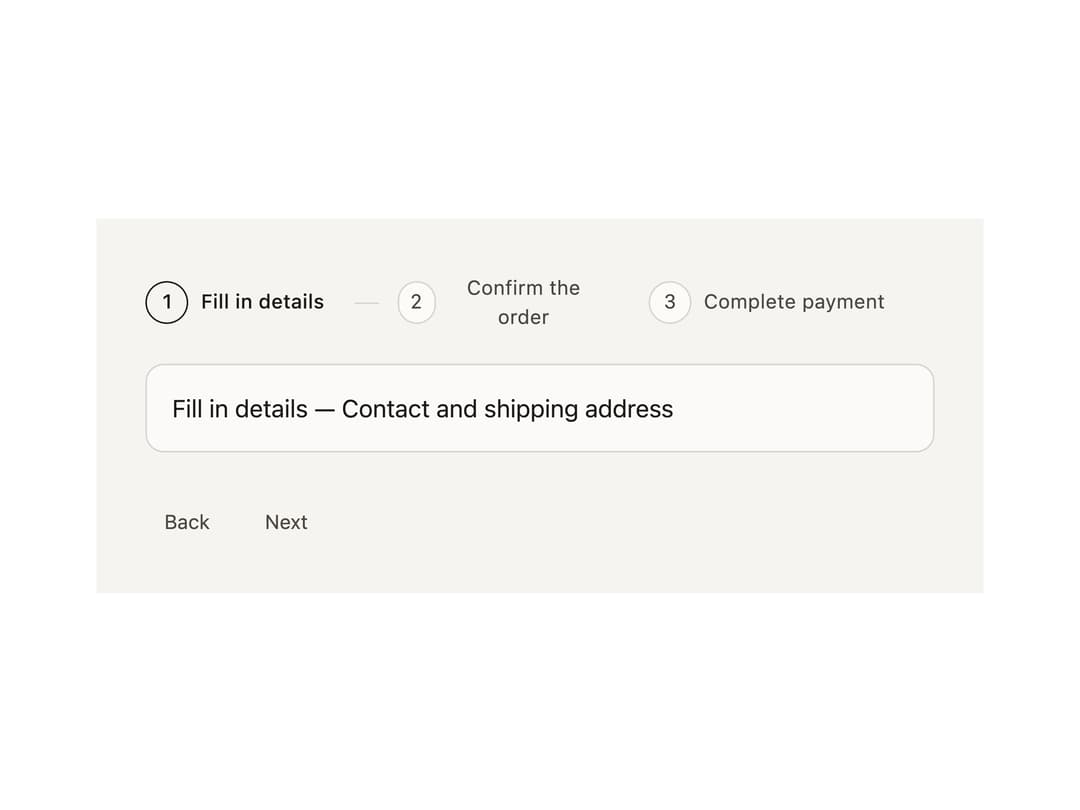
A horizontal or vertical step indicator that walks a user through a linear multi-step flow like a checkout or signup wizard, tracking the current, completed, and upcoming steps.
Built with React and Tailwind. Copy the prompt and paste it into Claude Code, Cursor or Lovable: your agent adds Steps to your project and fits it to your theme.
Code
How Steps is used: the demo's code. The component's own source comes with a free account.
Usage.tsx
import { Steps } from "@/components/ui/steps";

const ITEMS = [
  { title: "Fill in details", description: "Contact and shipping address" },
  { title: "Confirm the order", description: "Check items and totals" },
  { title: "Complete payment", description: "Choose how to pay" },
];

export default function StepsDemo() {
  return (
    <div
      data-theme="light"
      style={{
        padding: "2rem",
        background: "var(--bs-color-surface-0)",
        color: "var(--bs-color-text-primary)",
      }}
    >
      <Steps.Root count={ITEMS.length}>
        <Steps.List>
          {ITEMS.map((item, index) => (
            <Steps.Item key={item.title} index={index}>
              <Steps.Trigger>
                <Steps.Indicator>{String(index + 1)}</Steps.Indicator>
                <span>{item.title}</span>
              </Steps.Trigger>
              <Steps.Separator />
            </Steps.Item>
          ))}
        </Steps.List>
        {ITEMS.map((item, index) => (
          <Steps.Content key={item.title} index={index}>
            {item.title} — {item.description}
          </Steps.Content>
        ))}
        <Steps.CompletedContent>All steps completed.</Steps.CompletedContent>
        <div style={{ display: "flex", gap: "0.75rem", marginTop: "1rem" }}>
          <Steps.PrevTrigger>Back</Steps.PrevTrigger>
          <Steps.NextTrigger>Next</Steps.NextTrigger>
        </div>
      </Steps.Root>
    </div>
  );
}
Dependencies
More by bysages
View all
Switch
13
Avatar Group
5
Typography
4
Spinner
4
Grid
Float Button
Timeline

Floating Panel