About
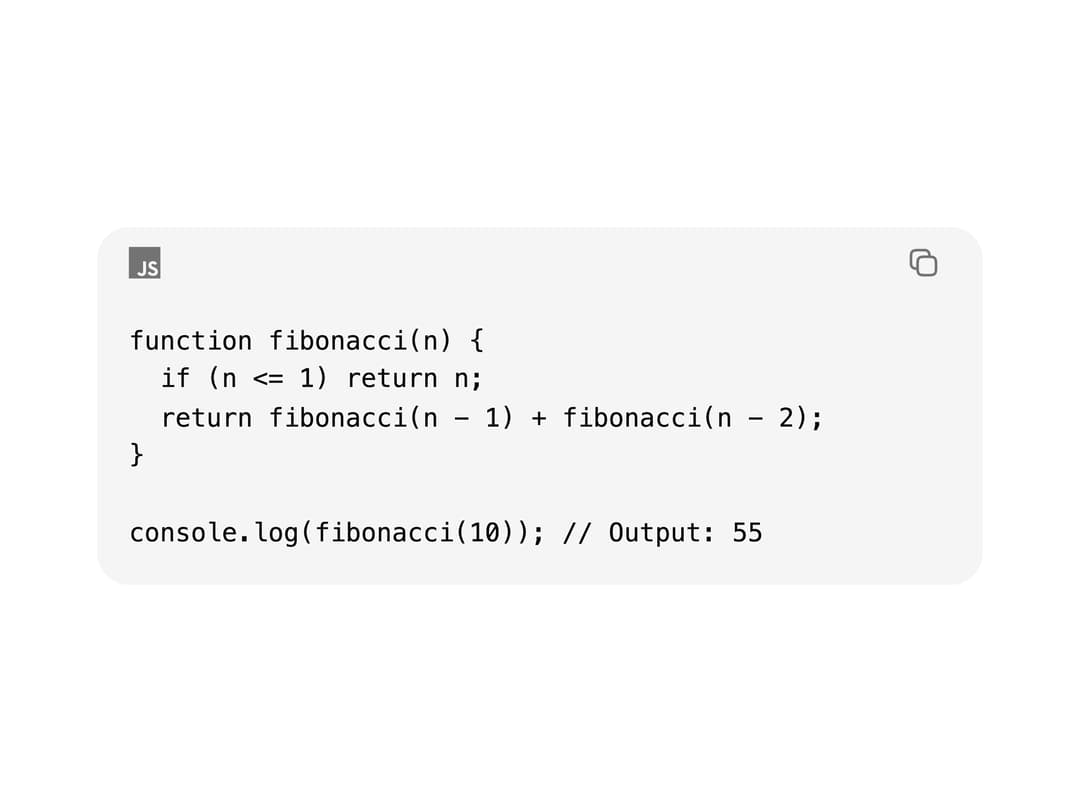
A syntax-highlighted code block with an optional header, filename, language icon, tabs, line numbers, diff markers, focus mode, and a copy-to-clipboard button.
Built with React and Tailwind. Copy the prompt and paste it into Claude Code, Cursor or Lovable: your agent adds Code Block to your project and fits it to your theme.
Code
How Code Block is used: the demo's code. The component's own source comes with a free account.
Usage.tsx
"use client";

import {
  CodeBlock,
  CodeBlockHeader,
  CodeBlockPre,
  CodeBlockCode,
} from "@/components/ui/code-block";

const code = `function fibonacci(n) {
  if (n <= 1) return n;
  return fibonacci(n - 1) + fibonacci(n - 2);
}

console.log(fibonacci(10)); // Output: 55`;

export default function CodeBlockDemo() {
  return (
    <div className="flex w-full max-w-lg items-center justify-center p-8">
      <CodeBlock code={code} language="javascript" className="w-full">
        <CodeBlockHeader />
        <CodeBlockPre>
          <CodeBlockCode />
        </CodeBlockPre>
      </CodeBlock>
    </div>
  );
}
Dependencies
More by cubby-ui
View all
Timeline
171
Copy Button
6
Autocomplete
4
Date Range Picker
Tree
Toolbar
OTP Field

Fancy Button