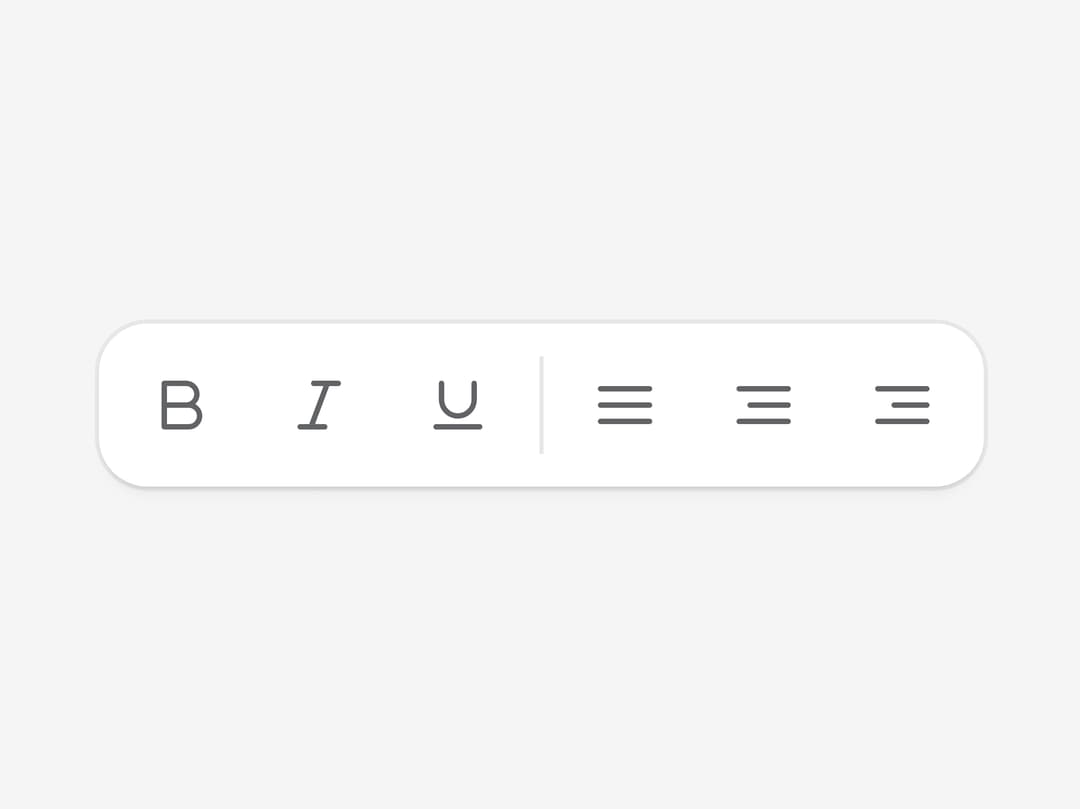
About
A horizontal or vertical strip that groups related buttons, links, and inputs with roving-tabindex arrow-key navigation, for things like a text-formatting bar or a media player's transport controls.
Built with React and Tailwind. Copy the prompt and paste it into Claude Code, Cursor or Lovable: your agent adds Toolbar to your project and fits it to your theme.
Code
How Toolbar is used: the demo's code. The component's own source comes with a free account.
Usage.tsx
"use client";

import {
  Toolbar,
  ToolbarButton,
  ToolbarSeparator,
  ToolbarGroup,
} from "@/components/ui/toolbar";

export default function ToolbarBasic() {
  return (
    <div className="flex items-center justify-center p-10">
      <Toolbar>
        <ToolbarGroup>
          <ToolbarButton>
            <svg
              xmlns="http://www.w3.org/2000/svg"
              width="16"
              height="16"
              viewBox="0 0 24 24"
              fill="none"
              stroke="currentColor"
              strokeWidth="2"
              strokeLinecap="round"
              strokeLinejoin="round"
            >
              <path d="M6 4h8a4 4 0 0 1 4 4 4 4 0 0 1-4 4H6z"></path>
              <path d="M6 12h9a4 4 0 0 1 4 4 4 4 0 0 1-4 4H6z"></path>
            </svg>
          </ToolbarButton>
          <ToolbarButton>
            <svg
              xmlns="http://www.w3.org/2000/svg"
              width="16"
              height="16"
              viewBox="0 0 24 24"
              fill="none"
              stroke="currentColor"
              strokeWidth="2"
              strokeLinecap="round"
              strokeLinejoin="round"
            >
              <line x1="19" y1="4" x2="10" y2="4"></line>
              <line x1="14" y1="20" x2="5" y2="20"></line>
              <line x1="15" y1="4" x2="9" y2="20"></line>
            </svg>
          </ToolbarButton>
          <ToolbarButton>
            <svg
              xmlns="http://www.w3.org/2000/svg"
              width="16"
              height="16"
              viewBox="0 0 24 24"
              fill="none"
              stroke="currentColor"
              strokeWidth="2"
              strokeLinecap="round"
              strokeLinejoin="round"
            >
              <path d="M6 4v6a6 6 0 0 0 12 0V4"></path>
              <line x1="4" y1="20" x2="20" y2="20"></line>
            </svg>
          </ToolbarButton>
        </ToolbarGroup>

        <ToolbarSeparator />

        <ToolbarGroup>
          <ToolbarButton>
            <svg
              xmlns="http://www.w3.org/2000/svg"
              width="16"
              height="16"
              viewBox="0 0 24 24"
              fill="none"
              stroke="currentColor"
              strokeWidth="2"
              strokeLinecap="round"
              strokeLinejoin="round"
            >
              <line x1="3" y1="6" x2="21" y2="6"></line>
              <line x1="3" y1="12" x2="21" y2="12"></line>
              <line x1="3" y1="18" x2="21" y2="18"></line>
            </svg>
          </ToolbarButton>
          <ToolbarButton>
            <svg
              xmlns="http://www.w3.org/2000/svg"
              width="16"
              height="16"
              viewBox="0 0 24 24"
              fill="none"
              stroke="currentColor"
              strokeWidth="2"
              strokeLinecap="round"
              strokeLinejoin="round"
            >
              <line x1="3" y1="6" x2="21" y2="6"></line>
              <line x1="7" y1="12" x2="21" y2="12"></line>
              <line x1="3" y1="18" x2="21" y2="18"></line>
            </svg>
          </ToolbarButton>
          <ToolbarButton>
            <svg
              xmlns="http://www.w3.org/2000/svg"
              width="16"
              height="16"
              viewBox="0 0 24 24"
              fill="none"
              stroke="currentColor"
              strokeWidth="2"
              strokeLinecap="round"
              strokeLinejoin="round"
            >
              <line x1="3" y1="6" x2="21" y2="6"></line>
              <line x1="9" y1="12" x2="21" y2="12"></line>
              <line x1="3" y1="18" x2="21" y2="18"></line>
            </svg>
          </ToolbarButton>
        </ToolbarGroup>
      </Toolbar>
    </div>
  );
}
Dependencies
More by cubby-ui
View all
Timeline
171
Copy Button
6
Autocomplete
4
Code Block
Date Range Picker
Tree
OTP Field

Fancy Button
More in Buttons
View all
Button Save
46

Button
20

Eclipse Button
5

Button
32

Button
6

Button
14

Button Group
37
Split Button
32

