
About
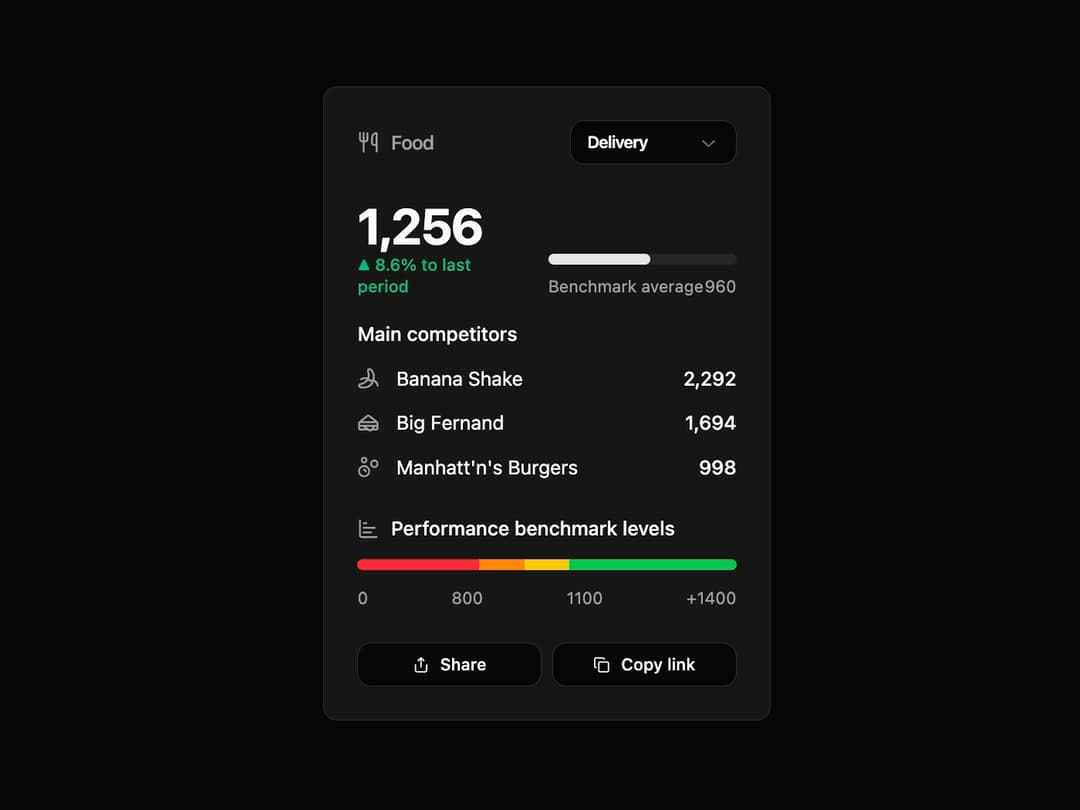
Performance Benchmark Card This component provides a comprehensive view of a key metric against benchmarks and competitors. It's designed to be highly reusable, allowing you to feed it any data structure for titles, values, competitors, and performance levels.
Built with React and Tailwind. Copy the prompt and paste it into Claude Code, Cursor or Lovable: your agent adds Performance Benchmark Card to your project and fits it to your theme.
Code
How Performance Benchmark Card is used: the demo's code. The component's own source comes with a free account.
Usage.tsx
import { PerformanceCard } from "@/components/ui/performance-benchmark-card";
import { Utensils, Sandwich, Bubbles, Banana } from "lucide-react";

export default function PerformanceCardDemo() {
  const foodData = {
    title: "Food",
    headerIcon: <Utensils className="w-4 h-4" />,
    mainValue: 1256,
    percentageChange: 8.6,
    benchmarkAverage: 960,
    competitors: [
      {
        name: "Banana Shake",
        value: 2292,
        icon: <Banana className="w-4 h-4" />,
      },
      {
        name: "Big Fernand",
        value: 1694,
        icon: <Sandwich className="w-4 h-4" />,
      },
      {
        name: "Manhatt'n's Burgers",
        value: 998,
        icon: <Bubbles className="w-4 h-4" />,
      },
    ],
    performanceLevels: [
        { label: "0", value: 800, color: "bg-red-500" },
        { label: "800", value: 1100, color: "bg-orange-400" },
        { label: "1100", value: 1400, color: "bg-yellow-400" },
        { label: "+1400", value: 2500, color: "bg-green-500" },
    ],
  };

  return (
    <div className="flex items-center justify-center h-full bg-background p-4">
      <PerformanceCard
        title={foodData.title}
        headerIcon={foodData.headerIcon}
        mainValue={foodData.mainValue}
        percentageChange={foodData.percentageChange}
        benchmarkAverage={foodData.benchmarkAverage}
        competitors={foodData.competitors}
        performanceLevels={foodData.performanceLevels}
      />
    </div>
  );
}
Dependencies
More by Kavi Katiyar
View all

3D Card
981
Bento Product Features
831
Testimonial Slider
716
Card
607
Order Confirmation Card
504
Project Detail View
408
State
393
Animated Card
393
More in Cards
View all

Statistics Card 2
264

Course Design Cards
1.1K
Card
70
Stats cards with links
39
The Item one
3

Card Studio
7
Statistics Card 7
292

Item
10
